Rev. 01/2015 107
8.6.5 Misfire Detection
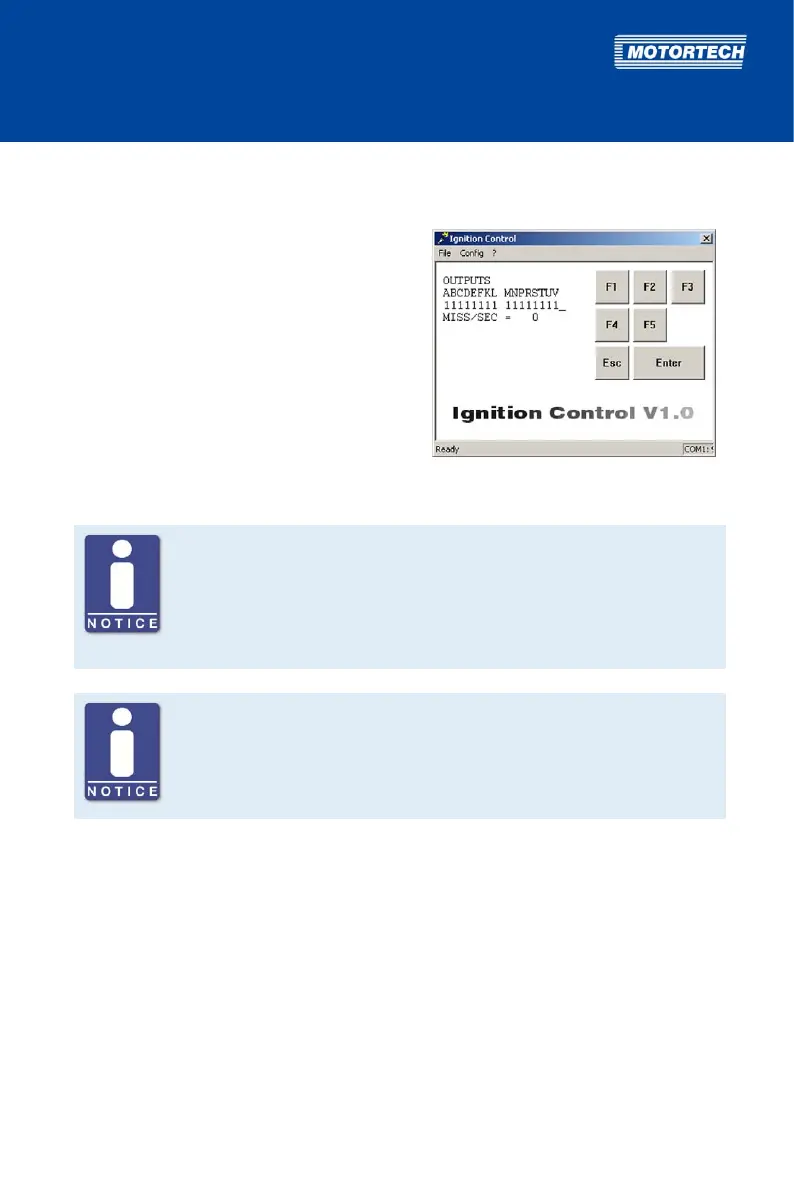
In this view, the current status of the misfire detection is displayed.
Activate View
– Computer: [Shift]+[M]
– Hand-held programmer: [M]
Displayed Values
– OUTPUTS
Display of ignition outputs and their status.
All outputs that are functioning properly are
indicated as 1.
– MISS/SEC
Display of the total number of misfires of all
ignition outputs per second
Note the assignment of the ignition outputs at the output connector
Note that the ignition outputs at the output connector of the individual
device types are not always assigned to a pin or a pole with the same letter.
The assignment of the ignition outputs to the pins or poles of the output
connector can be found in chapter Input and Output Wiring on the Controller
on page 28.
Misfire Detection
Which of the displayed outputs can actually be fired, depends on the set
sequence number (see Set Sequence Number on page 80). The ignition
sequence depends on how the outputs of the ignition controller are wired to
the ignition coils.
8.7 Programming Overview
In the following programming overview, you can enter the configuration you selected to
complete your documentation. The numbers ahead of the parameters correspond to the
numbers in the overview in section Brief Overview of Parameters on page 78.



 To Next Page