8 ADJUSTMENTS
86 Rev. 01/2015
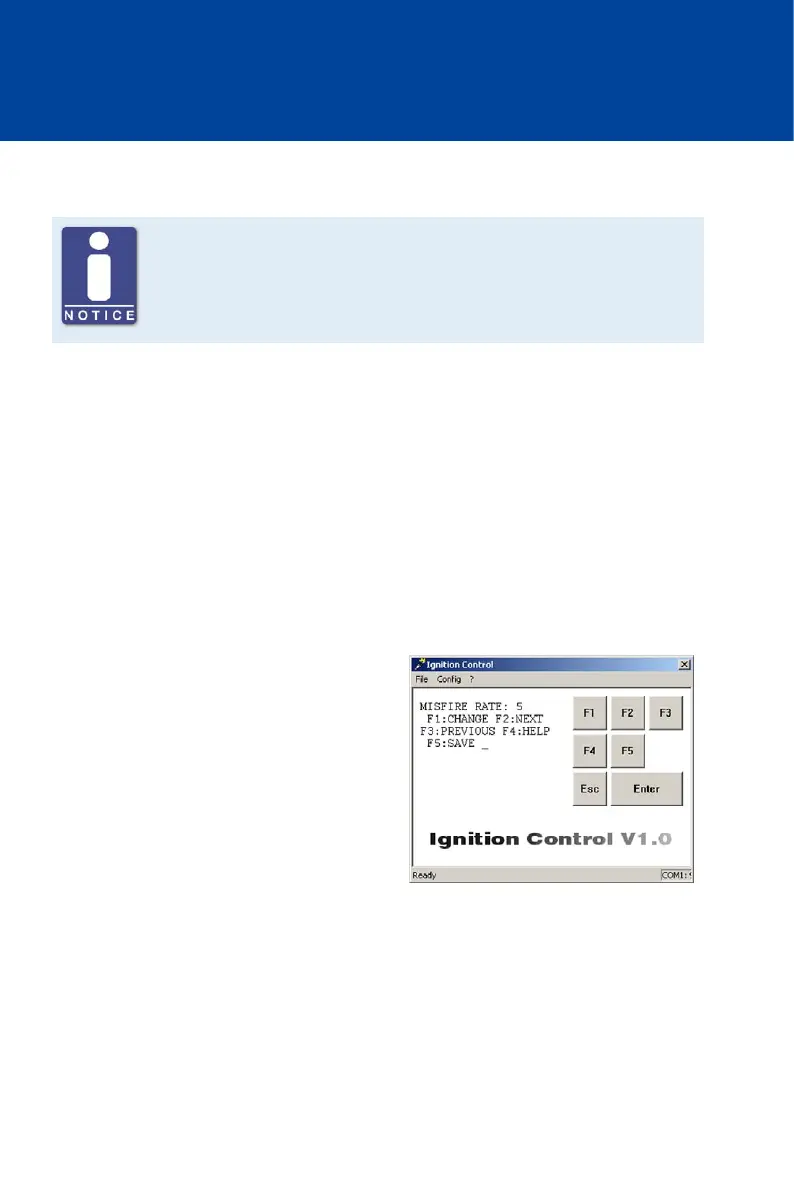
8.5.7 Set Misfire Rate
Deactivate misfire monitoring
For sequences 22, 23, 29, 34 and 36, it is necessary to set the MISFIRE RATE
to via Ignition Control, which deactivates misfire monitoring.
With the MISFIRE RATE parameter, you can specify the permissible misfires per second (primary
side, open circuit) across all outputs. If the specified value is exceeded, the engine will be
switched off. The exceeded misfire rate is indicated by the status LED of the device flashing six
times (see Message and Error Overview on page 113).
Misfire monitoring can be deactivated by setting the value to 0 or 255. Depending on the engine
type, setting a misfire rate of 3 to 15 is recommended.
For sequences 22, 23, 29, 34 and 36, the misfire rate must be set to , which deactivates misfire
monitoring.
Value range:
– 0 to 255, whole numbers
Proceed as follows:
Open parameterization level ->
[F2] to MISFIRE RATE -> [F1] ->
Enter misfire rate ->
[Enter] -> [F5]



 To Next Page