Rev. 01/2015 97
Configuration examples
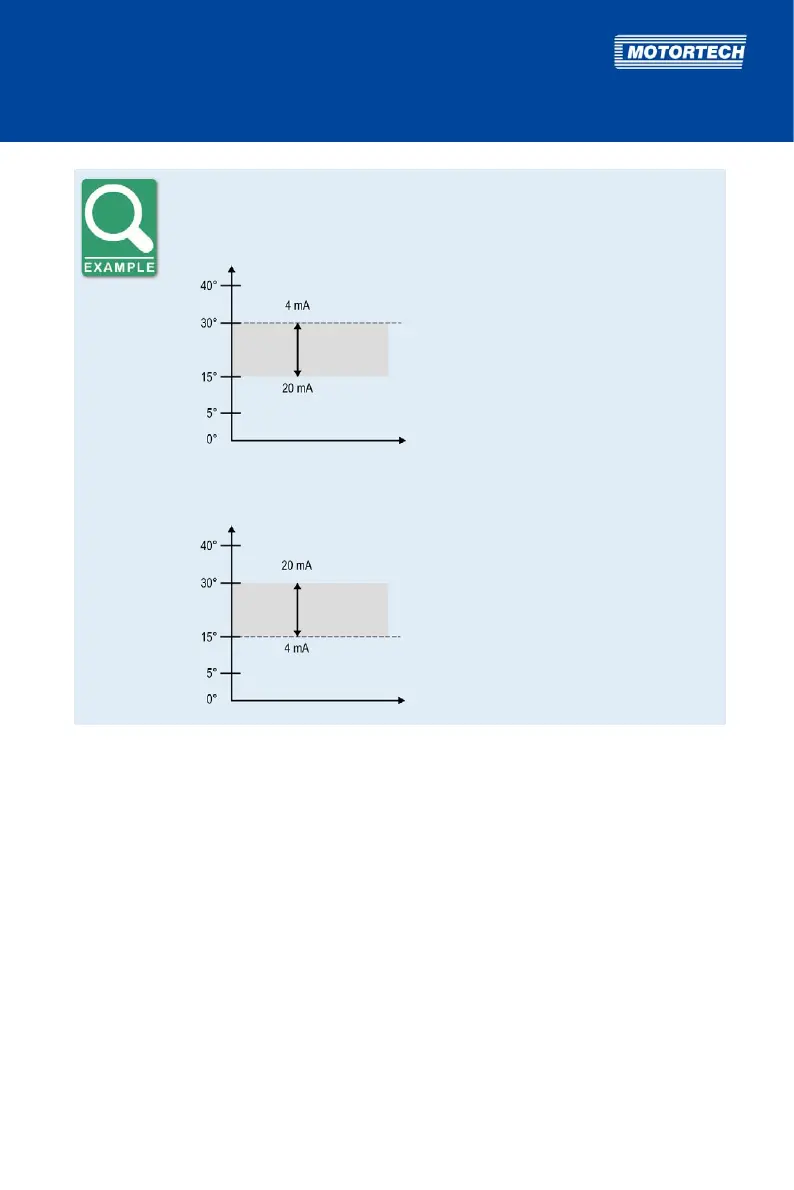
Characteristic 4-20 mA – ignition timing adjustment towards retard
BTDC
t
Parameterization
4mA TIMING: 0.00 ADV
20mA TIMING: 15.00 RET
15° retarded ignition if timing is at
30° BTDC
Characteristic 4-20 mA – ignition timing adjustment towards advance
BTDC
t
Parameterization
4mA TIMING: 0.00 ADV
20mA TIMING: 15.00 ADV
15° advanced ignition if timing is at
15° BTDC
8.5.16 Set Speed Curve
The speed curve enables the adjustment of the ignition timing based on the speed of the engine.
You can configure the speed curve as soon as you have activated it for schedule A or B (see
Activate Functions for Schedules A and B on page 89). The setting for schedule B will only be
applied if the digital input in the Function switch A/B allows a switch between the two schedules
(see Select Function for Digital Input on page 87).
With the parameter # SPEED POINTS, you can specify the number of desired points in the speed
curve. There is a maximum of five points possible. For each point (BP1 to max. BP5) you can
specify a speed value (NEW SPEED) and the corresponding timing adjustment (NEW ANGLE).
Please also refer to the example at the end of the section.
You can only configure the same amount of speed points (BPx) as you set up under # SPEED
POINTS.



 To Next Page