8 ADJUSTMENTS
106 Rev. 01/2015
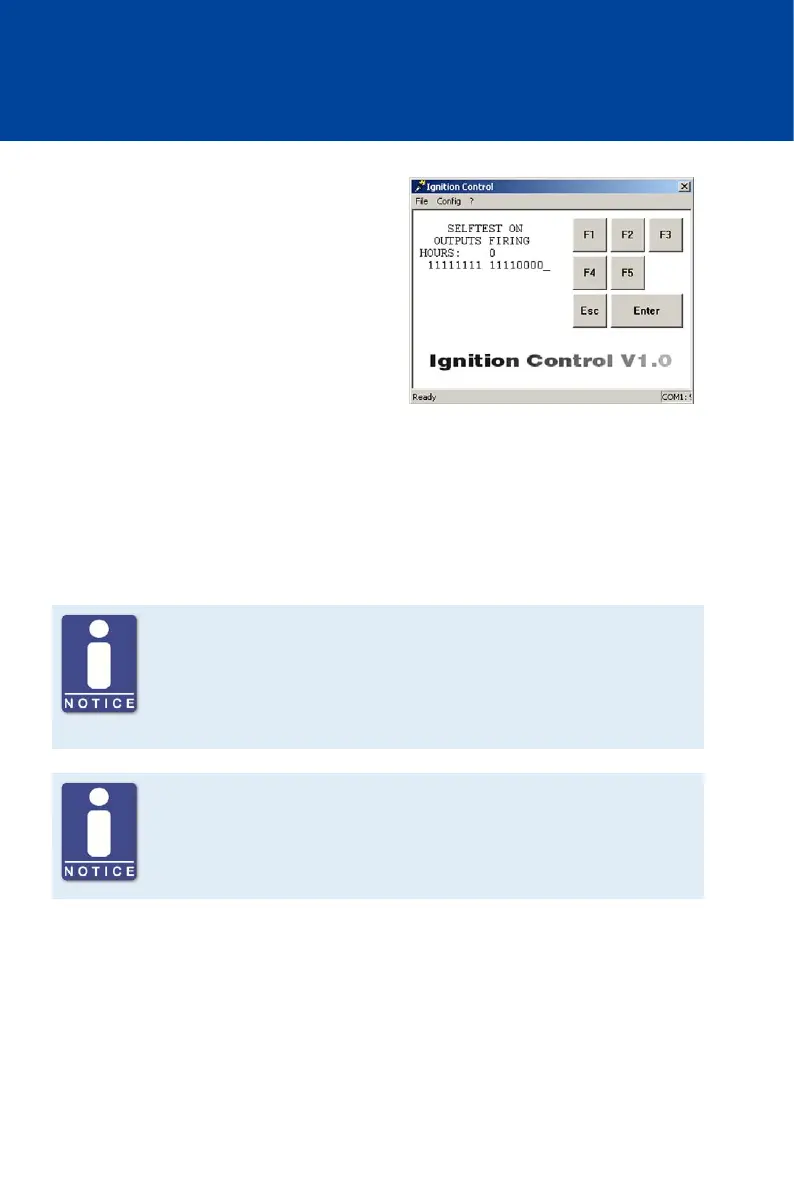
Start Self Test
– Computer: [Shift]+[S]:
– Hand-held programmer: [S]
The ignition controller begins the self
test immediately.
Displayed Values
– HOURS:
Hours of operation of the ignition controller
– Column of figures below HOURS:
Display of ignition outputs. All outputs that
are functioning properly are indicated as 1.
Finish Self Test
To finish the self test and return to the main view, you have the following options:
– Computer: Press [Shift]+[S] or [Esc]
– Hand-held programmer: Press [S] or [ESC]
Note the assignment of the ignition outputs at the output connector
Note that the ignition outputs at the output connector of the individual
device types are not always assigned to a pin or a pole with the same letter.
The assignment of the ignition outputs to the pins or poles of the output
connector can be found in chapter Input and Output Wiring on the Controller
on page 28.
Misfire Detection
Which of the displayed outputs can actually be fired, depends on the set
sequence number (see Set Sequence Number on page 80). The ignition
sequence depends on how the outputs of the ignition controller are wired to
the ignition coils.



 To Next Page