ioThinx 4510 Series Software Tools
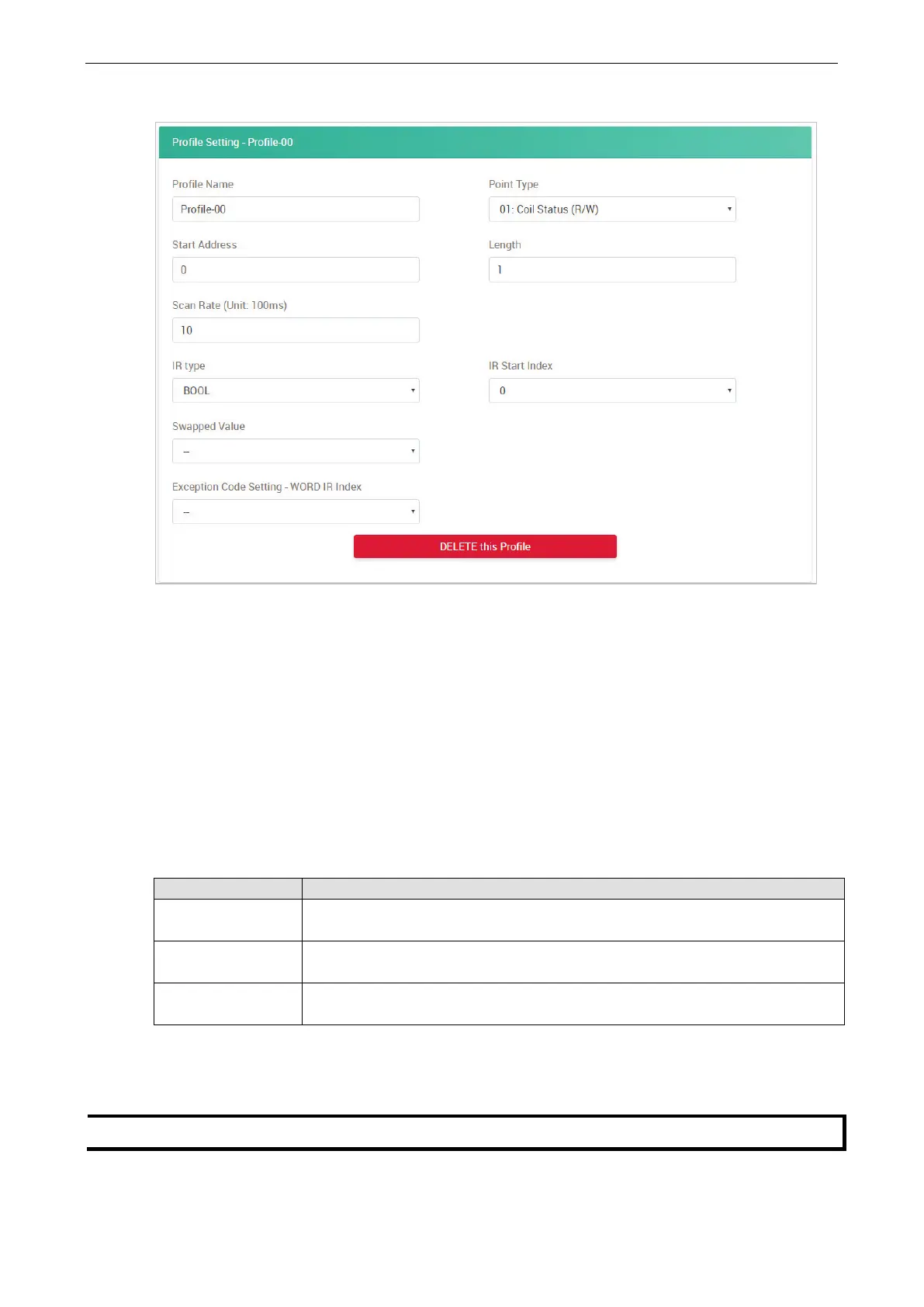
After creating a new profile, configure the settings of the profile.
Profile Name: Name the profile of the Modbus device (max. length = 16; “.” character is not allowed).
Point Type: Set the corresponding Modbus point type setting (option: 01: Coil Status (R/W), 02: Input
Status (R), 03: Holding Register (R/W), or 04: Input Register (R))
Start Address: Define the start address of this Modbus tag (0 to 65535).
Length: Define the length of the coil (1 to 2000) or the register (1 to 125).
Scan Rate: Define how quickly to poll the profile data (unit: 100 ms; 100 to 3600000; default: 10).
IR Type: Set the internal register data type (option: BOOL, WORD, DWORD, or FLOAT).
IR Start Index: Set the start number of the internal register for storing data. It only allows you to select
available internal registers, depending on the length you define.
Swapped Value: Select a data conversion option.
IR Type Option
WORD 1. HiByte & LoByte
2. LoByte & HiByte
DWORD 1. HiWord & LoWord
2. LoWord & HiWord
FLOAT 1. HiWord & LoWord
2. LoWord & HiWord
Exception Code Setting - WORD IR Index: Set the internal register for exception code. It only allows
you to select one of the available internal registers.
Delete this Profile: Click this button to delete this profile.
The maximum number of Modbus RTU
device profiles that can be created is 8.



 To Next Page
 Loading...