NPort 5600-8-DT/DTL Series Using NPort Administrator
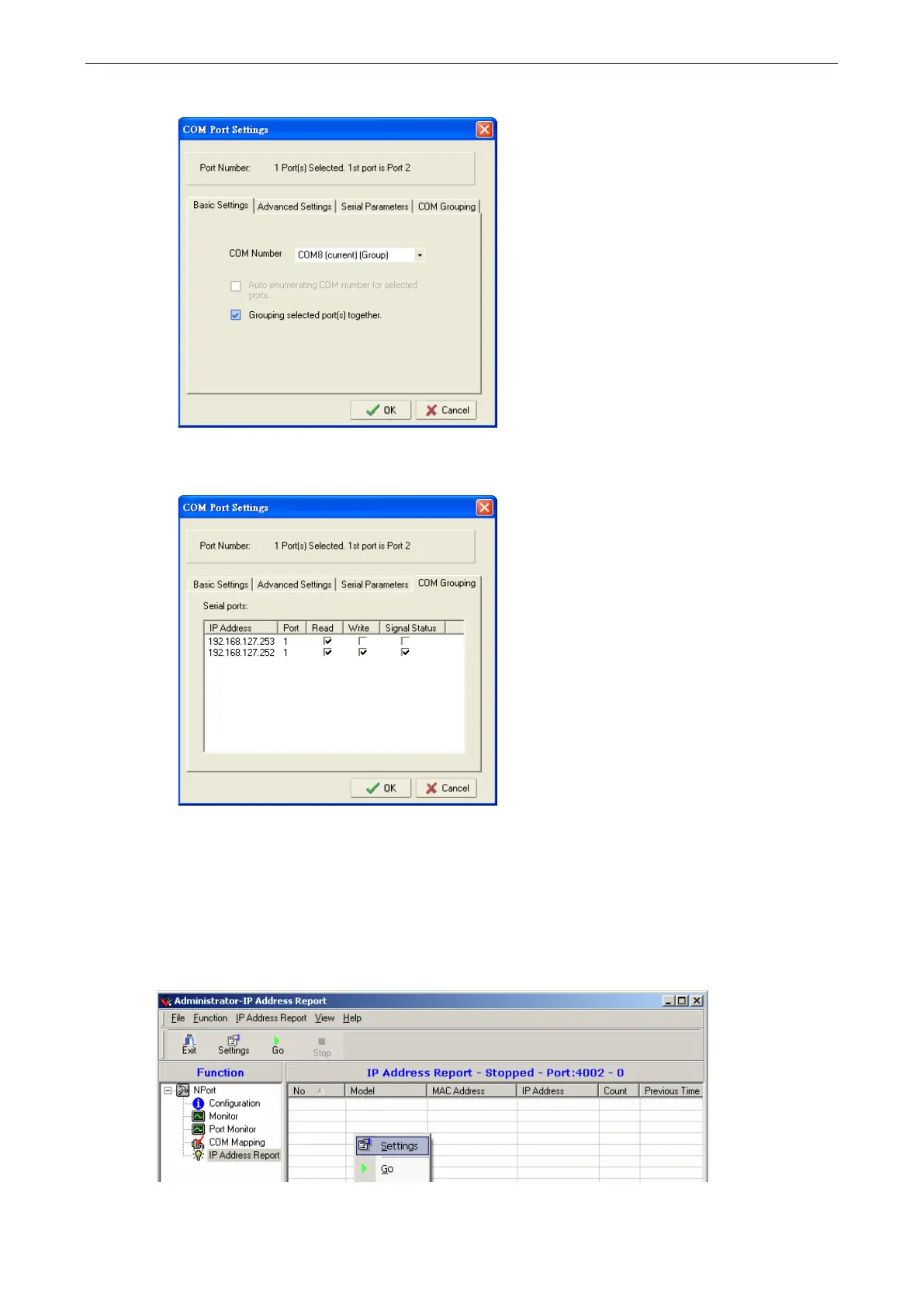
2. Check the Grouping selected port(s) together check box.
3. On COM Grouping page, you can specify one serial port whose signals will be taken into account by the
COM Group and change the Read/Write status for each serial port.
IP Address Report
The IP Address Report function receives automatic IP reports from appropriately configured NPort device
servers. Use the Settings command in the function context menu to designate the UDP port number that the
NPort will use when sending IP address reports. This must correspond with the network settings on the NPort
device server.



 To Next Page
 Loading...




