9 Operation
Maschinenfabrik Reinhausen GmbH 2022126 8595028/00 ENTAPCON
®
250
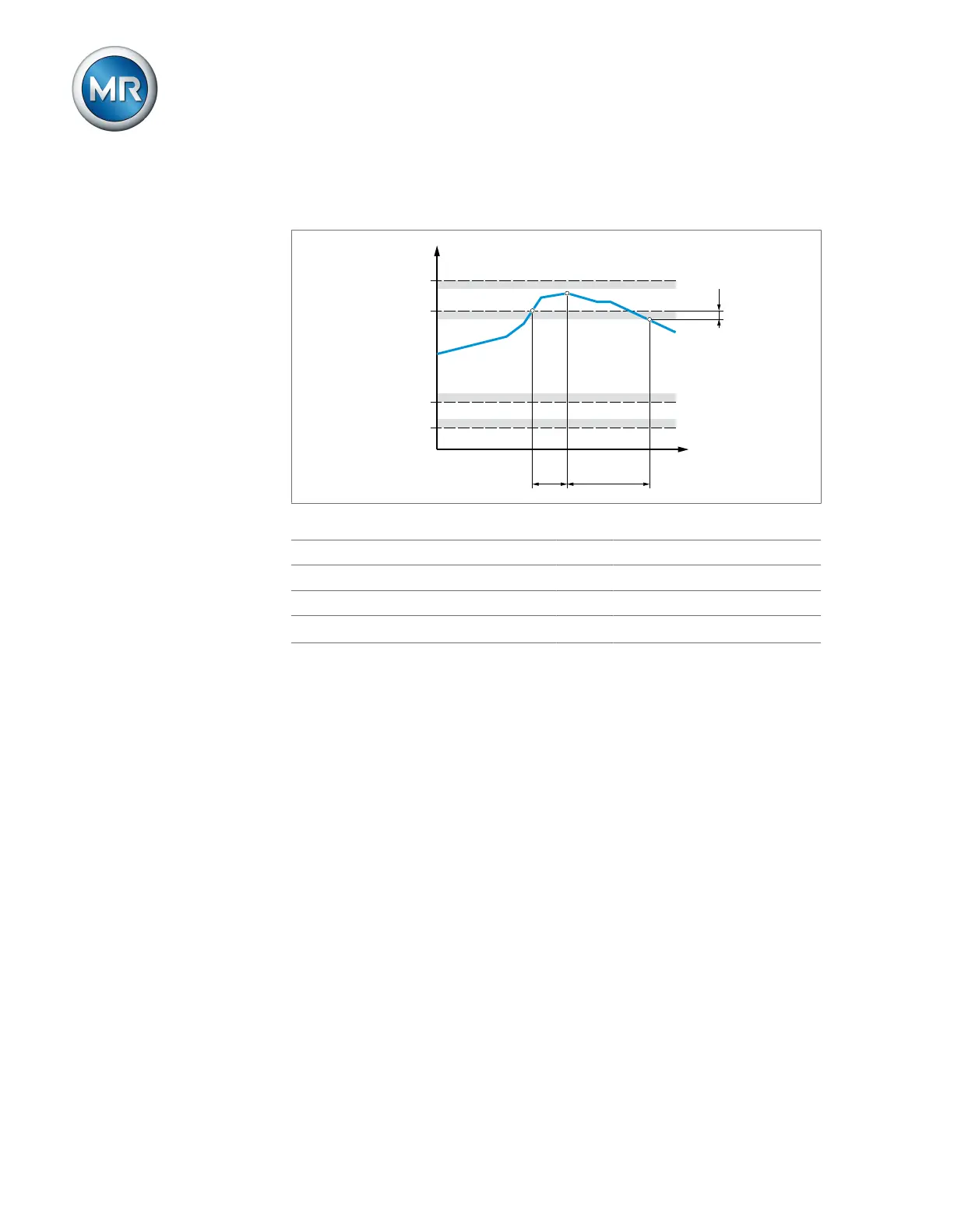
If the measured value is higher than the upper limit (> or >>) or lower than
the lower limit (< or <<), the device transmits an event message.
Figure66: Example of current monitoring with the limit value I> being exceeded
I>> Upper limit2 I> Upper limit1
I< Lower limit1 I<< Lower limit2
t
V
Delay time t
E
Event duration
H Hysteresis
1. Go to Settings > Parameters > Grid > Current monitoring.
2. Select the desired parameter.
3. Set the desired parameter.
4. Press the Accept button to save the modified parameter.
You can set additional parameters for each limit value:
Mode
You can use this parameter to set which limit value you would like to use:
▪ Absolute: The device uses the absolute limit value in A/kA.
▪ Relative: The device uses the relative limit value in %, relative to the rated
current of current transformer.
Hysteresis
You can use this parameter to set the hysteresis. You can use this to avoid
the unnecessary generation of messages if the measured value fluctuates
around a threshold value.



 To Next Page