4 Product description
Maschinenfabrik Reinhausen GmbH 2022 278595028/00 EN TAPCON
®
250
9 BACK key Exit the current menu. Return to the pre-
vious menu level
10 ENTER key Confirm selection
1)
Key without function if a digital input is used to switch between AUTO/
MANUAL and this is activated with the parameter Pulse type digital input
set to Continuous signal.
2)
Key without function if a digital input is used to switch between LOCAL/RE-
MOTE and this is activated with the parameter Pulse type digital input set
to Continuous signal.
3)
Only possible with user authorization and in the local (manual mode) oper-
ating mode.
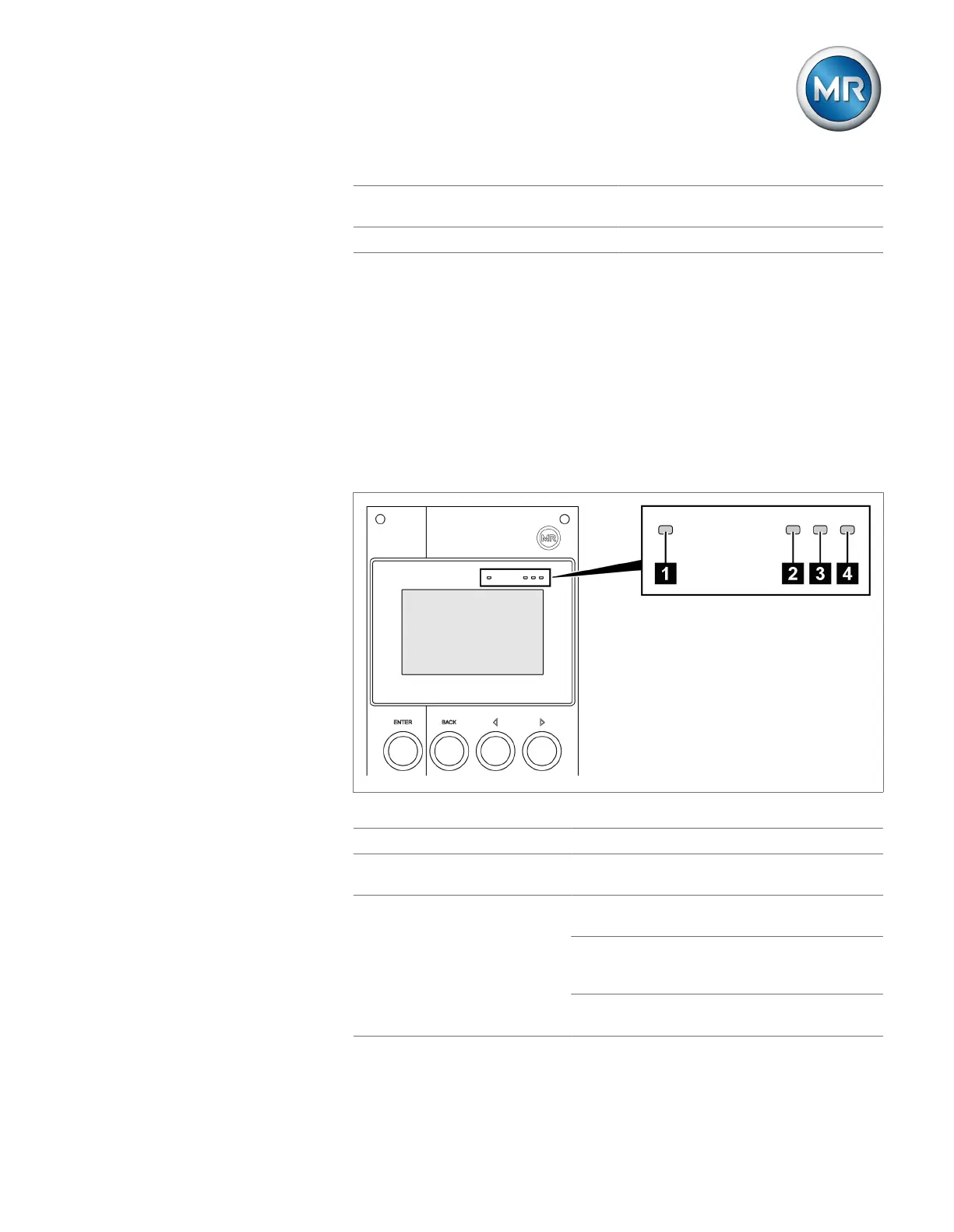
4.4.2 LEDs
Figure6: LEDs
1 Light-level sensor - -
2 Power supply LED Green Lights up during commissioning / volt-
age connection of the display.
3 AVR STATUS LED Red Illuminates when the device is in the
error state.
Yellow Illuminates when the device starts or
has been paused; e.g. during a soft-
ware update.
Blue Illuminates when the device is in the
operating state.



 To Next Page