6 Mounting
Maschinenfabrik Reinhausen GmbH 2022 678595028/00 EN TAPCON
®
250
Block diagram and wiring versions
1
X1
IN VO U+
1
2
3
4
IN VO I+
A
D
IN VO I-
IN VO U-
X
2
IN V1 U+
2
3
4
IN V1 I+
A
D
IN V1 I-
IN V1 U-
X3
I
N
V2 U+
1
2
3
4
IN V2 I+
A
D
IN V2 I-
IN V2 U-
X4
IN V3 U+
1
2
3
4
IN V3 I+
A
D
IN V3
I-
IN V3 U-
Connection of a 2-
conductor measuring
transducer with current
output
Connection of a 4-
conductor measuring
transducer with voltage
output
Connection of a 3-
conductor measuring
transducer with current
output
Connection of a 4-
conductor measuring
transducer with current
output
CAN bus
Controller
Reinforced insulation
AI4
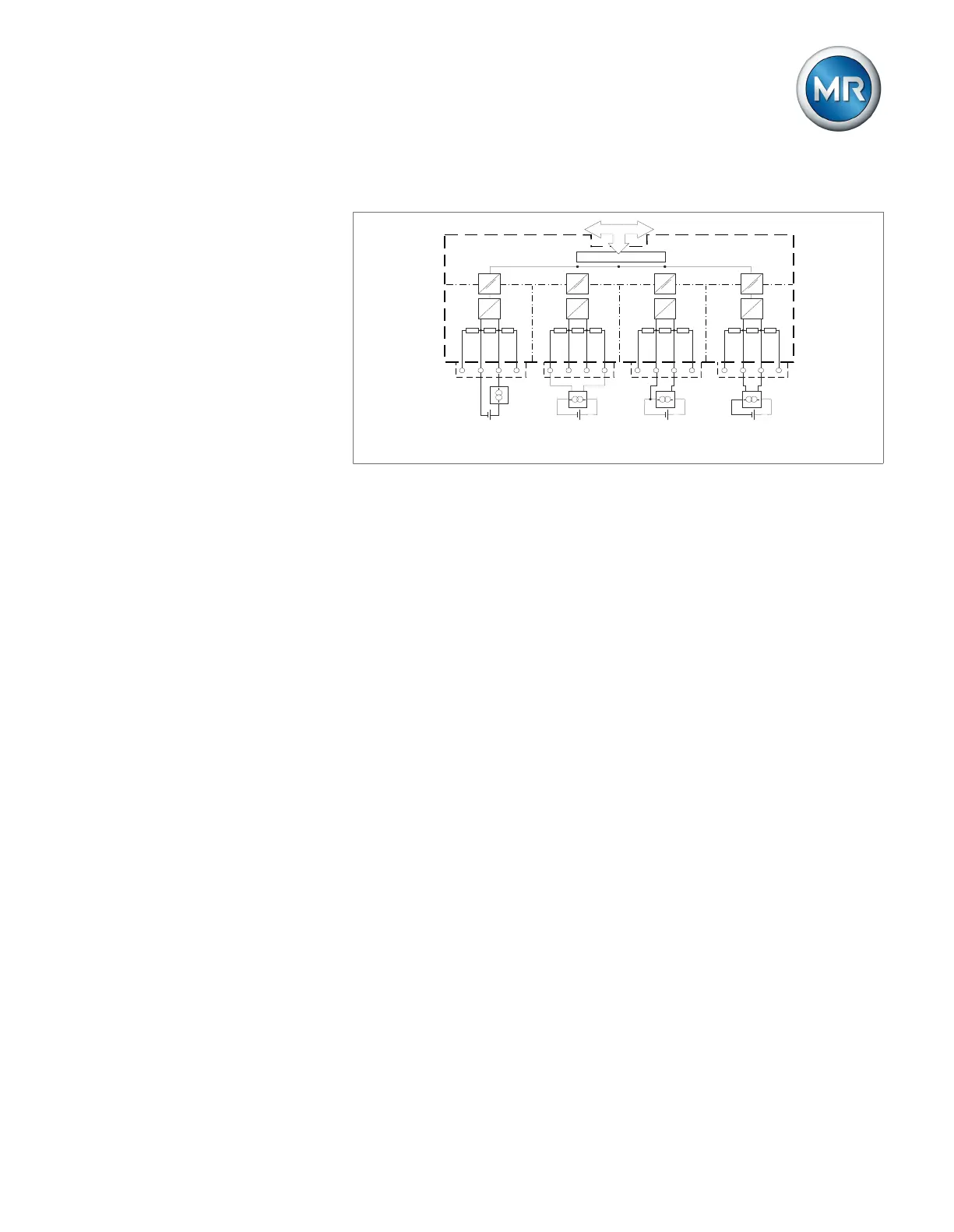
Figure51: Block diagram for analog inputs
1. Lead the wires into the connector and fasten them using a screwdriver.
2. Insert the plug into the respective slot in accordance with the connection
diagram and screw into place.
6.4.9 Wiring digital inputs DI
If you use digital inputs, these have to be supplied with an auxiliary voltage
of 110VDC for the DI16-110V and 24V for the DI16-24V.
If the tap position capture method [►Section 9.4.1.2, Page 157] is changed,
ensure that all inputs are connected to the same card DI16-110V or
DI16-24V.
1. Feed the wires into the terminal of the DI16-110V and DI16-24V in ac-
cordance with the connection diagram and fasten them using a screw-
driver.
2. Plug the connector into the respective slot and screw it into place.
Auxiliary power supply for digital inputs
1. Feed the wires into the terminals X8:2 and X8:1 of the X8 plug in accor-
dance with the connection diagram and fasten them using a screwdriver.
2. Plug the connector into the respective slot and screw it into place.



 To Next Page