9 Operation
Maschinenfabrik Reinhausen GmbH 2022 1358595028/00 EN TAPCON
®
250
1. Go to Settings > Parameters > On-load tap-changer > Voltage regula-
tion > Change remote desired value setting.
2. Select the desired option in the list.
3. Press the Accept button to save the modified parameter.
Selecting a desired value
You can use this parameter to select the desired value used for control. You
can choose between desired value1…5.
ü Type of remote desired value setting selected.
1. Go to Settings > Parameters > On-load tap-changer > Voltage regula-
tion > Desired value.
2. Select the desired value from the list.
3. Press the Accept button to save the modified parameter.
9.3.1.1.1 Analog setting of the desired value
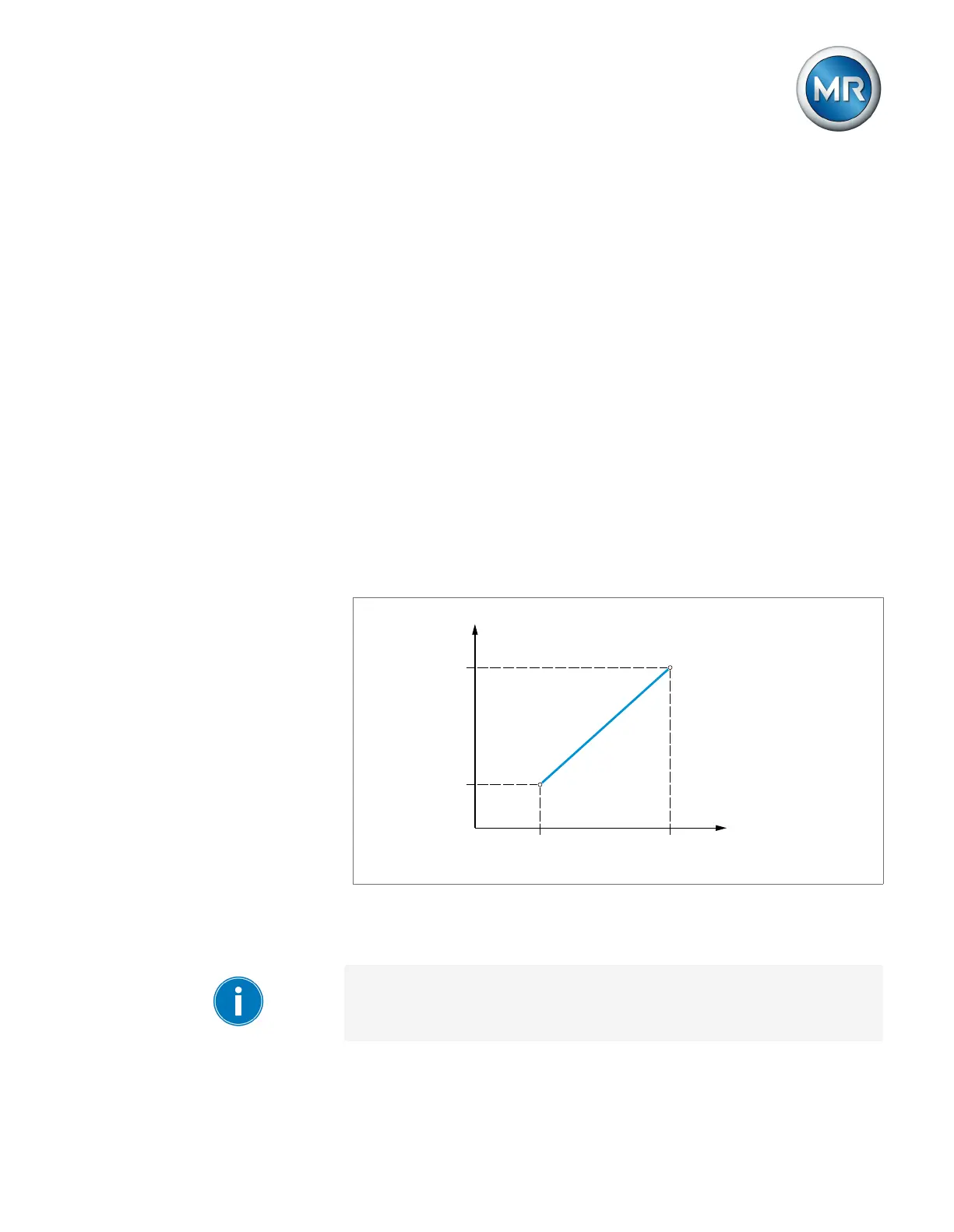
With the analog setting of the desired value, the desired value for the auto-
matic voltage regulation can be variably adapted using an analog signal (e.g.
4...20 mA).
Max.
Min.
Desired value
Max.Min. Analog signal
Figure69: Analog setting of the desired value
In order to configure the analog setting of the desired value, you can set the
parameters as described below.
To specify the desired value using an analog signal, you need to create a
signal at the Desired value setting release input. If this is not done, the de-
vice uses the set desired value 1.



 To Next Page