9 Operation
Maschinenfabrik Reinhausen GmbH 2022162 8595028/00 ENTAPCON
®
250
9.4.4.1 Setting the tap position message (optional)
If you issue the tap position of the on-load tap-changer via an analog output
or digital outputs (BCD, gray, etc.), you can set whether the device is to use
the raw value or the adjusted value for the control system in accordance with
the tap position table. You can use this setting to ensure that pass-through
positions of the on-load tap-changer are not reported as a separate tap posi-
tion.
If you issue the tap position via several outputs, you can set this behavior for
each output separately.
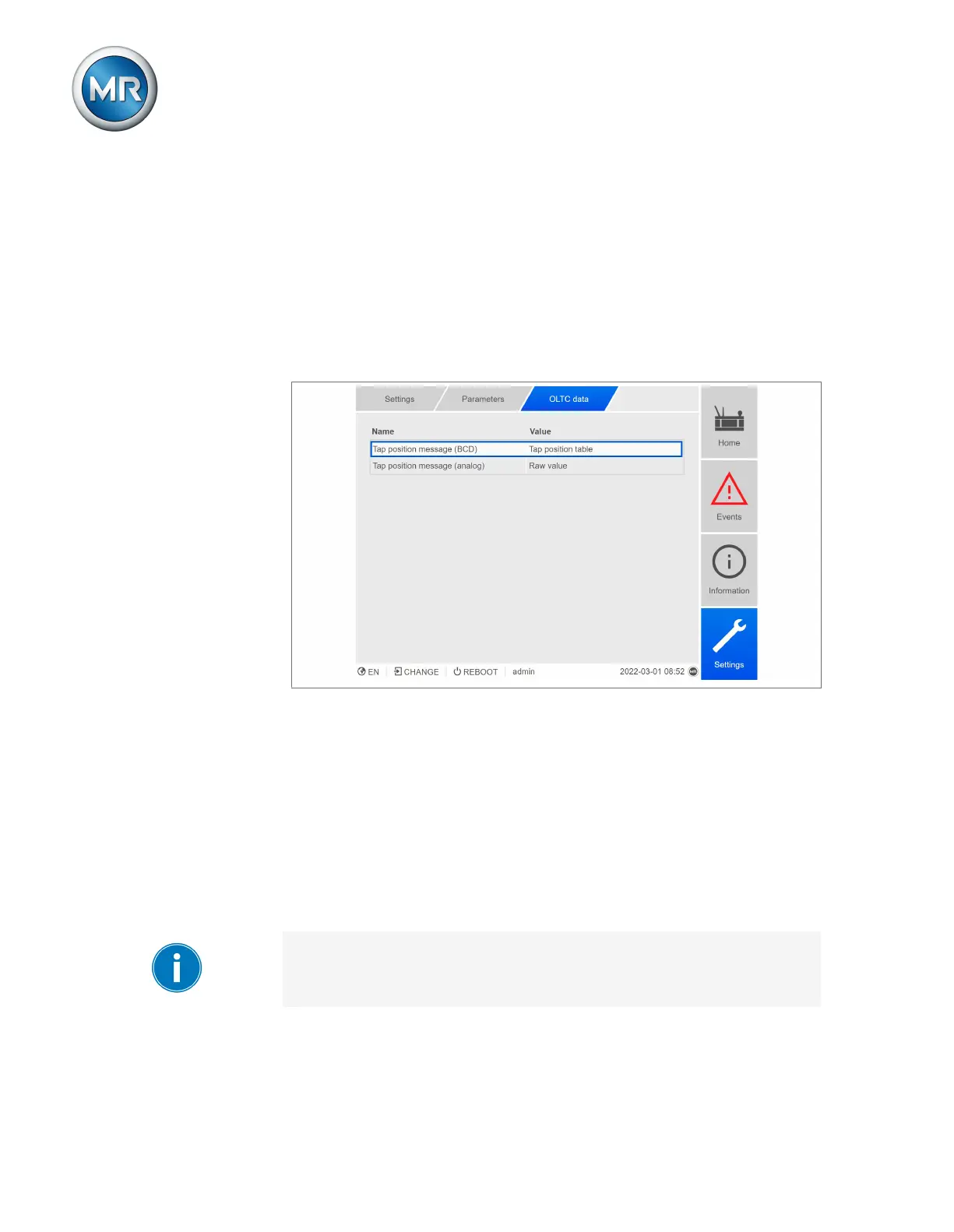
Figure82: OLTC data (example with 2x tap position message)
1. Go to Settings > Parameters > On-load tap-changer > OLTC data.
2. Select the desired parameter.
3. Set the desired parameter.
4. Press the Accept button to save the modified parameter.
Tap position message (analog)
You can use this parameter to set which range of values from the tap posi-
tion table the device should use for the tap position message using the ana-
log output.
If you change this parameter, you must then ensure that the configured ana-
log output value range matches the value range in the tap position table.
Otherwise, the tap position will not be reported correctly.



 To Next Page