9 Operation
Maschinenfabrik Reinhausen GmbH 2022164 8595028/00 ENTAPCON
®
250
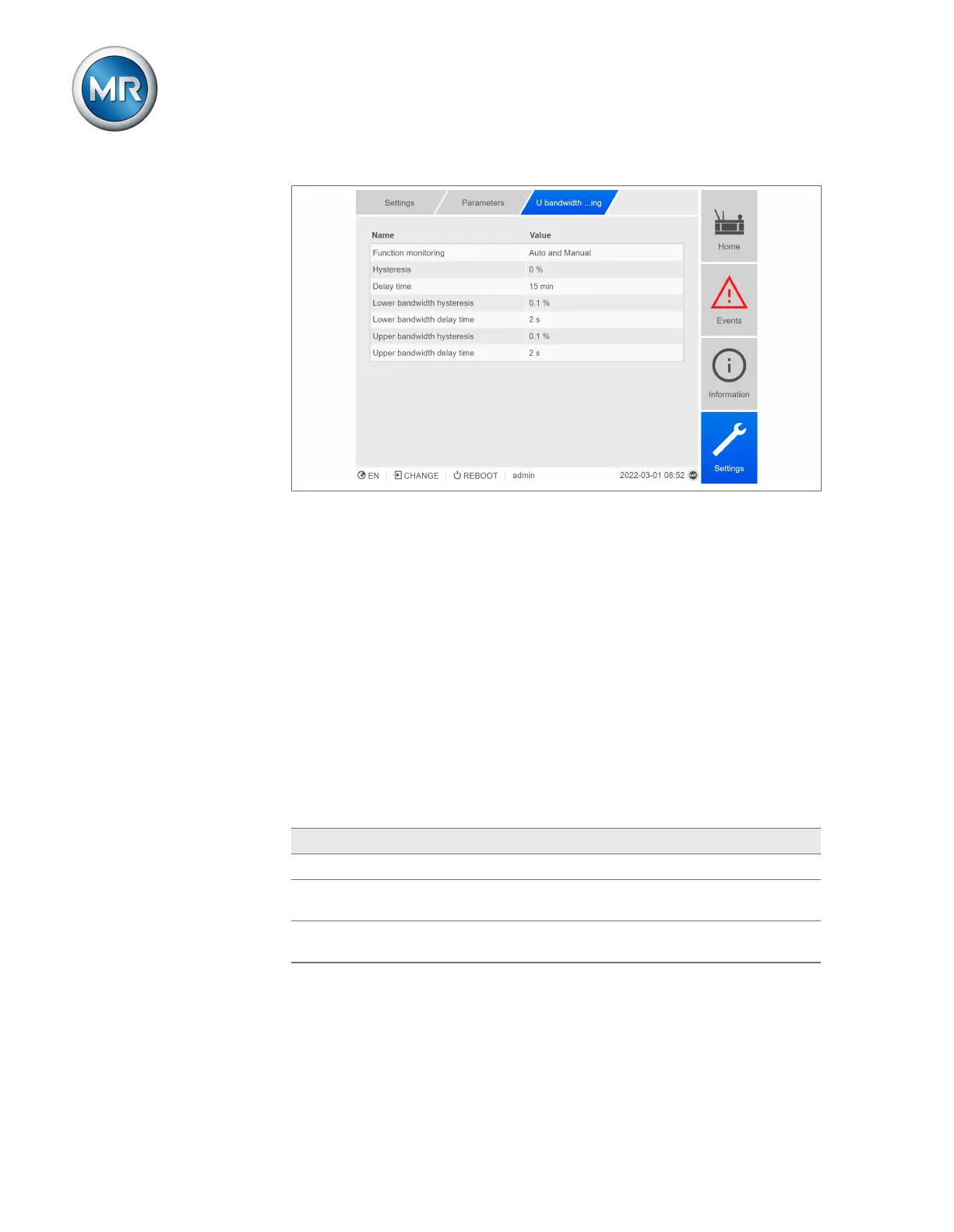
Figure83: U bandwidth monitoring
1. Go to Settings > Parameters > On-load tap-changer regulator > U
bandwidth monitoring.
2. Select the desired parameter.
3. Set the desired parameter.
4. Press the Accept button to save the modified parameter.
Also refer to
2 Monitoring U < 30V [►131]
Function monitoring
You can use this parameter to activate function monitoring. When doing so,
also observe the monitoring settings [►Page 131].
You can select the following options:
Setting Behavior
Off Function monitoring is deactivated.
Only Auto Function monitoring is only active in AVR AUTO oper-
ating mode.
Auto and Manual Function monitoring is active in AVR AUTO and AVR
MANUAL operating modes
Table46: Activate function monitoring
Hysteresis
You can use this parameter to set the hysteresis. You can use this to avoid
the unnecessary generation of messages if the measured value fluctuates
around a threshold value.



 To Next Page