6 Mounting
Maschinenfabrik Reinhausen GmbH 2022 658595028/00 EN TAPCON
®
250
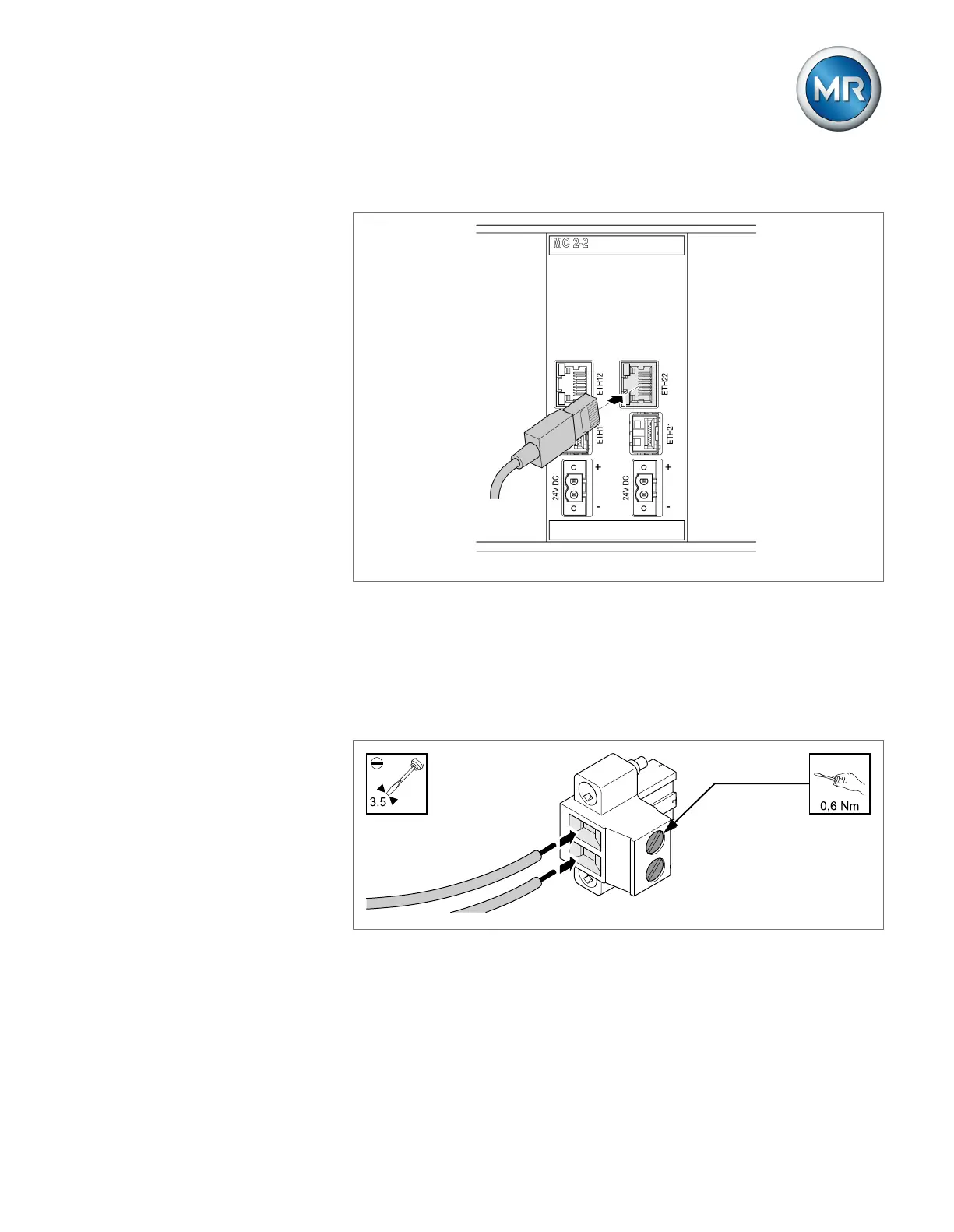
4. Insert the network cable.
Figure48: Inserting the network cable
Voltage supply
Connect the MC2-2/SW3-3 assembly to the voltage supply of the voltage
supply unit:
1. Guide the leads into the respective plug terminals for the voltage supply
and fasten them using a screwdriver.
Figure49: Inserting the leads



 To Next Page