Replacing ink bag 113
[3]
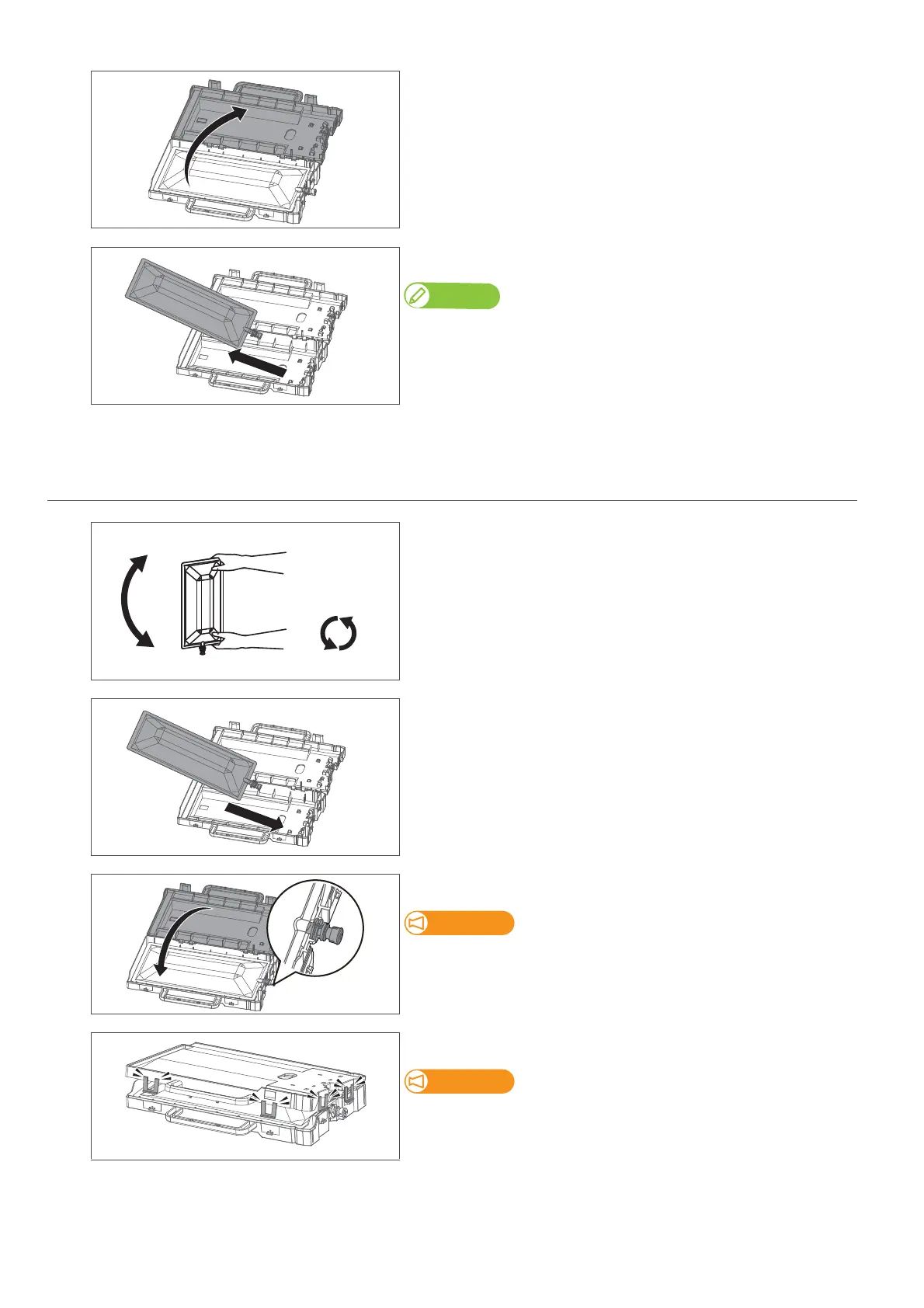
Open the ink bag case.
[4]
Remove the empty ink bag.
Note
Place the used ink bag in a plastic bag or the like and dispose of the ink bag according
to the local regulations.
2. Installing the ink bag
[1]
Prepare the new ink bag, and follow the instructions below to invert it
to mix the ink.
• Face the ink spout side upwards for 3 seconds.
• Invert it and count for 3 seconds.
• Repeat that 3 times.
[2]
Put the ink bag into the case.
[3]
Close the ink bag case.
Make sure the spout of ink bag is properly fitted into the groove in the
case.
If not fitted, the printer cannot correctly detect ink bag.
Close all the latches (×4) of the case properly.
Check that all the latches (×4) are closed.
If not, it may cause ink spillage.



 To Next Page