Inside cleaning 129
Cleaning period:
• Monthly
• When dust or ink stains are visible
Preparation:
•Soft brush
•Paper towel or Soft cloth
• Ethanol (commercially available item: Use one with a concentration of 50% or higher.)
•Gloves
Inside cleaning
Unplug the power cable with the power OFF, before cleaning the inside of the printer.
Steps
[1]
Remove the media.
[2]
Make sure that the printer is turned OFF.
[3]
Open the front cover.
Important!
Immediately after turning off the power, the temperature of the heater in this product is very high.
Touch the platen or media guide and if it is too hot, allow it to cool before cleaning.
[4]
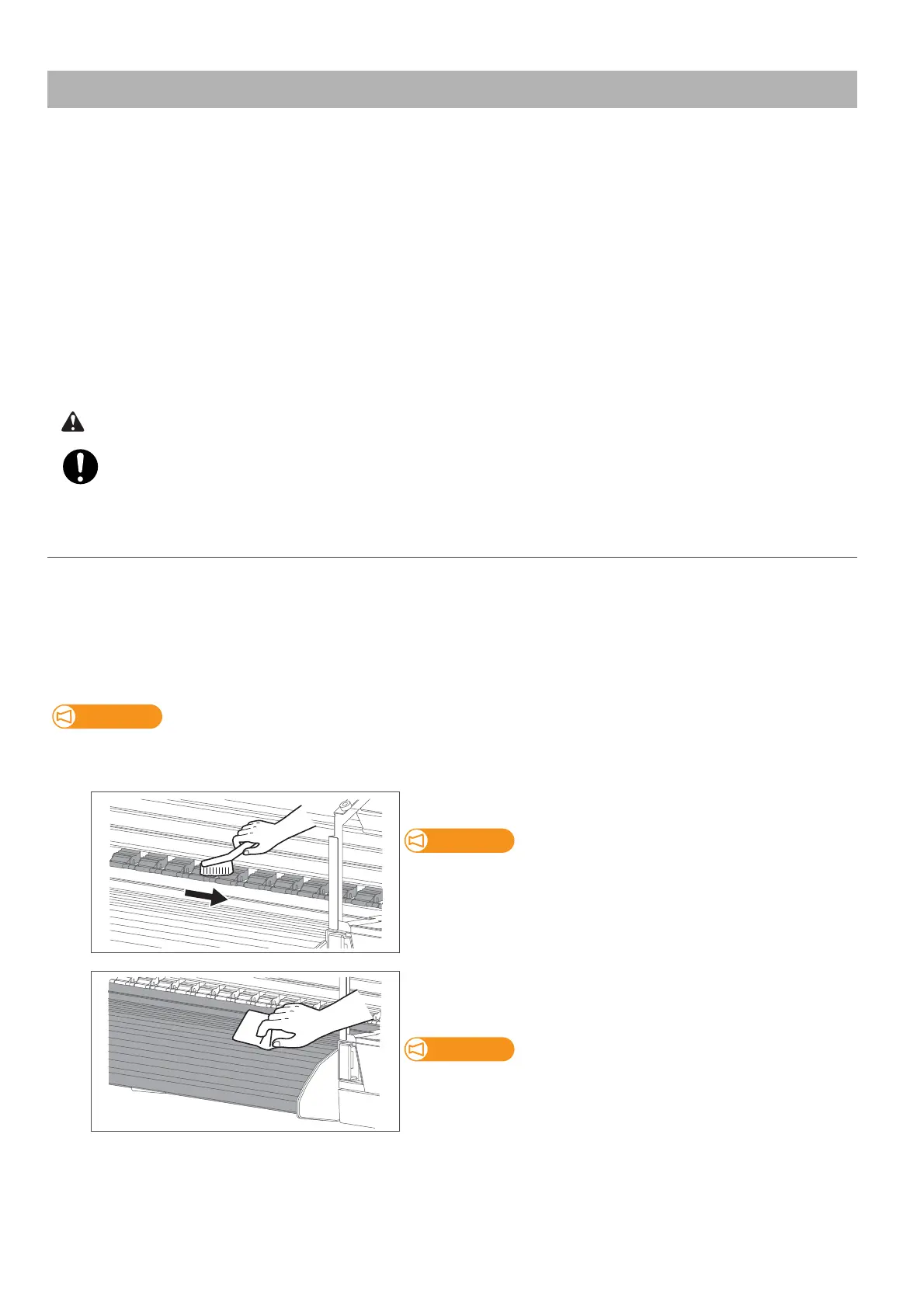
Brush off dusts on the pressure rollers with a soft brush.
Do not blow off dusts inside the product with a gas duster.
Dust can attach to moving parts, causing abnormal sound or
malfunctions.
[5]
Use a soft cloth or paper towel slightly dampened with ethanol to
clean off the ink on the platen, media guide and paper guide.
Wear protective gloves while cleaning.
[6]
Close the front cover.



 To Next Page