112 When it becomes time to replace ink bag
When the ink level becomes low, the error LED of the front panel flashes and a buzzer sounds.
When an ink bag runs out of ink, the error message [Ink End] or [S/C Ink End] appears on the panel with blinking error LED and
beep sound. Replace an ink bag immediately. The printer will not resume printing until the ink bag is replaced.
When it becomes time to replace ink bag
[1]
Tap [Enter].
• The buzzer stops.
• In the figure to the left, the slot 4 ink bag is nearing replacement.
[2]
Prepare the replacement ink bag.
Replacing ink bag
Important!
• Do not replace ink bag when the printer is powered off.
Ink level cannot be detected correctly.
• If ink bag is moved from cold to warm place, leave it in the room temperature at least three hours.
• If you do not have any replacement ink bag, do not remove the empty ink bag from the printer.
This may cause the nozzle clogs.
1. Removing the ink bag case
[1]
Tap [Enter].
• The buzzer stops.
• In the figure to the left, the slot 4 ink bag must be replaced.
[2]
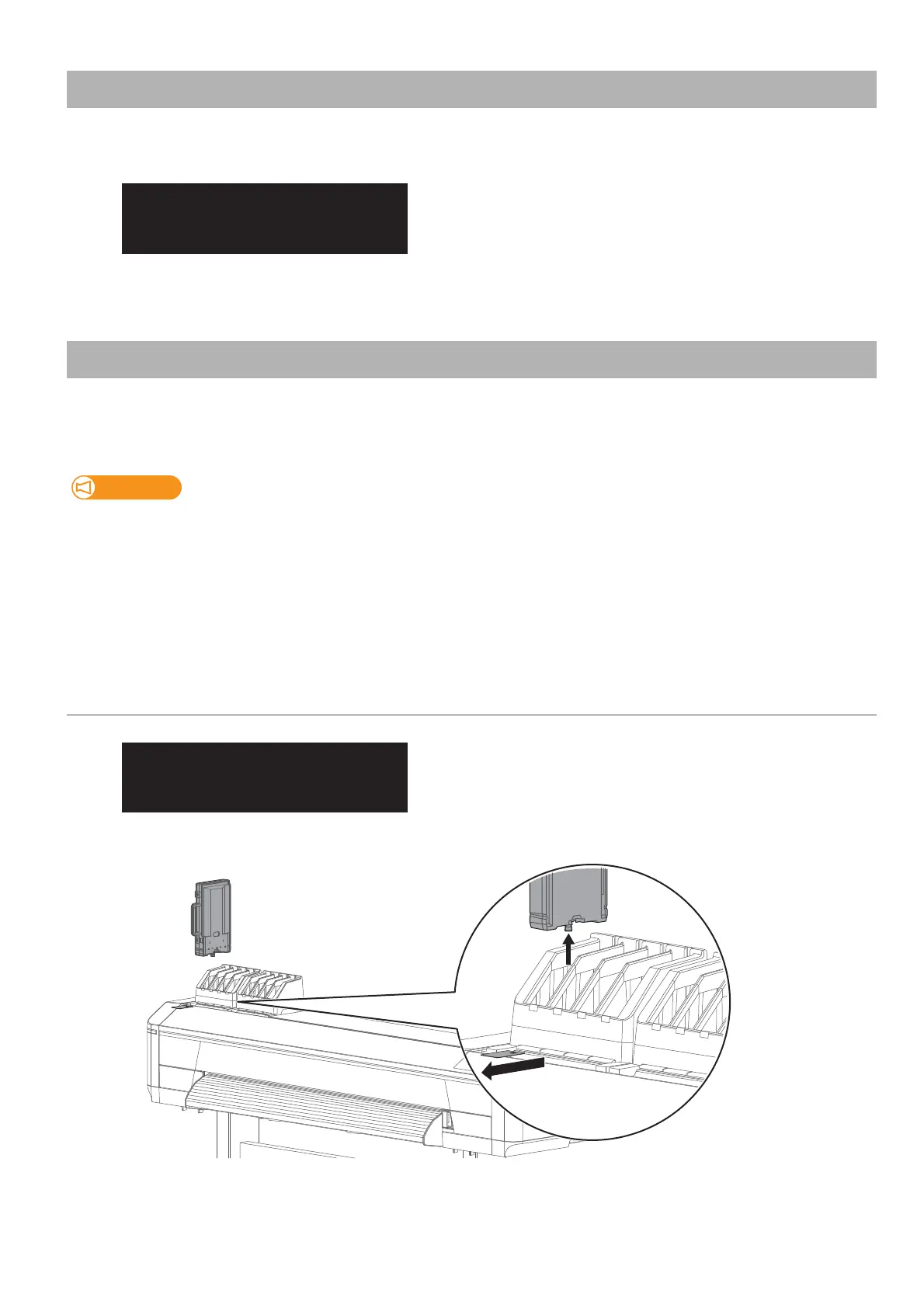
Remove the ink bag case and S/C card that you need to replace from each slot.
[4] S / C Ink Low
PG: Low W: 1625 m



 To Next Page