Test Print 1: Nozzle Check 93
4 Menu 2: Test Print
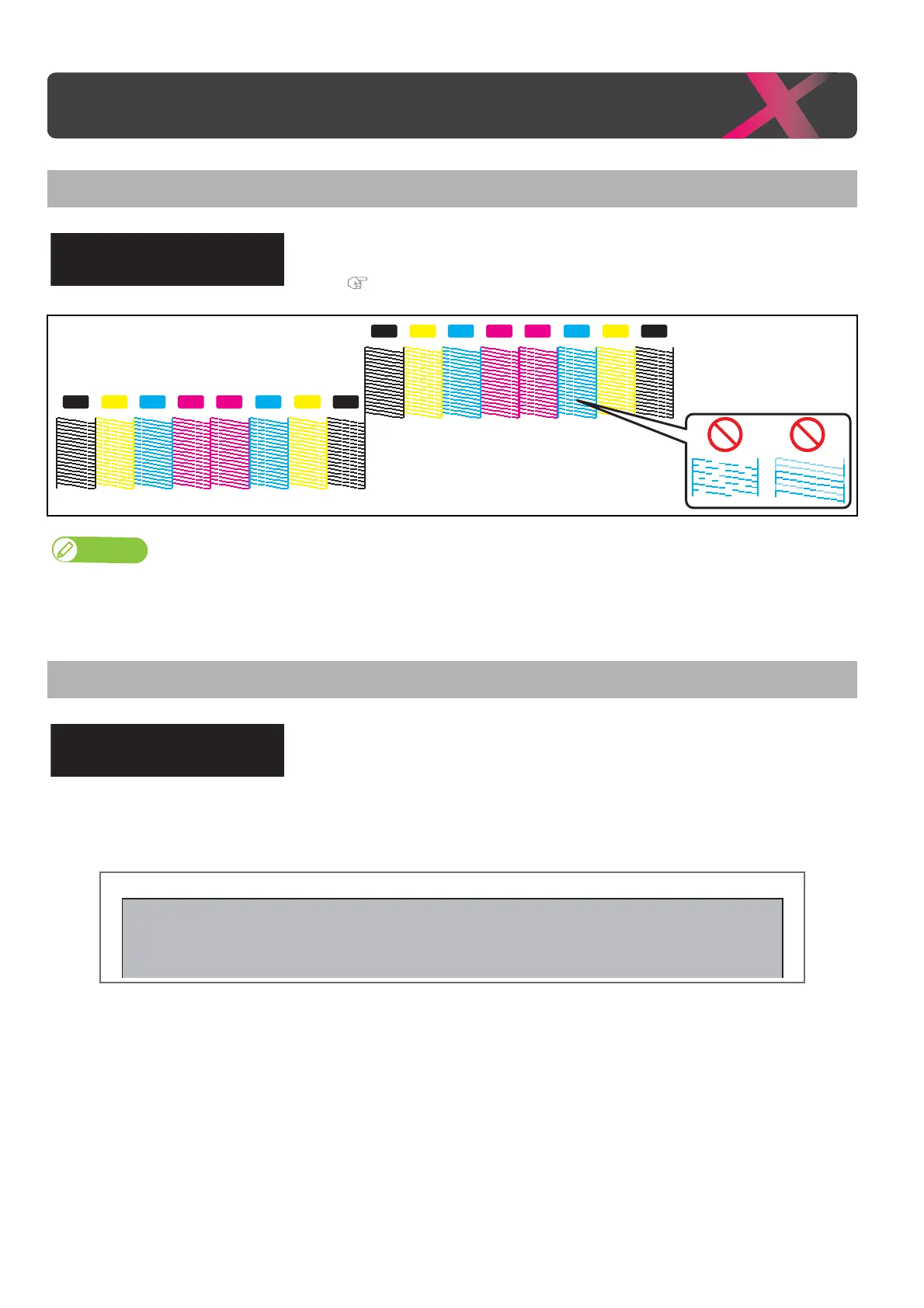
Test Print 1: Nozzle Check
Use this menu to check that the print head and print nozzles you selected can
properly print without nozzle clogging and missing or too light lines.
"Nozzle check" P. 31
• The pattern shown above is an example when printed on XPJ-1682SR with 4-color configuration.
• The printer information (date and time printed, printer’s serial number, firmware version) is printed on the nozzle check pattern.
Test Print 2: Mode Print
Mode print can be performed. Used to confirm the following printing
conditions.
•Print quality
•Effect
• Setting value for Heater
• Micro adjustment value for feed correction
Test Print 1
Nozzle Check
2019/1/01 0:00 G2(720x1080 6Pass Bi) -Fine&Fog/Pre: 30
0
C/Platen: 30
0
C/Dryer: 30
0
C/PF Adjust : 0.00%



 To Next Page