Changing holddown pressure using media feed lever 41
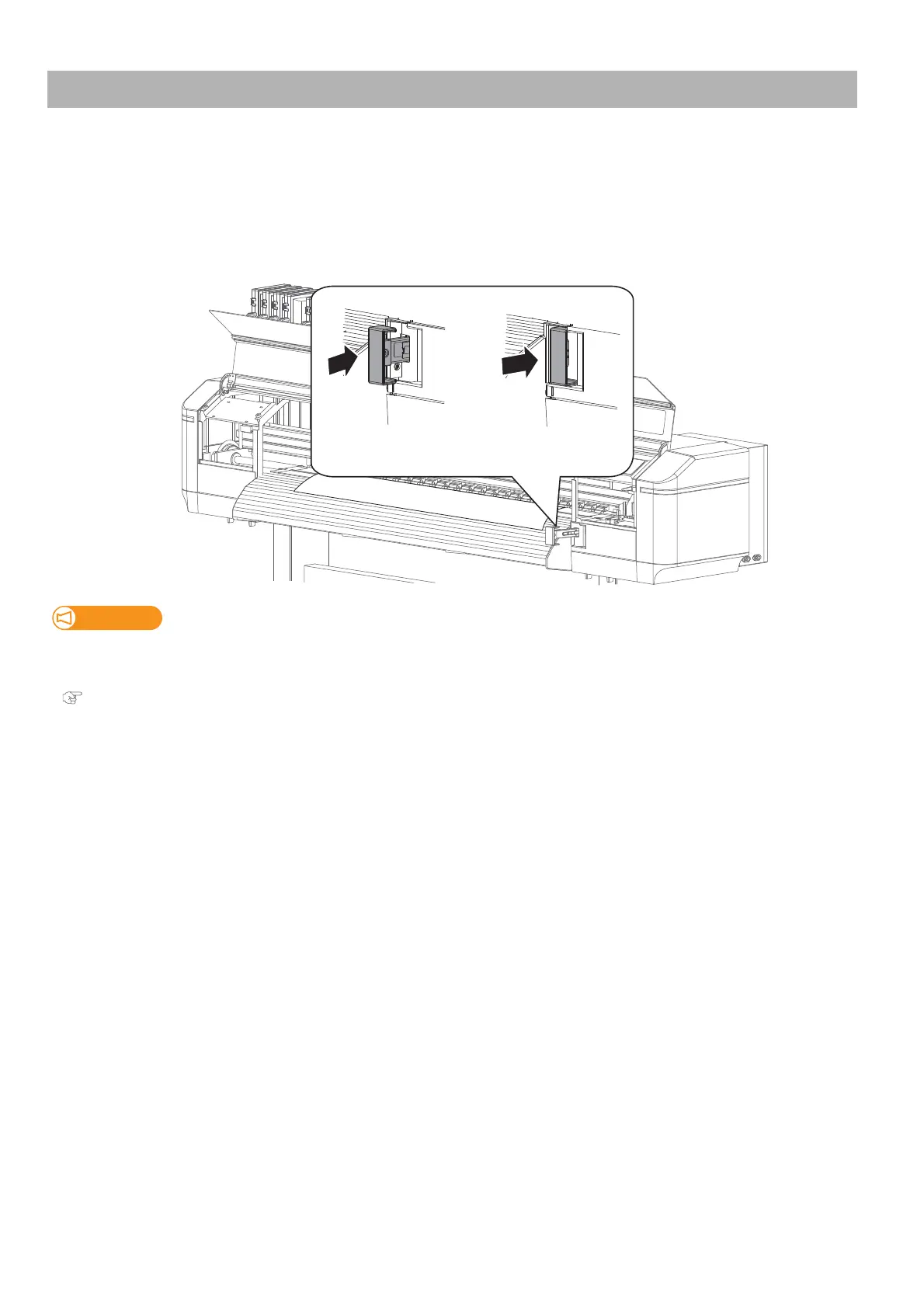
If you want to change the holddown pressure applied across the entire width of media, use the media feed lever.
Depending on the position of the lever, you can choose the pressure between Normal and High.
• Normal: Recommended for typical roll media. To apply normal pressure, push the lever from the front side of the printer
until it clicks.
• High: Recommended for heavy weight media (such as Tarpaulin). To apply high pressure, push it as far as it goes.
Changing holddown pressure using media feed lever
Important!
Every time after you change the holddown pressure by the media feed lever, you must perform the media feed
adjustment.
"Media feed adjustment" P. 38



 To Next Page