126 Cleaning around the print head
[5]
Close the maintenance cover.
[6]
Close the front cover.
[7]
Tap [Enter].
[8]
Tap[Home]toendthecleaningprocess.
Note
Used cleaning stick should be put in a plastic bag, etc, and dispose of it in compliance with local ordinance and instructions of local authorities.
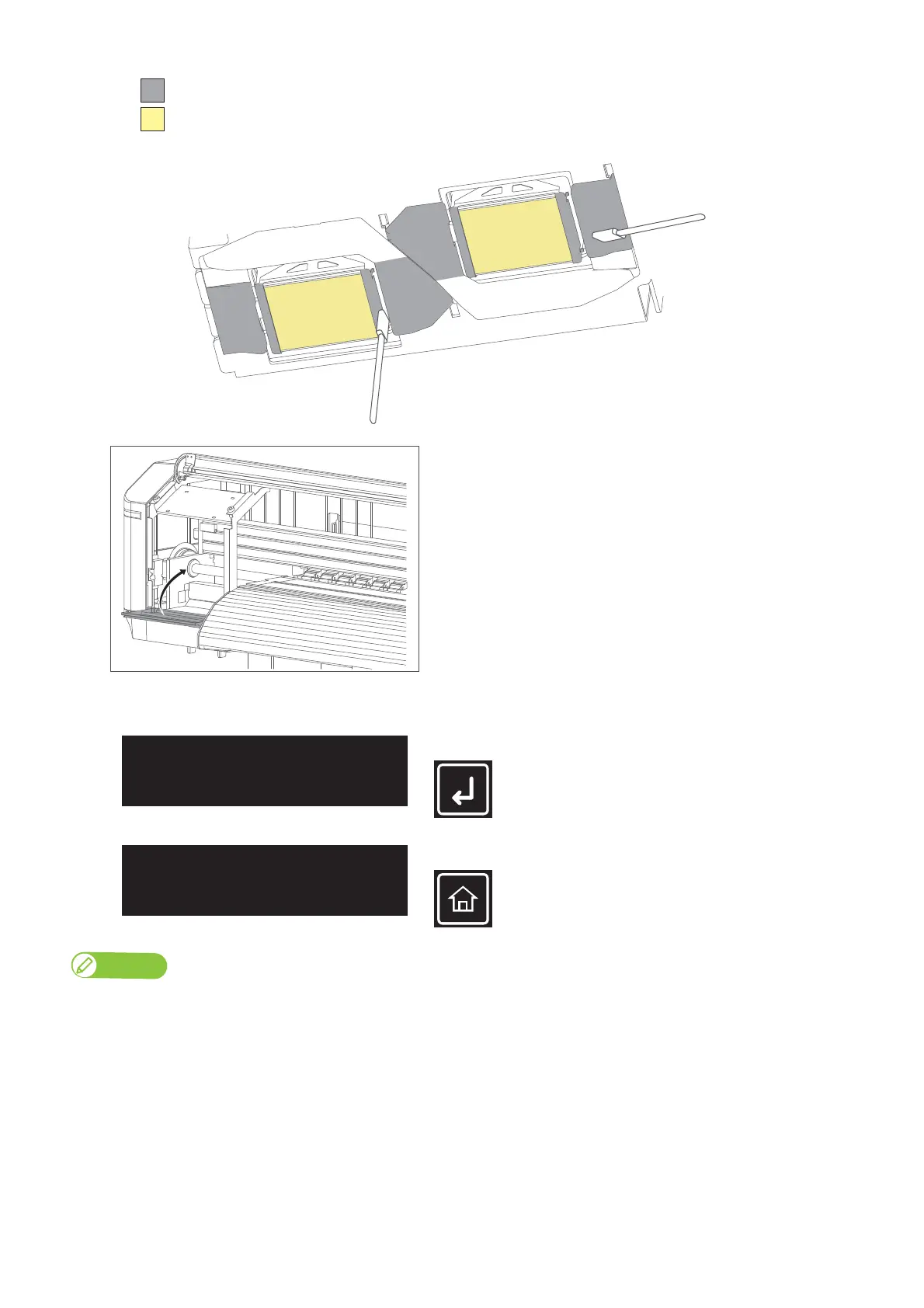
DO NOT touch the surface of a print head (yellow)
Clean this part (grey)
• Surface around print head (silver metal part)
• Print head guide (black plastic part)
※Clean the part between the print head and print head guide.
XPJ-1641SR
CR Maintenance
End -> Enter
CR Maintenance
Start -> Enter



 To Next Page