Replacing Cutter 133
[4]
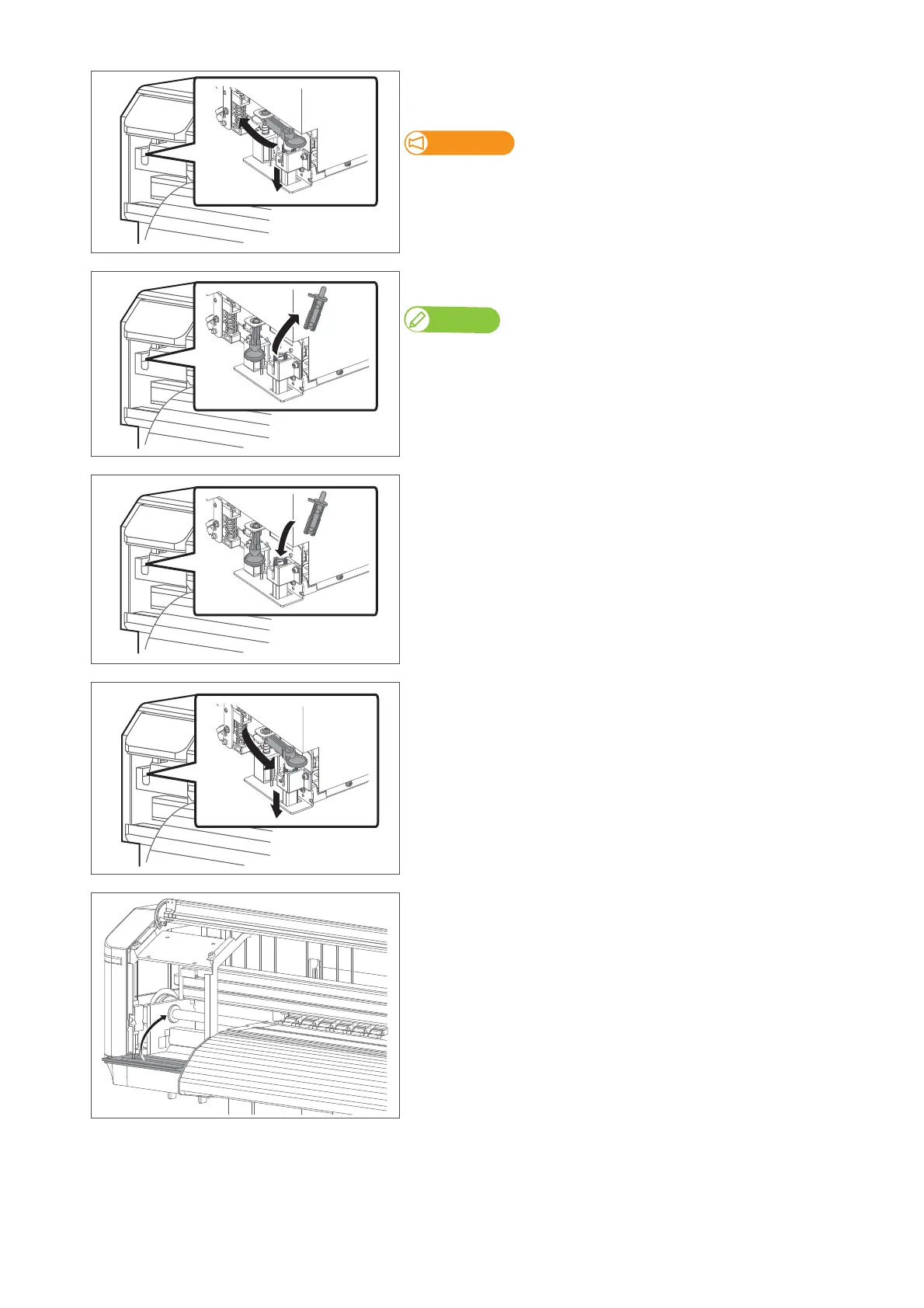
Press the cutter cap lightly, turn Cutter holder in the direction as
illustrated below.
Do not push down the cutter cap.
It may damage the part.
[5]
Remove the Cutter.
Note
Used Cutter should be put in a plastic bag, etc, and dispose of it in compliance with local
ordinance and instructions of local authorities.
[6]
Attach a new cutter.
[7]
Press the cutter cap lightly, return Cutter holder to its initial position.
[8]
Close the maintenance cover.
[9]
Close the front cover.



 To Next Page