Load a roll media into the printer 23
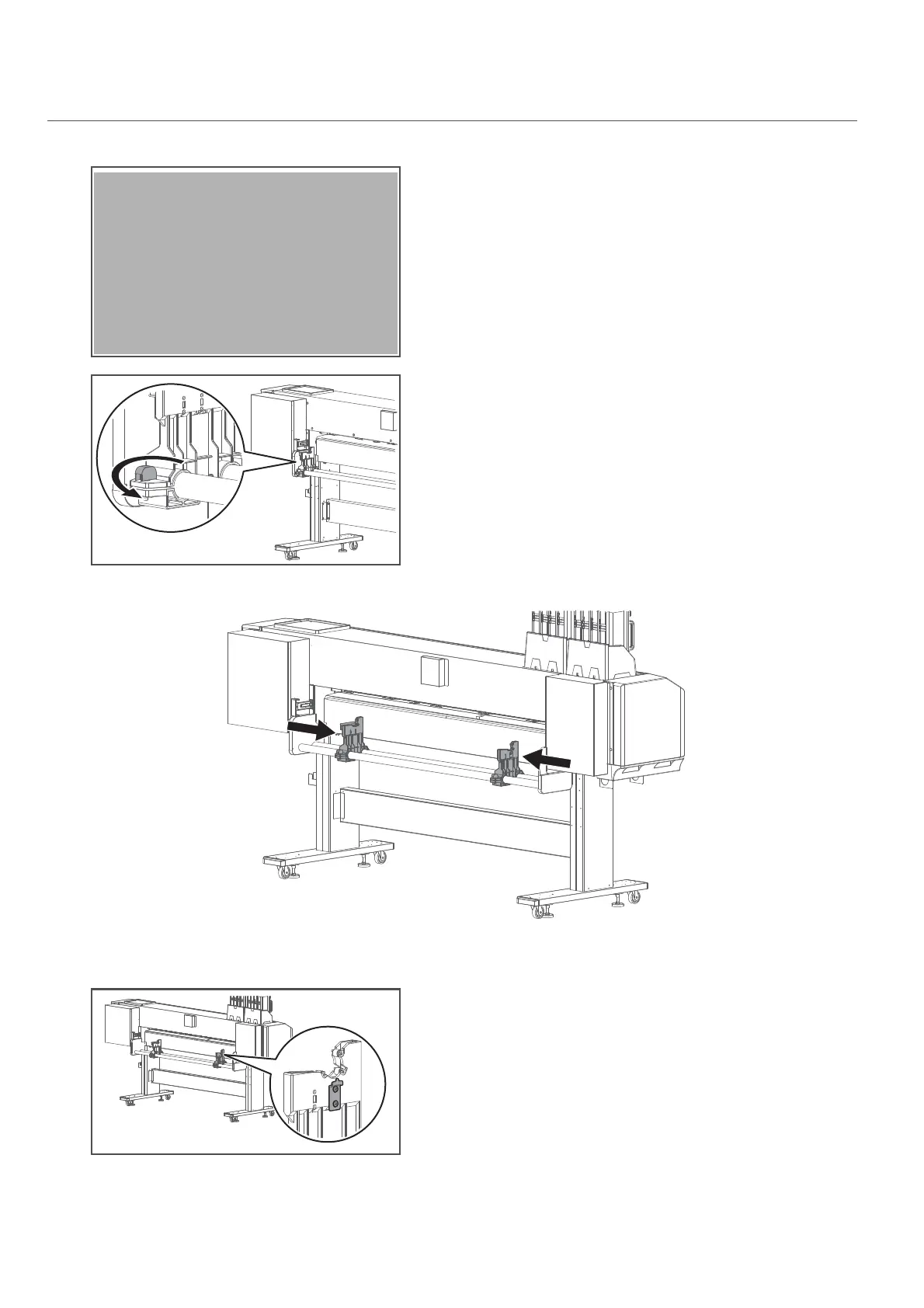
If you want to apply torque to the media holders, follow the steps below.
2. Enable torque on media holders
[1]
Twist the knob bolt on the right side of the media holder
anticlockwise to loosen.
[2]
Twist the knob bolt on the left side of the media holder anticlockwise
to loosen.
[3]
Slide both left and right media holders about 30 cm towards the center of the slider for easy access.
[4]
Tighten the knob bolts on both media holders.
[5]
(When looking from the rear side of the printer) Use the screwdriver to
loosen two screws securing the roller shaft guide plate to the right
media holder.



 To Next Page