ACCESS GATEWAY
92 System Administration
Enabling DNSSEC Support
DNSSEC support adds authentication and integrity capability to DNS systems. The DNSSEC feature in the
NSE allows DNSSEC queries and responses to traverse the NSE between subscribers and the NSE’s
configured DNS servers. The NSE itself does not participate in DNSSEC trust relationships with subscribers.
Use the following procedure to set the DNS configuration options.
1.
From the Web Management Interface, click on Configuration>DNS. The Domain Name System (DNS)
Settings screen appears:
2.
Check the Enable check box to enable DNSSEC Support functionality. The default setting is disabled.
3.
Click on the Save button to save your changes (reboot is not required), or click the Restore button if you
want to reset all the values to their previous state.
Managing the Dynamic DNS Options {Dynamic DNS}
Use the following procedure to set the Dynamic DNS options.
1.
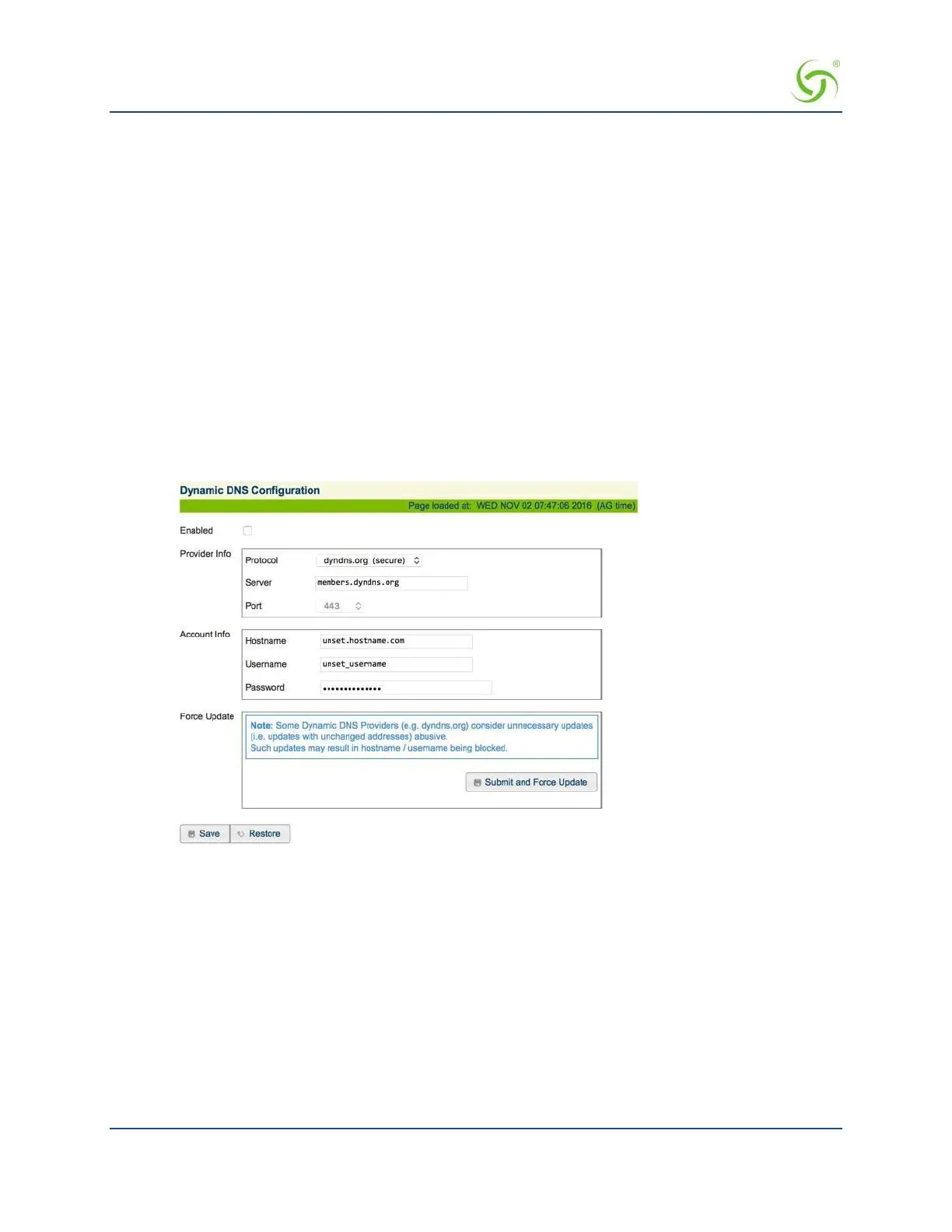
From the Web Management Interface, click Configuration, then Dynamic DNS. The Dynamic DNS
Configuration screen appears:
2.
Check the Enable checkbox to enable Dynamic DNS (DDNS) functionality. The default setting is
disabled.
3.
Enter the Provider Info:
• Select the provider protocol from the Protocol menu. Currently, only dyndns.org and dyndns.org
(secure) are supported. The default setting is dyndns.org (secure).
• In the Server field, enter the server name to which the client sends updates to the DDNS server.
• Select the port number for the server from the
Port menu.
4.
Enter the Account Information:
a. Enter the host name, which is the DDNS name that is mapped to the client IP address, in the
Hostname field. DDNS mapping is configured on the DynDNS.org account.


 To Next Page