ACCESS GATEWAY
204 System Administration
Deleting a Route
To deleted a route, click the
Delete link in the routing table. The route is immediately deleted.
To restore a deleted route, reboot the NSE (which will restore auto-generated routes) or
manually re-enter the route.
Establishing Session Rate Limiting {Session Limit}
Session Rate Limiting (SRL) significantly reduces the risk of “Denial of Service” attacks by allowing
administrators to limit the number of DAT sessions any one user can take over a given time period and, if
necessary, then block malicious users.
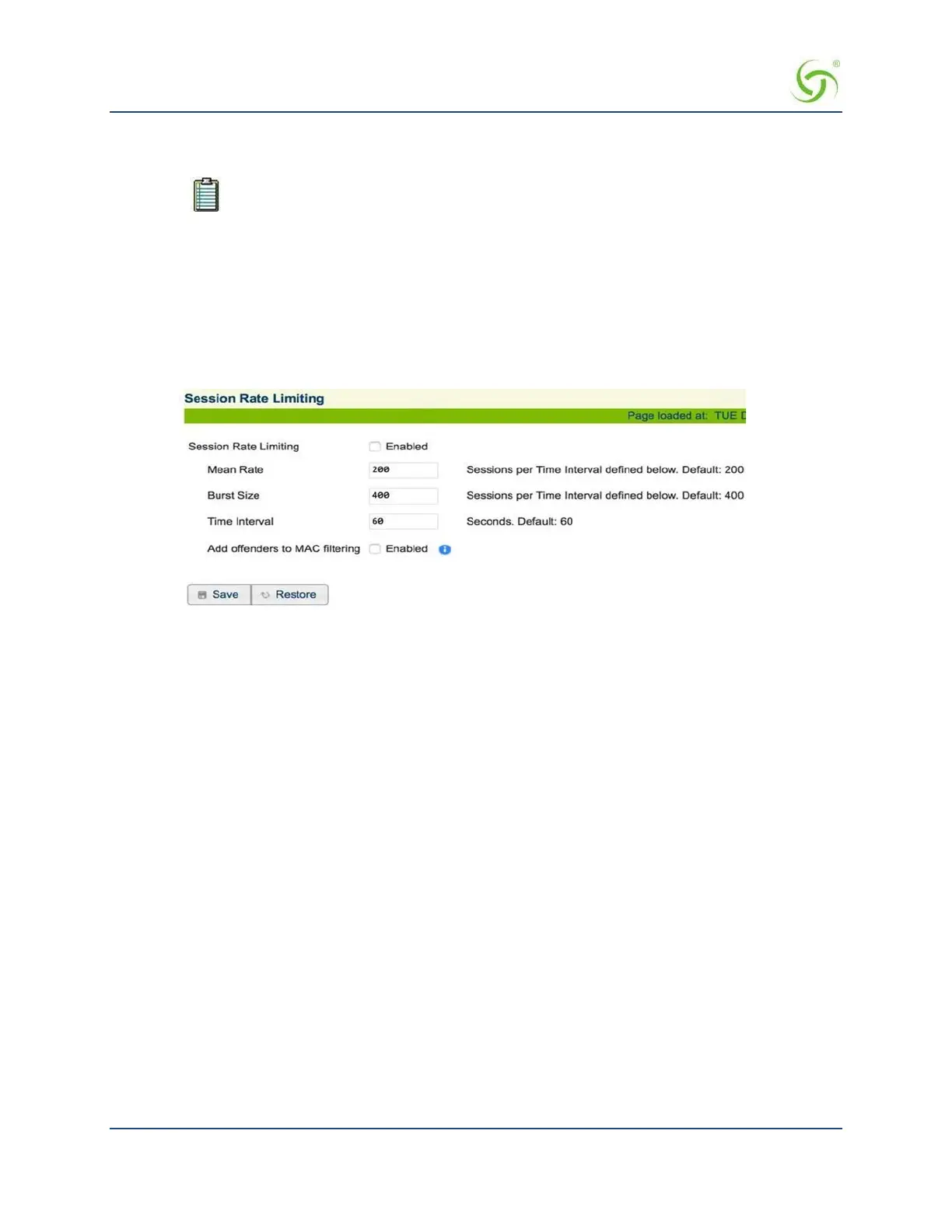
1. From the Web Management Interface, click on
System, then Session Limit. The Session Rate Limiting
screen appears:
2. Click on the check box for
Session Rate Limiting to enable (or disable) this feature, as required.
3. Enter values for the following session “limiting” parameters:
Mean Rate
Burst Size
Time Interval (in seconds)
4. Click on the
Save button to save your changes.
For advanced security, see also Defining the MAC Filtering Options {MAC Filtering} on page 200.
Adding/Deleting Static Ports {Static Port-Mapping}
Static Port-Mapping allows the network administrator to setup a port mapping scheme that forwards packets
received on a specific port to a particular static IP (typically private and misconfigured) and port number on
the subscriber side of the Access Gateway. The advantage for the network administrator is that free private IP
addresses can be used to manage devices (such as Access Points) on the subscriber side of the Access
Gateway without setting them up with public IP addresses.
To add static ports
1.
From the Web Management Interface, click on System, then Static Port-Mapping. The
Static Port-
Mapping screen appears:


 To Next Page