ACCESS GATEWAY
System Administration 135
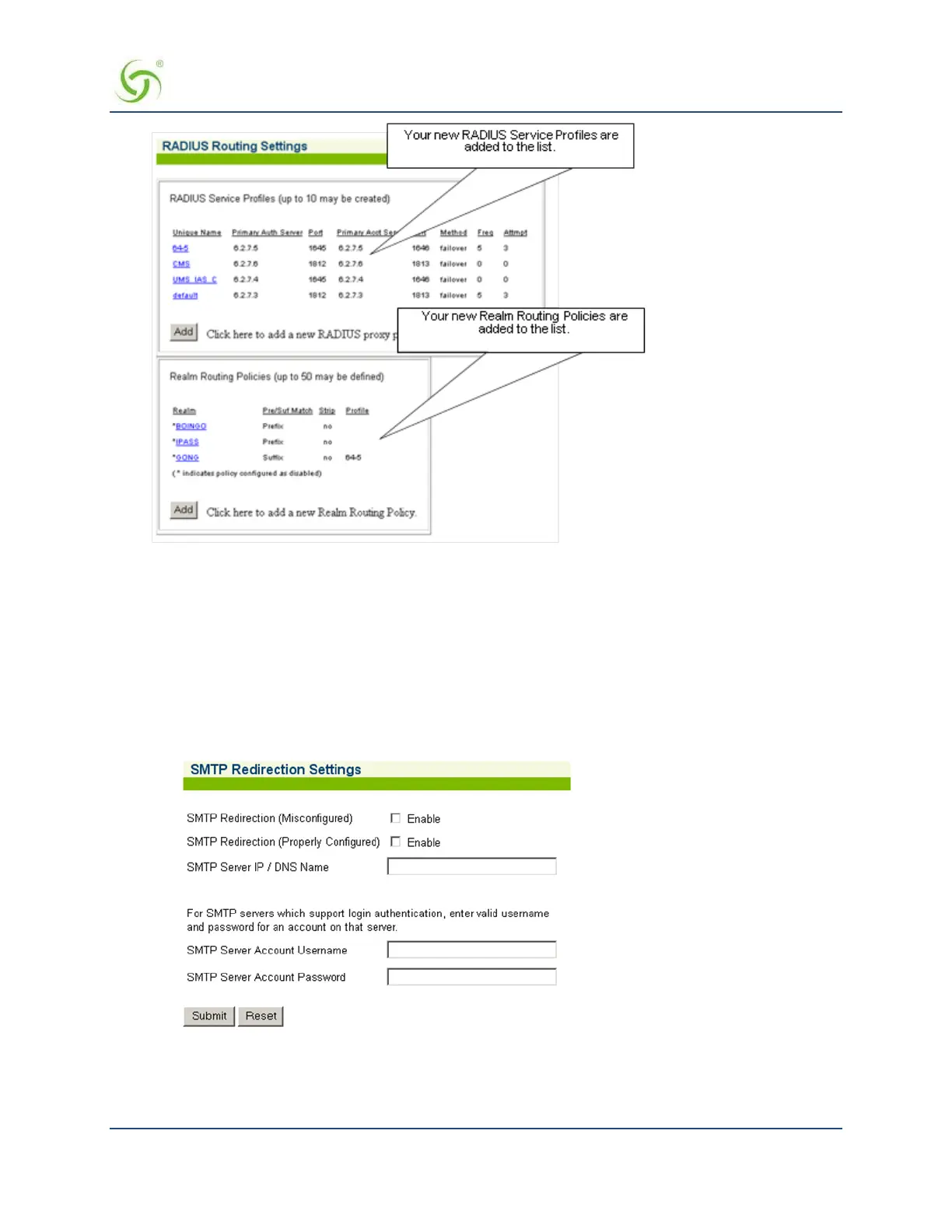
The Realm Routing Policy you just created is added to the list.
Managing SMTP Redirection {SMTP}
When SMTP redirection is enabled (for misconfigured or properly configured subscribers), the Access
Gateway redirects the subscriber’s E-mail through a dedicated SMTP server, including SMTP servers which
support login authentication. To the subscriber, sending and receiving E- mail is as easy as it’s always been.
This function is transparent to subscribers.
1.
From the Web Management Interface, click Configuration, then SMTP. The SMTP Redirection Settings
screen appears:
2.
Click on the check box for SMTP Redirection (Misconfigured) to enable this feature for
“misconfigured” subscribers.
3.
Click on the check box for SMTP Redirection (Properly Configured) to enable this feature for



 To Next Page