ACCESS GATEWAY
82 System Administration
The lifetime of a group policy record in the collection is determined by the session time of the authorized (i.e.
VALID) subscribers participating in the group. Group policy records are removed from the collection when
the last subscriber device belonging to the group is logged out of the NSE regardless of the reason (e.g.
session timeout, idle timeout, deletion of the subscriber by an administrator, etc).
The NSE does not support the ability to enforce both per-subscriber and group bandwidth rates
simultaneously for the same subscribers. The RADIUS server must specify either per- subscriber or group
bandwidth attributes. However, in case a RADIUS Access-Accept contains both individual and group
bandwidth attributes, the NSE will use the group attributes and ignore the per-subscriber attributes.
The NSE can concurrently support some subscribers as part of a group and some others
with limits set on a per-subscriber basis. However, a single subscriber cannot be assigned
group membership and individual limits at the same time.
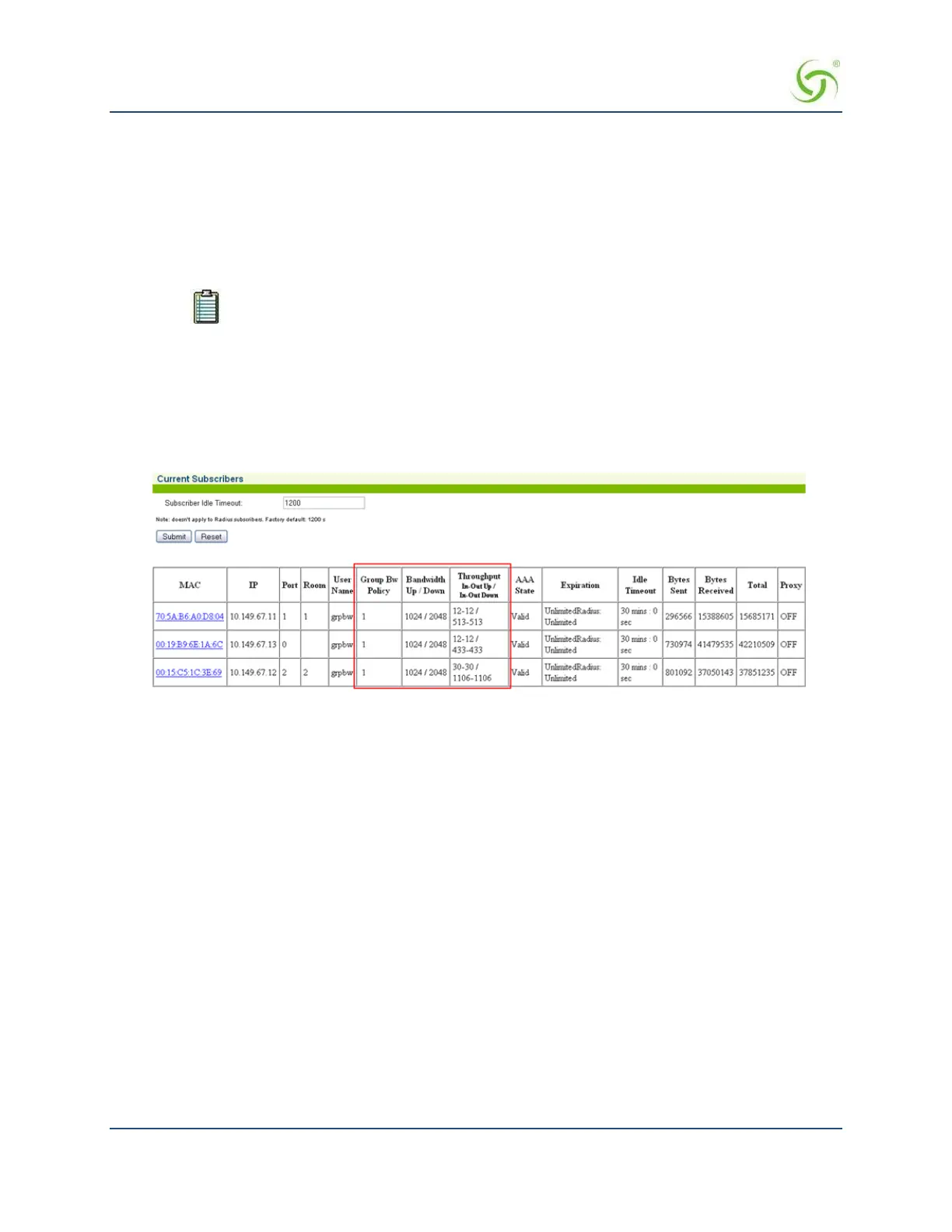
Group Bandwidth Limit Policy – Current Table
When the feature is enabled, a group bandwidth policy ID column is displayed in the Current Subscribers
table (Subscriber Administration > Current). Once policies are instantiated, policy information can also be
viewed via XML.
Establishing Billing Records “Mirroring” {Bill Record Mirroring}
The Access Gateway can send copies of PayPal transactions and PMS billing records to external servers that
have been previously defined by system administrators. The Access Gateway assumes control of billing
transmissions and saving billing records. By “mirroring” the billing data, theAccess Gateway can also send
copies of billing records to predefined “carbon copy” servers. Additionally, if the primary and secondary
servers are down, the Access Gateway can store up to 2,000 credit card transaction records. When a
connection is re- established (with either server), the Access Gateway sends the stored information to the
server—no records are lost!
For more information about the bill record mirroring feature, go to Mirroring Billing Records on page 260.
1.
From the Web Management Interface, click on Configuration, then Bill Record Mirroring. The Credit
Card Mirroring Settings screen appears:



 To Next Page