ACCESS GATEWAY
System Administration 199
2.
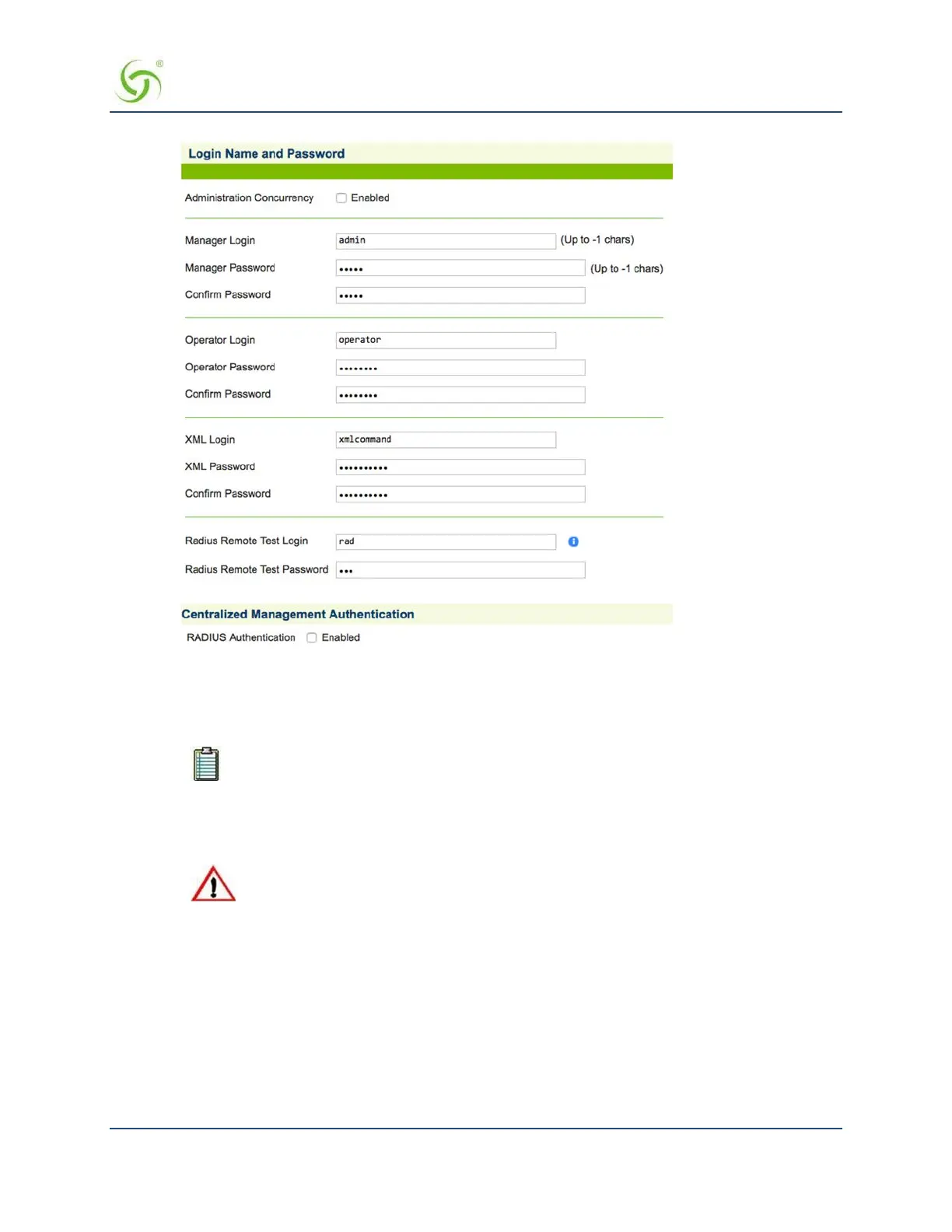
Click on the check box for
Administration Concurrency if you want to limit logins to 1 Manager and 3
operators simultaneously.
3. In the Manager Login field, enter a login name for this manager.
Login names and passwords are case-sensitive. Use login names and passwords that are
easy to remember (up to 11 characters, any character type).
4. In the Manager Password field, enter a password for this manager.
5. In the Confirm Password field, enter the password again to confirm it.
If you forget your password, you will need to contact technical support. See also,
“Technical Support” on page 347.
6. If you enabled Administration Concurrency, repeat steps 3 to 5 for an operator login and (if desired) a
login for XML user authentication. (See Defining the AAA Services {AAA} on page 68.)
Remote RADIUS Testing
As part of its Smart Client feature, the Access Gateway offers a remote RADIUS testing feature (enabled by
default). With this feature, the Access Gateway provides a password- protected Web page. From this Web
page, technical support can type a username and password and instruct the Access Gateway to send a
RADIUS access request to the RADIUS server—following the same basic rules as if the request was from a
user.



 To Next Page