ACCESS GATEWAY
104 System Administration
Modifying an Existing IPSec Tunnel Peer
1.
Click on the IPSec tunnel peer link that you wish to modify in the IPSec Tunnel Peers
table. The IPSec Tunnel Peer Settings screen opens.
2.
Modify the settings as desired.
3.
Click:
Modify to save the changes to the peer.
Remove to remove the peer from the IPSec Tunnel Peers table.
Restore to undo any changes you made to the peer settings and return the peer to its original
settings.
4.
Click the Back to Main IPSec Tunneling Settings page link to return to the IPSec Tunnel Settings
screen.
Managing IPSec Security Policies
You can add a new IPSec security policy or modify the settings of an existing IPSec security policy from the
IPSec Tunnel Settings screen.
Adding a New IPSec Security Policy
1.
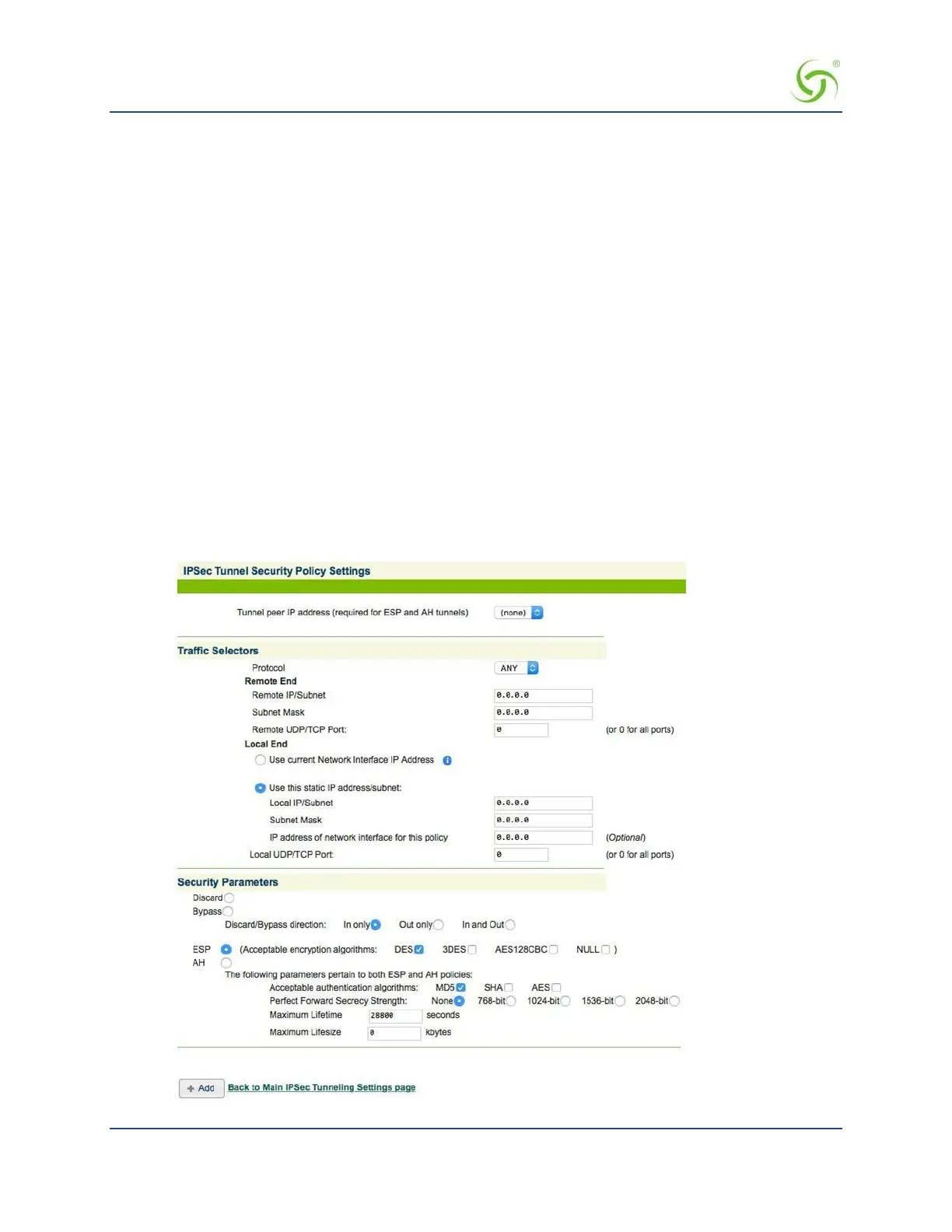
In the IPSec Security Policies table, click the Add button to add an entry. The IPsec Tunnel Security
Policy Settings screen opens.



 To Next Page