ACCESS GATEWAY
100 System Administration
engine performs a defined mode of network address translation based on packet type and protocol (for
example, IKE etc…).
NSE provides the following iNAT enhancements:
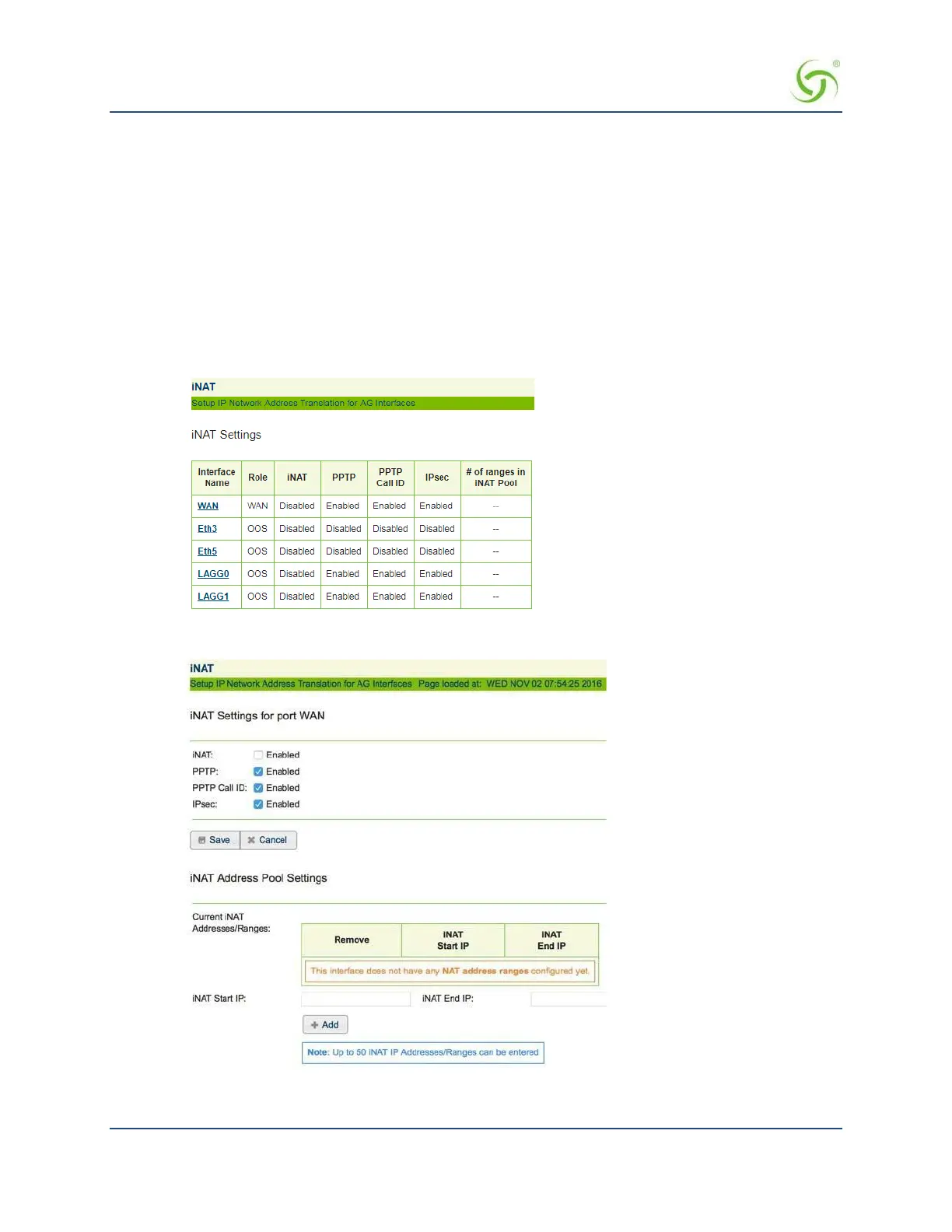
A separate iNAT interface page shows the settings for each port in either WAN or OOS modes.
Ports in SUB mode are not shown.
Each of the displayed ports has individual iNAT / Subscriber tunnel settings accessible by
clicking on that port’s link.
The interface allows easy deletion of any iNAT address range. iNAT settings are
configured individually for each interface.
1.
From the Web Management Interface, click on Configuration, then iNAT. A list of current iNAT
settings appears. You can select a specific interface to change its iNAT configuration.
The iNAT™ screen appears:
2.
Enable or disable the iNAT feature, as required.



 To Next Page