ACCESS GATEWAY
System Administration 119
2.
System administrators can set the properties for each room from the subscriber side of the
Access
Gateway. The system automatically detects which port number the administrator is using and allows
them to enter the fields for the room corresponding to the port they are using.
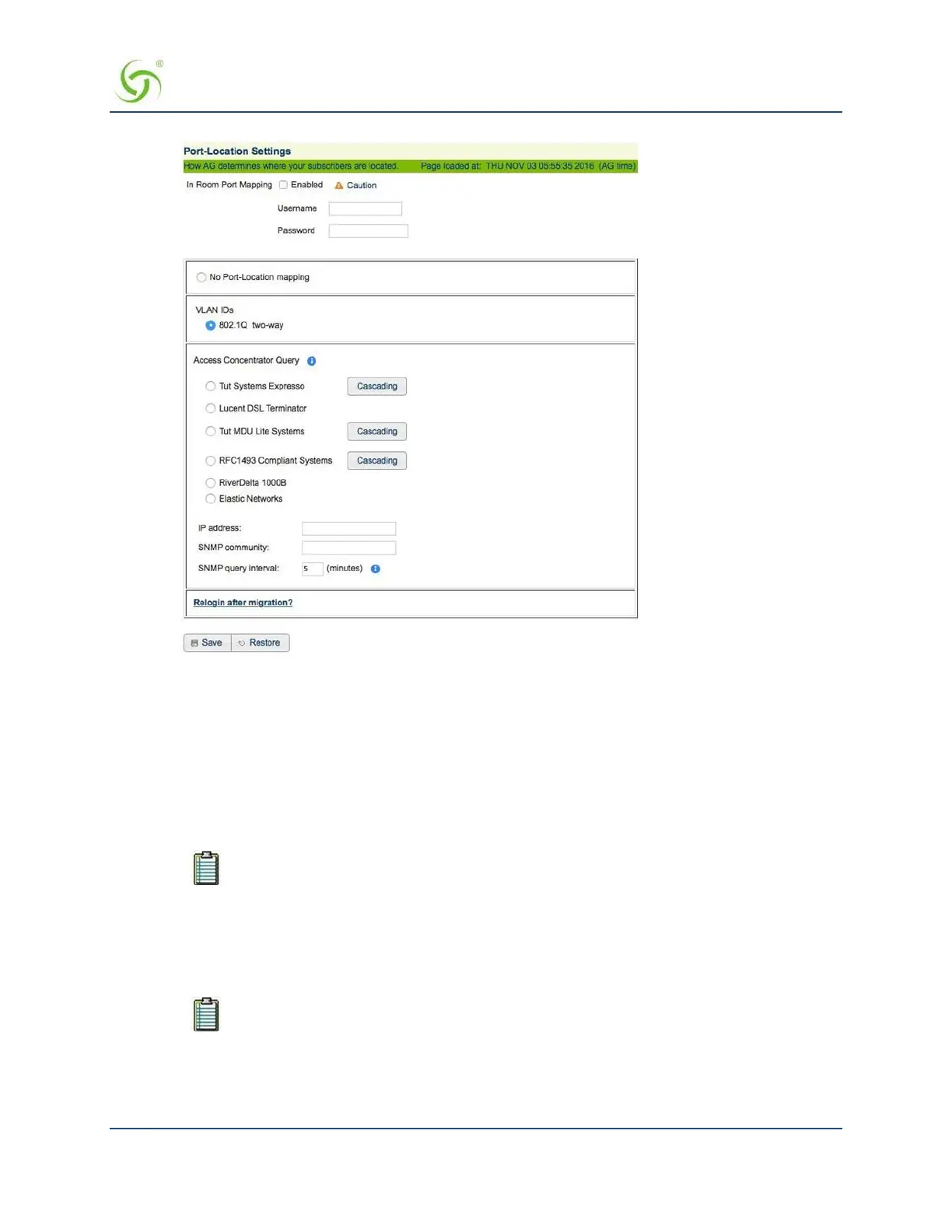
If required, click on the check box for
In Room Port Mapping to enable this feature.
3.
If you enabled In Room Port Mapping, you must assign a Username and Password. You
will need
these when you perform port mapping from the subscriber side of the Access Gateway.
Go to In Room Port Mapping on page 120 to map rooms from the subscriber side of the Access
Gateway.
For security reasons, this feature should be disabled when in room port mapping (from
the subscriber side of the Access Gateway) is completed.
4.
Select No Port Location Mapping if you are not using Port-based access.
5.
If VLANs are used on the network, and if desired, select VLAN IDs: 802.1Q two-way.
6.
If you are using an access concentration device that cannot handle VLAN IDs, select one of the
available Access Concentrator Query options:
The devices in the following list must be assigned an IP address on the same subnet as
the Access Gateway. You must remove “old” concentrator types before entering new ones.
• Tut Systems Expresso
• Lucent DSL Terminator
• Tut MDU Lite Systems


 To Next Page