ACCESS GATEWAY
System Administration 121
conflicts, you must ensure that the VLAN tags are different on the different
devices.
1.
Enable In Room Port Mapping and assign a user name and password (see previous section, Steps 2 &
3).
2.
Enter the following URL target format:
http://(Access Gateway IP address):1111/usg/roommapping
For example:
http://219.57.108.103:1111/usg/roommapping
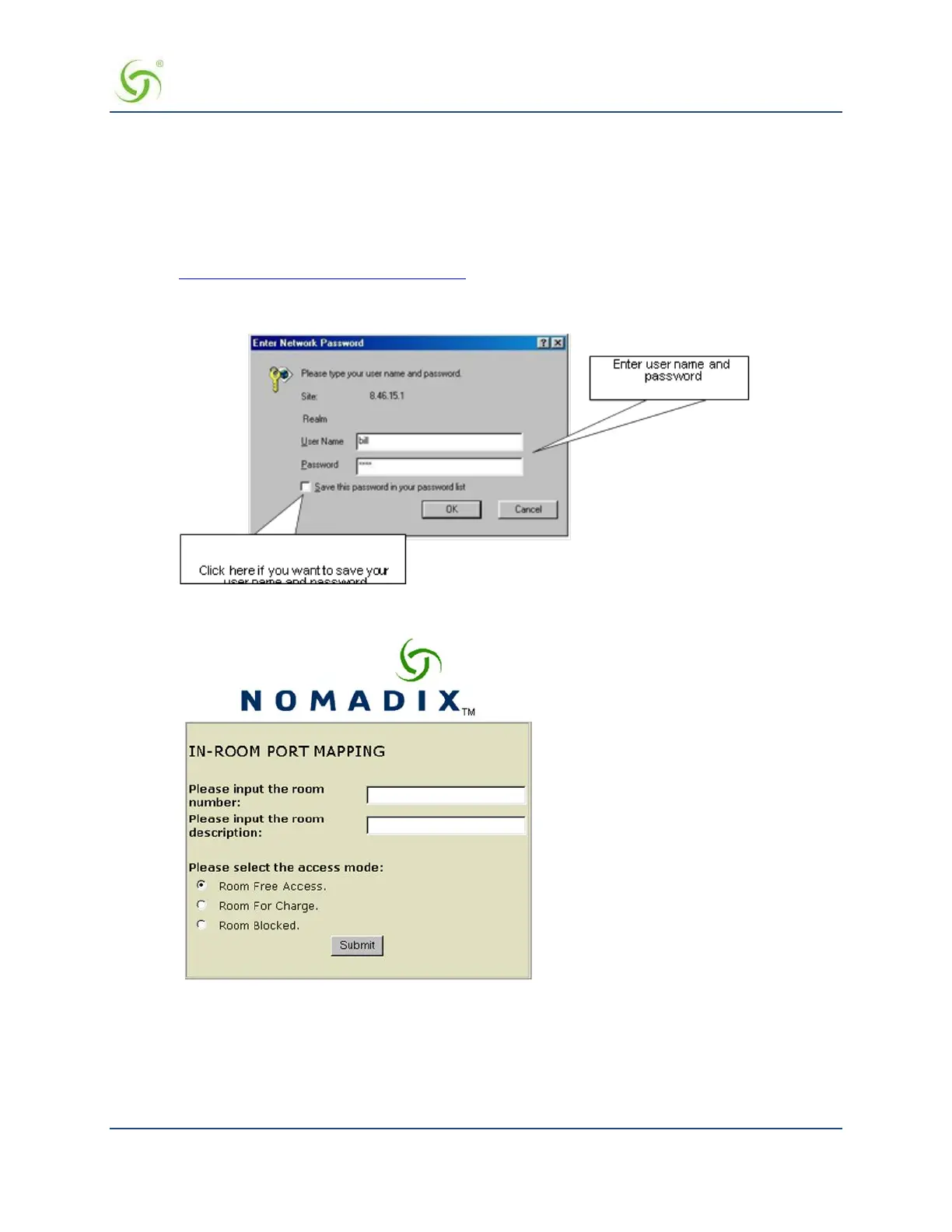
The Enter Network Password prompt appears:
3.
Enter your user name and password, then click OK. The In Room Port Mapping screen appears:
4.
Enter the room number and a description for this room.
5.
Select the access mode you want to assign to this room:
Room Free Access
Room For Charge


 To Next Page