ACCESS GATEWAY
176 System Administration
2.
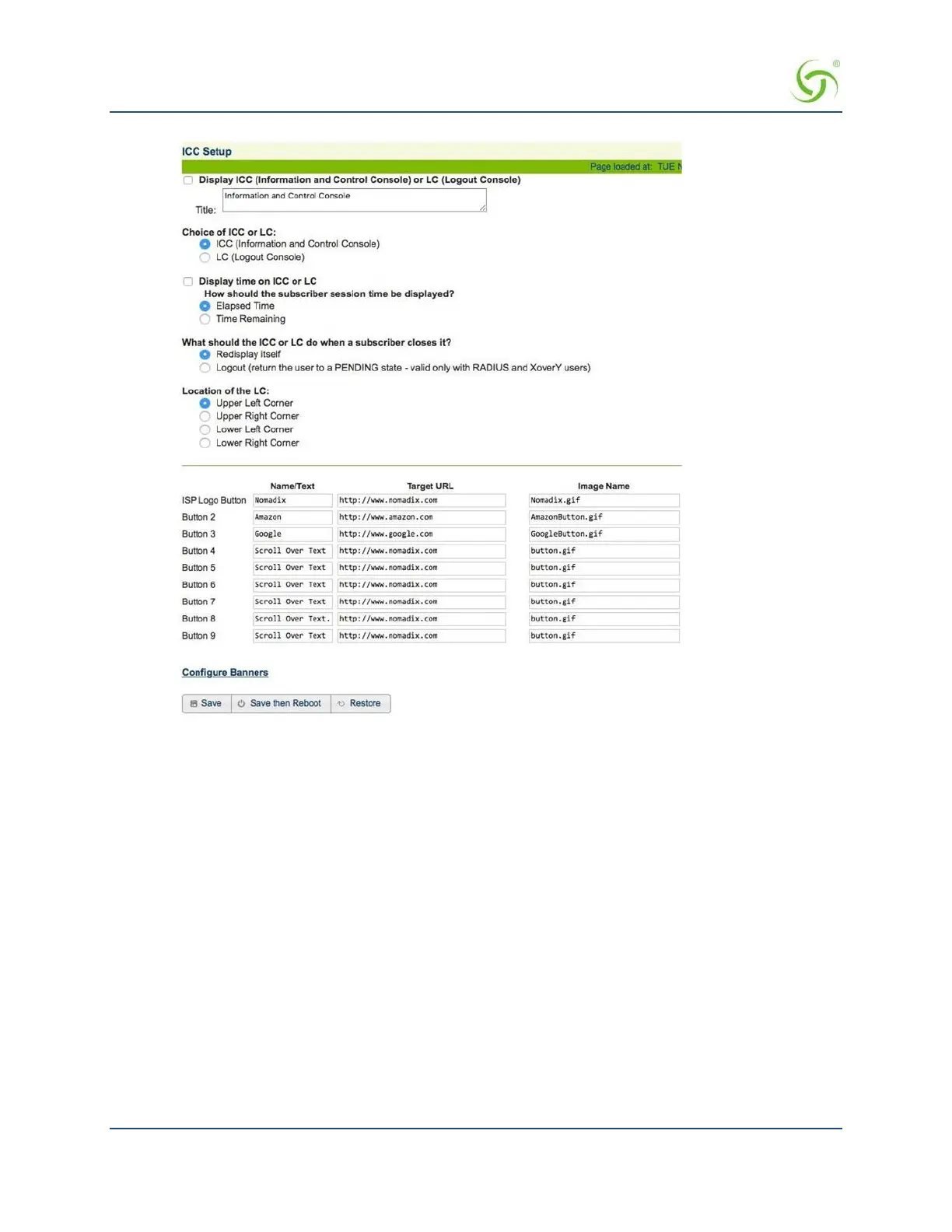
If you want subscribers to see the ICC (pop-up window), click on the check box for
Display ICC (Information and Control Console) to enable this feature.
3.
Choose which ICC you want to be displayed (either the featured ICC or the simple Logout Console).
Enable one of the following:
a. ICC (Information and Control Console)
b. Nomadix Logout Console
4.
If you enabled either of the ICC pop-up options, you can choose a unique name for the console.
Simply type a meaningful name in the
Title field.
5.
Define the physical location where you want the Nomadix Logout Console to appear on
the
subscriber’s screen.
Choose one of the following options:
a. Upper Left Corner
b. Upper Right Corner
c. Lower Left Corner
d. Lower Right Corner


 To Next Page