ACCESS GATEWAY
180 System Administration
You can also change the language of the Web Management Interface. See “Selecting the
language of the Web Management Interface” on page 78.
1.
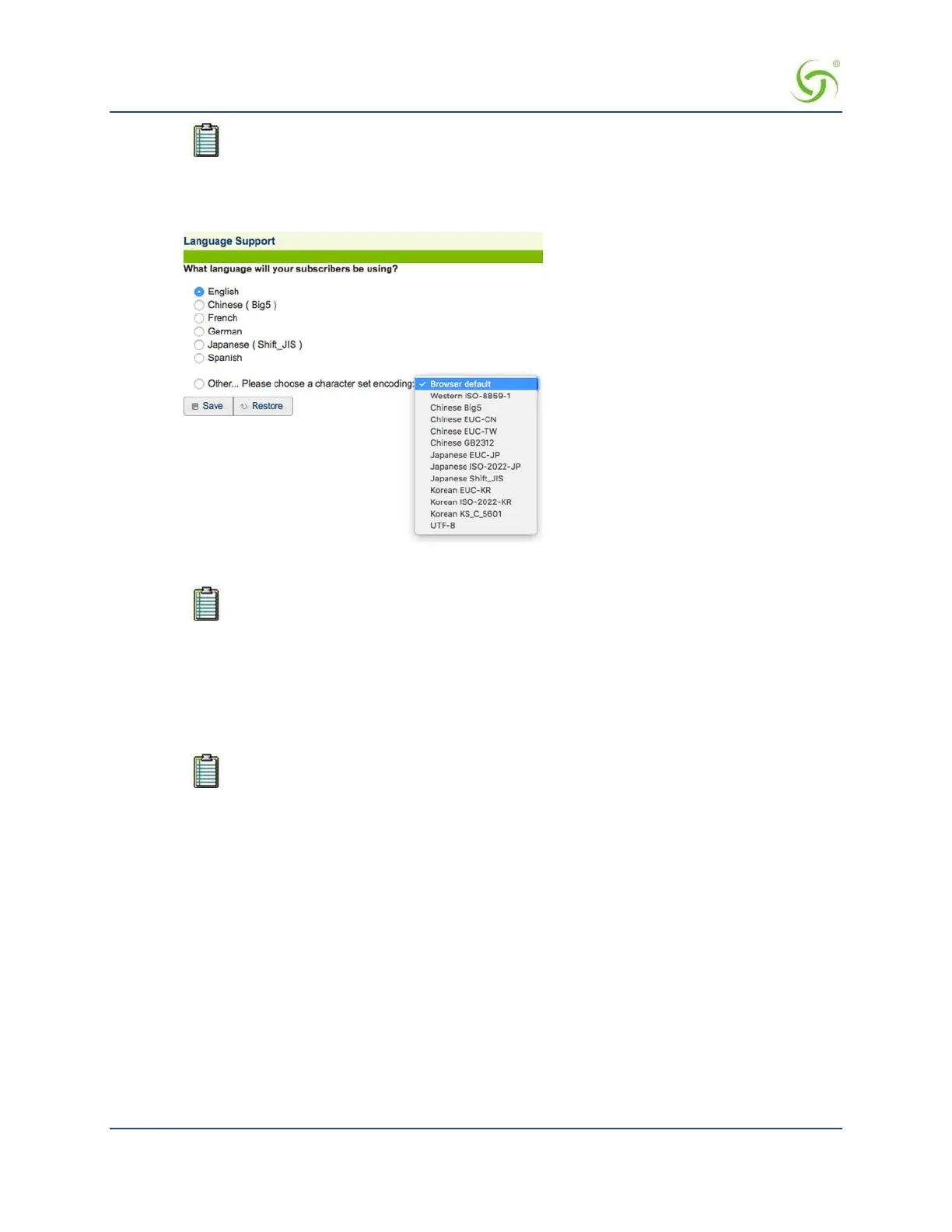
From the Web Management Interface, click on Subscriber Interface, then Language Support. The
Language Support screen appears:
2.
Select the language you want to use (see notes).
There are currently 6 (six) “pre-translated” language options. If you want to have the ICC
pre-translated into Japanese and enter and display Japanese characters on the Web
Management Interface and the subscriber’s portal page, choose the Japanese (Shift_JIS)
option. If you want to have the ICC displayed in English but enter and display Japanese
characters on the Web Management Interface and the subscriber’s portal page, choose
the Other option, then choose one of the available Japanese character sets from the
drop-down menu.
If sufficient space is available, the Access Gateway’s Internal Web Server also supports
multiple languages at the same time.
The following sample image shows the Web Management Interface (WMI) displayed with Asian language
characters.



 To Next Page