ACCESS GATEWAY
76 System Administration
The NSE supports secure https connections to the Web Management Interface (WMI). Correct certificates
must be installed on the NSE flash memory for these connections to function properly. The same certificate
set that is used to support SSL connections for subscribers is used for this purpose. For documentation about
configuring the system to support secure connections, contact technical support. See Appendix A: Technical
Support.
In addition, corresponding options to block https connections (independent of http) are included in the NSE's
Access Control functionality, for both the network and subscriber sides.
If the required certificates are not resident on the flash, an attempted https connection will generate an error
syslog.
1.
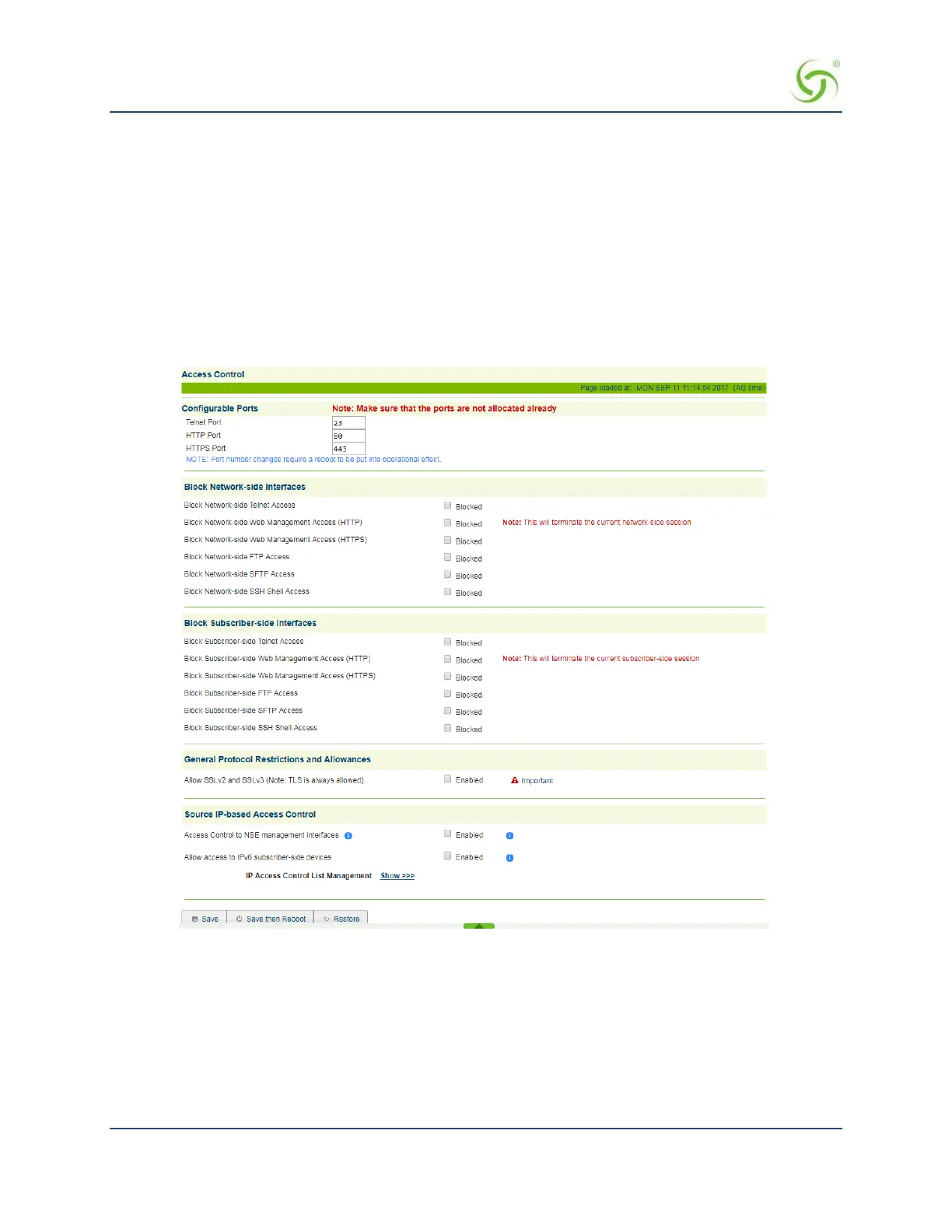
From the Web Management Interface, click on Configuration, then Access Control. The Access Control
screen appears.
2.
For Configurable Ports, enter a Telnet Port and an HTTP or HTTPS Port.
3.
Enable or disable administrator access to any of the following interfaces:
Telnet Access
Web Management Access (HTTP)
Web Management Access (HTTPS)
FTP Access
SFTP Access



 To Next Page