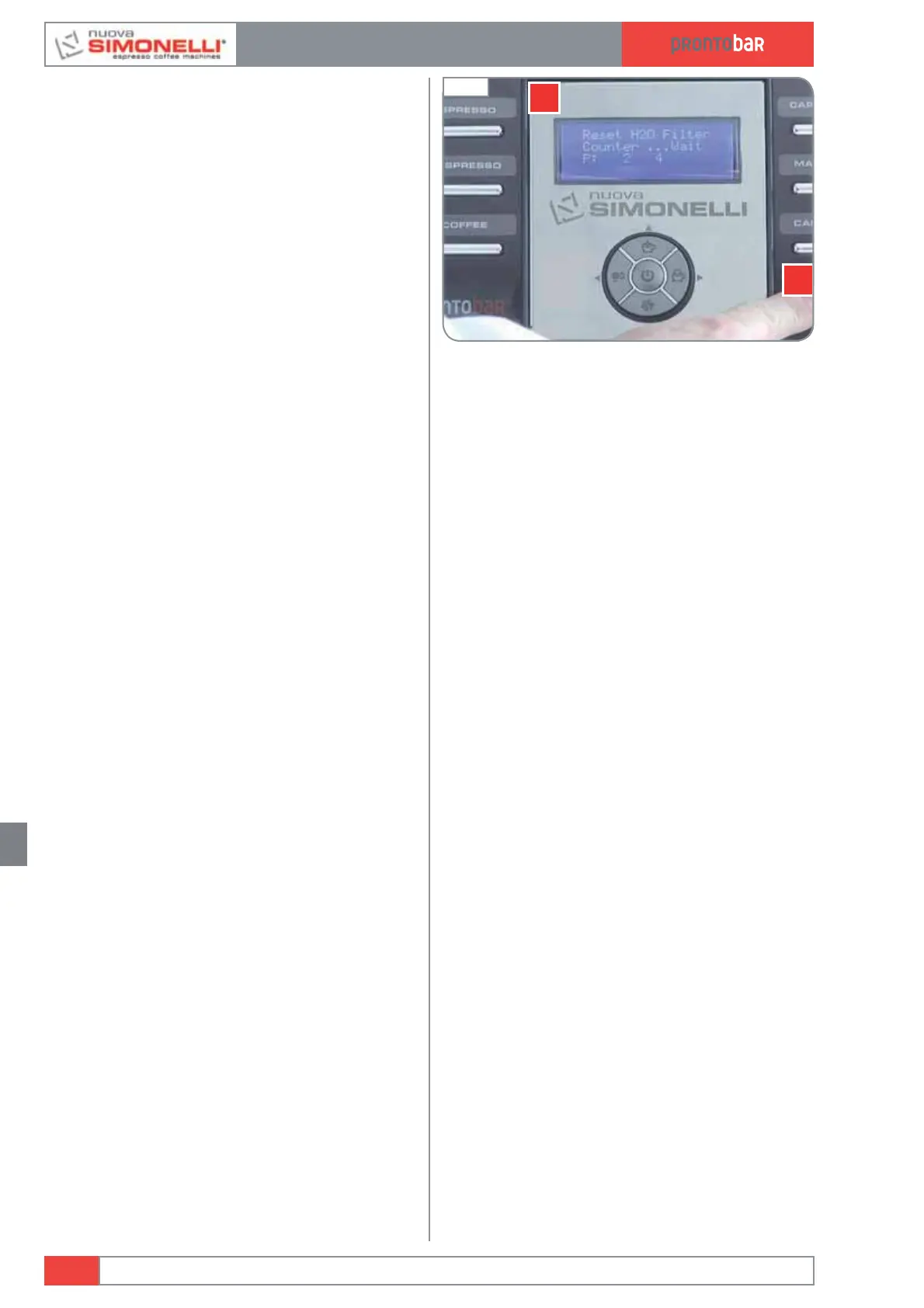
13.4 COUNTER RESET FILTERS
To reset the water liter counter:
1 Turn off the machine at the main switch.
2 Press and hold the "hot water" button (A),
and switch-on the machine, the display
shows "reset filter H2O". This must be done
every time you replace the machine water
filter.
3 The machine turn off automatically.
13.5 EXPORT SETTINGS TO USB
MEMORY STICK
It’s possible to set a machine and copy the set-
tings to other Prontobar, in order to obtain con-
sistent products.
1 Empty a memory stick.
2 Switch off the Prontobar machine (the dis-
play shows OFF).
3 Open the front door and insert the USB
memory stick on the back of the door.
4 The machine will automatically display these
options:
Machine -> Usb
Usb -> Machine
Software -> Usb
Usb -> Software
5 Select the option Machine -> Usb and
wait the complete transfer of the file.
6 Remove the memory stick.
13.6 IMPORT SETTINGS FROM
USB MEMORY STICK
It’s possible to import Prontobar settings from
another machine.
1 Switch off the Prontobar machine (the dis-
play shows OFF).
2 Open the front door and insert the Usb
memory stick on the back of the door.
Select the option Usb -> Machine and
wait the complete transfer of the file.
3 Remove the memory stick.
Edition 02 to 02/2014
13.4
SERVICE MANUAL
Fig. 312













 To Next Page