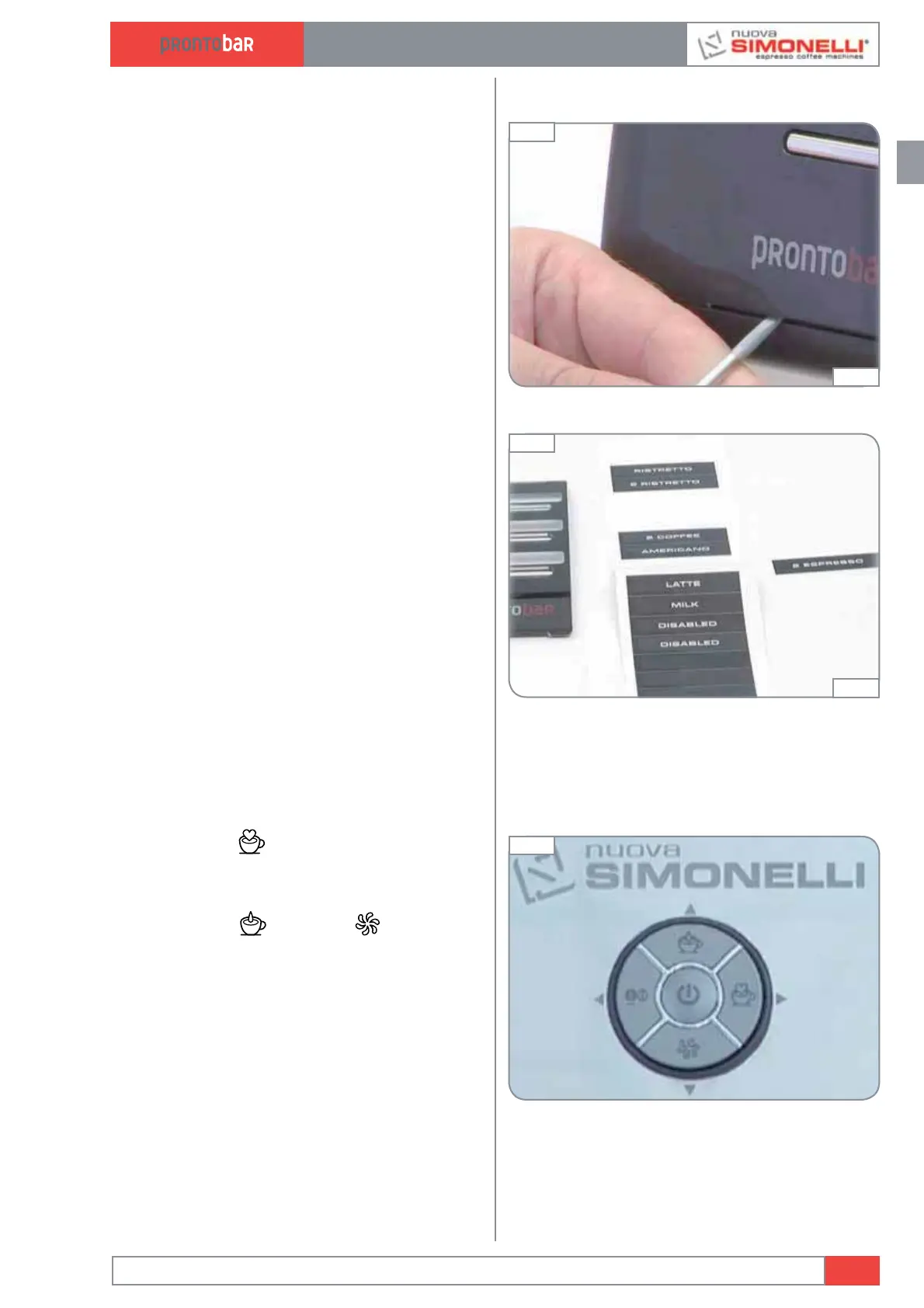
2.1.12 CHANGE PRODUCTS NAME
1 To change the beverage labels, lift the front
plastic cover with a normal screw driver
using light pressure. With each machine are
available different names, if more or different
names are needed it’s possible to print the
label using black background and font “cou-
rier 24”, dim 45x70.
2 Remove the cover and replace the drink
label.
Edition 02 to 02/2014
2.9
SERVICE MANUAL
2.2 BASIC PROGRAMMING
2.2.1 LANGUAGE PROGRAMMING
Press ENTER
for 5 seconds; “select lan-
guage” appears.
Press ENTER key to enter the sub-menu and
use the keys up
and down to select the
preferred language.
Press ENTER to confirm and/or RESET to return
using the machine.
Fig. 35
Fig. 33
01:50
Fig. 34
02:10













 To Next Page