EasyManua.ls Logo

Oberheim Matrix-12 - Page 184

Oberheim Matrix-12
194 pages
Print Icon
To Next Page IconTo Next Page
To Previous Page IconTo Previous Page
Loading...
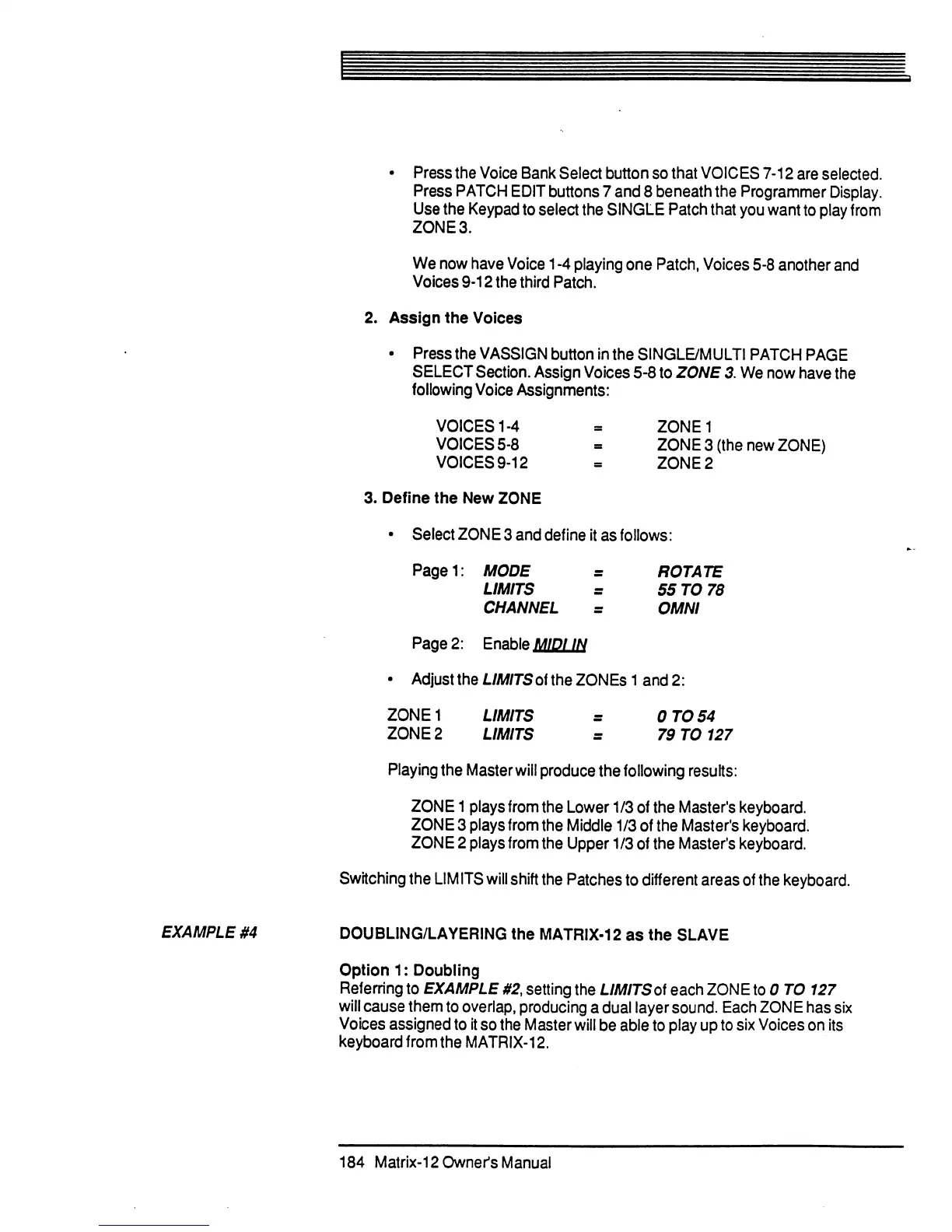
•
Press
the
Voice
Bank
Select button
so
that
VOICES
7-12
are
selected.
Press
PATCH
EDIT
buttons
7
and
8
beneath
the
Programmer
Display.
Use
the
Keypad
to
select
the
SINGLE
Patch
that
you
want
to
play
from
ZONE
3.
We
now
have
Voice
1
-4
playing
one
Patch,
Voices
5-8
another
and
Voices
9-12
the
third
Patch.
2.
Assign
the
Voices
•
Press
the
VASSIGN
button
in
the
SINGLE/MULTI
PATCH
PAGE
SELECT
Section.
Assign
Voices
5-8
to
ZONE
3.
We
now
have
the
following
Voice
Assignments:
VOICES
1-4
=
ZONE1
VOICES
5-8
=
ZONE
3
(the
new
ZONE)
VOICES
9-12
=
ZONE
2
3.
Define
the
New
ZONE
•
Select
ZONE
3
and
define
it
as
follows:
Playing
the
Master
will
produce
the
following
results:
ZONE
1
plays
from
the
Lower
1/3
of
the
Master's
keyboard.
ZONE
3
plays
from
the
Middle
1/3
of
the
Master's
keyboard.
ZONE
2
plays
from
the
Upper
1/3
of
the
Master's
keyboard.
Switching
the
LIMITS
will
shift
the
Patches
to
different
areas
of
the
keyboard.
EXAMPLE
#4
DOUBLING/LAYERING
the
MATRIX-12
as
the
SLAVE
Option
1:
Doubling
Referring
to
EXAMPLE
#2,
setting
the
LIMITS
of
each
ZONE
to
0
TO
127
will
cause
them
to
overlap,
producing
a
dual
layer
sound.
Each
ZONE
has
six
Voices
assigned
to
it
so
the
Master
will
be
able
to
play
up
to
six
Voices
on
its
keyboard
from
the
MATRIX-12.
184
Matrix-Downer's
Manual

Table of Contents