Basic Operation
3-18 OPERATION GUIDE
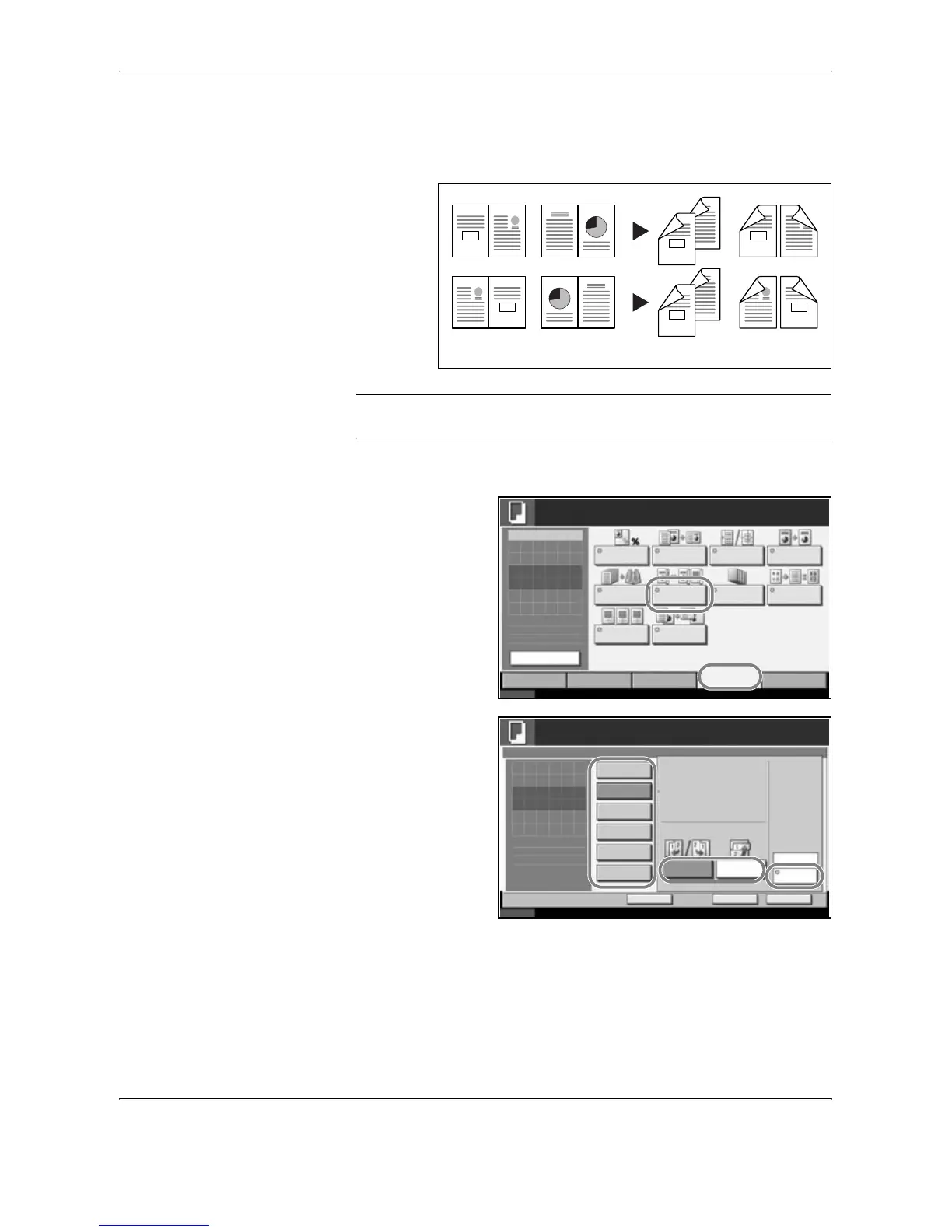
Book to Two-sided
Produces two-sided copies from an open book original with facing pages.
NOTE: The sizes of originals and paper supported in Book to Two-sided
are Letter, A4, B5, and 16K.
The procedure for using two-sided/duplex copying is explained below.
1
Press [Layout/Edit]
and then [Duplex].
2
Select the desired
Duplex option.
3
If you choose [2-sided>>2-sided], [2-sided>>1-sided], [Book>>1-sided] or
[Book>>2-sided], select the binding edge of the originals of Original.
4
If you choose [1-sided>>2-sided], [2-sided>>2-sided] or [Book>>2-sided],
select the binding edge of the finished copies of Finishing.
5
Press [Original Orientation] to select orientation of the originals, either [Top
Edge Top] or [Top Edge Left]. Then press [OK].
3
4
3
4
34
21
21
43
1
2
1
2
1
0
2
3
2
1
3
0
Original Copy
Status 10/10/2007 10:10
Image
Quality
Set Original.
Copy Image
Org./Paper/
Finishing
Quick Setup Layout/Edit Advanced
Setup
Copies
1
Original
Zoom
Paper
100%
---
:
:
:
---
Zoom Combine Margin/
Centering
Border Erase
Booklet Duplex Cover
Page # Memo Page
Form
Overlay
Ready to copy.
Preview
Status
10/10/2007 10:10
Ready to copy.
Copies
Cancel OK
Duplex
Press [OK] to display
Add Shortcut
Book
>>2-sided
1-sided
>>2-sided
Top Edge Top
Original
Orientation
1-sided
>>1-sided
2-sided
>>2-sided
Finishing
Binding
Left/Right
Binding
Top
2-sided
>>1-sided
Book
>>1-sided
1
the image.





 To Next Page