Basic Operation
3-42 OPERATION GUIDE
Specifying Destination
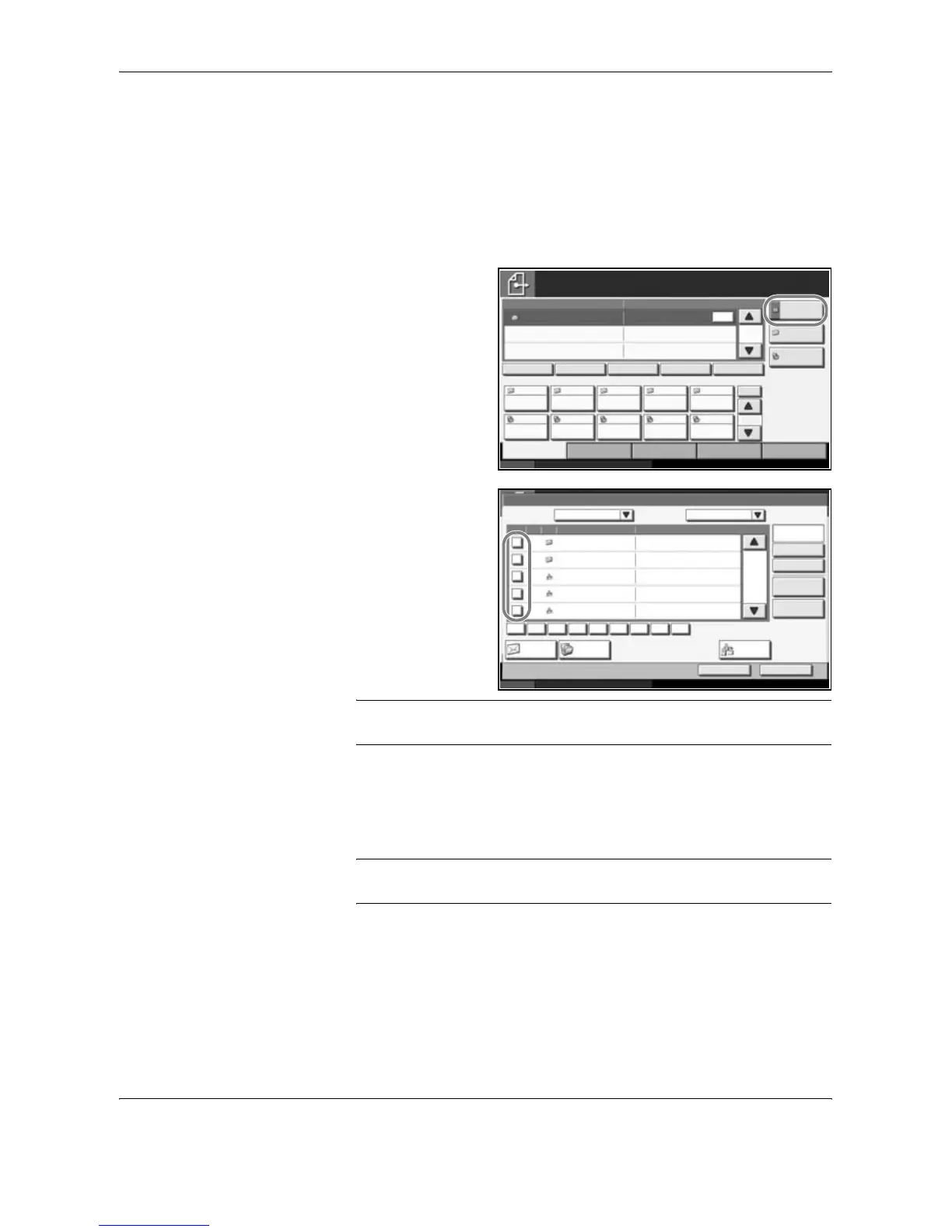
When specifying destination, choose from the Address Book or use the
One-touch Keys.
Choosing from the Address Book
Select a destination registered in the Address Book.
1
In the basic screen
for sending, press
[Address Book].
2
Press the checkbox
to select the desired
destination from the
list. You may choose
multiple
destinations. The
selected
destinations are
indicated by a
checkmark in the
check box.
NOTE: To cancel the selection, press the check box and remove the
checkmark.
3
When sending as E-mail, press [To:], [Cc:] or [Bcc:] to change the recipient
status if necessary.
4
Press [OK] to register the selected destination in the destination list.
NOTE: To delete a destination in the list, select the destination and press
[Delete].
Status 10/10/2007 10:10
Place original.
Ready to send.
Destination
Type of Original/
Transmission
Quick SetupDestination Color/Image Advanced
Setup
Destination Detail
ABC SCANDATA
No.
1/10
1/1
Executing TX job **.
1
To:
Address
Book
Folder Path
Entry
E-mail
Addr Entry
AAA BBB CCC DDD EEE
FFF GGG HHH III JJJ
004003 005001 002
006 007 008 009 010
Chain Detail/Edit Delete RecallOn Hook
Status 10/10/2007 10:10
Place original.
Cancel OK
GroupE-mail
Dest.
Executing TX job **.
Search(Name)
Search(No.)
No. Type Name Detail
Folder
ABC DEF JKL MNO PQRS TUV WXYZGHI 0-9
Detail
Address Book SortAddr Book
0001
0002
0005
0004
0003
AAAAA abcd@efg.com
BBBBB tuvw@xyz.com
Group 1
Group 2
Group 3
Name
Edit
Address Book
0001
/
0002










 To Next Page