Basic Operation
3-60 OPERATION GUIDE
If Reserve Next Priority Setting is set to Off
The Copying screen appears in the touch panel during printing.
1
Press the Stop key
or [Cancel].
The current print job
is cancelled.
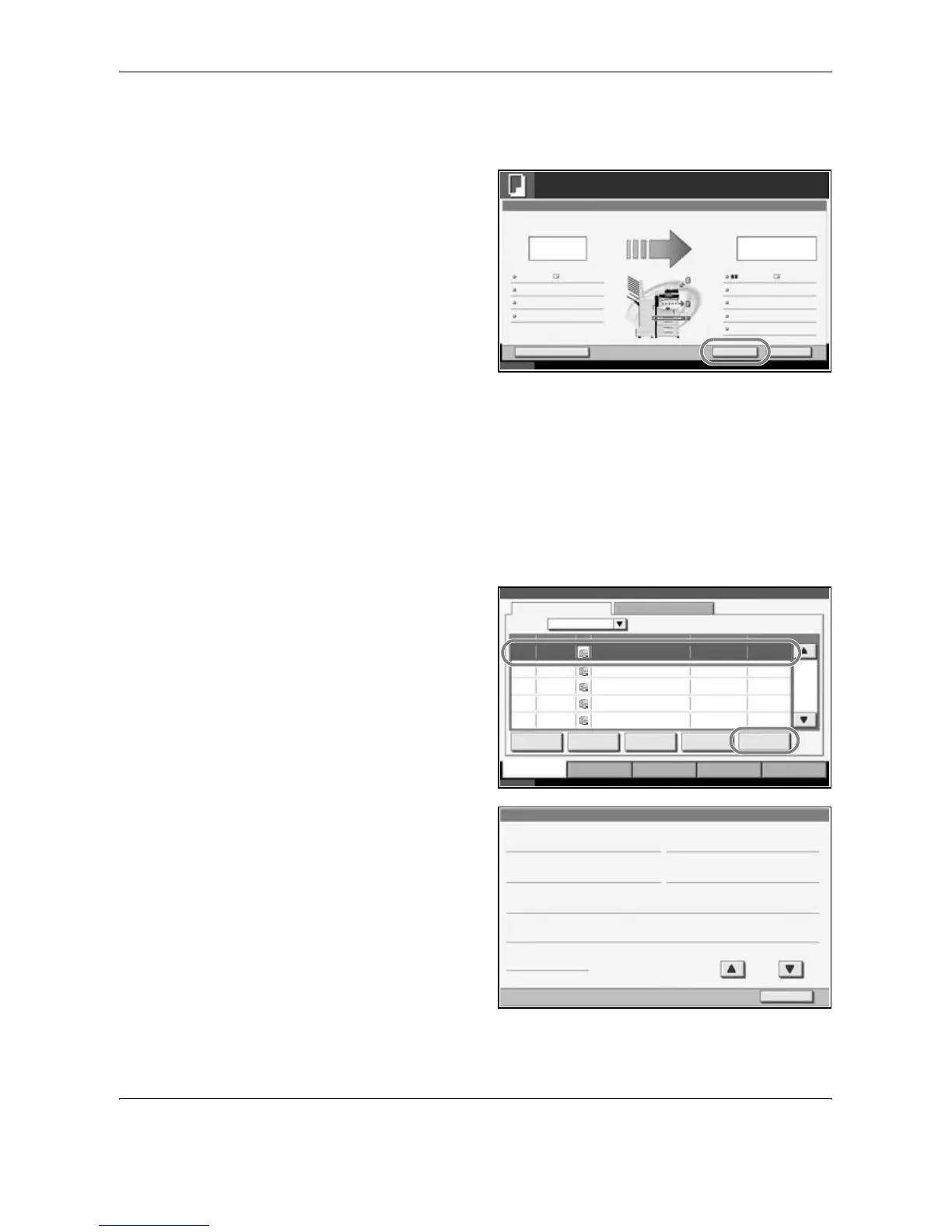
Checking the Job Status
View the status of the job being executed or waiting.
The procedure for checking the job status is explained below.
1
Press the Status/Job Cancel key.
2
Press any of [Printing Jobs], [Sending Jobs] or [Storing Jobs], and then
press [Status].
3
Select the job you
wish to view and
press [Detail].
4
Details of the
selected job will be
displayed.
Cancel Reserve NextInterrupt
Status
10/10/2006 10:10
Copying...
Copies
Scanner Setting
24
Copies
Printer Setting
Collate
Top Tray
Top Edge Top
100%
Original Pages
Job No.: Job Name: User Name:000021 doc 20060505113414 -----
2-sided
2-sided
2
A4 PlainA4
242/
Status
Status Log
All
Job No. Accepted Time Type
438
Job Name User Name Status
14:44 doc20070225144435 Waiting
001/002
Pause All
Print Jobs
Cancel Priority
Override
Detail
Printing Jobs Sending Jobs Storing Jobs Device/
Communication
Paper /Supplies
Status 10/10/2007 10:10
Move Up
439 14:45 doc20070225144511 Waiting
440 14:45 doc20070225144527 Waiting
441 14:46 doc20070225144633 Waiting
442 14:46 doc20070225144644 Waiting
Job Type
Detail Job No.:
Close
Job No .: Status:
Job Type: Copies:
User Name:
Job Name:
Accepted Time:
1/2
Printing Job - Copy
Printing000091
ABCDE
5/7
doc20070404135151
13:51:51
000091










 To Next Page