Basic Operation
OPERATION GUIDE 3-61
3
NOTE: Press [S] or [T] to view next details. In the sending job, view the
destination by pressing [Detail] of Destination or Status/Destination.
5
Press [Close] to end viewing.
Viewing the Job Log
View the jobs that have been finished or canceled.
The procedure for viewing the job log is explained below.
1
Press the Status/Job Cancel key.
2
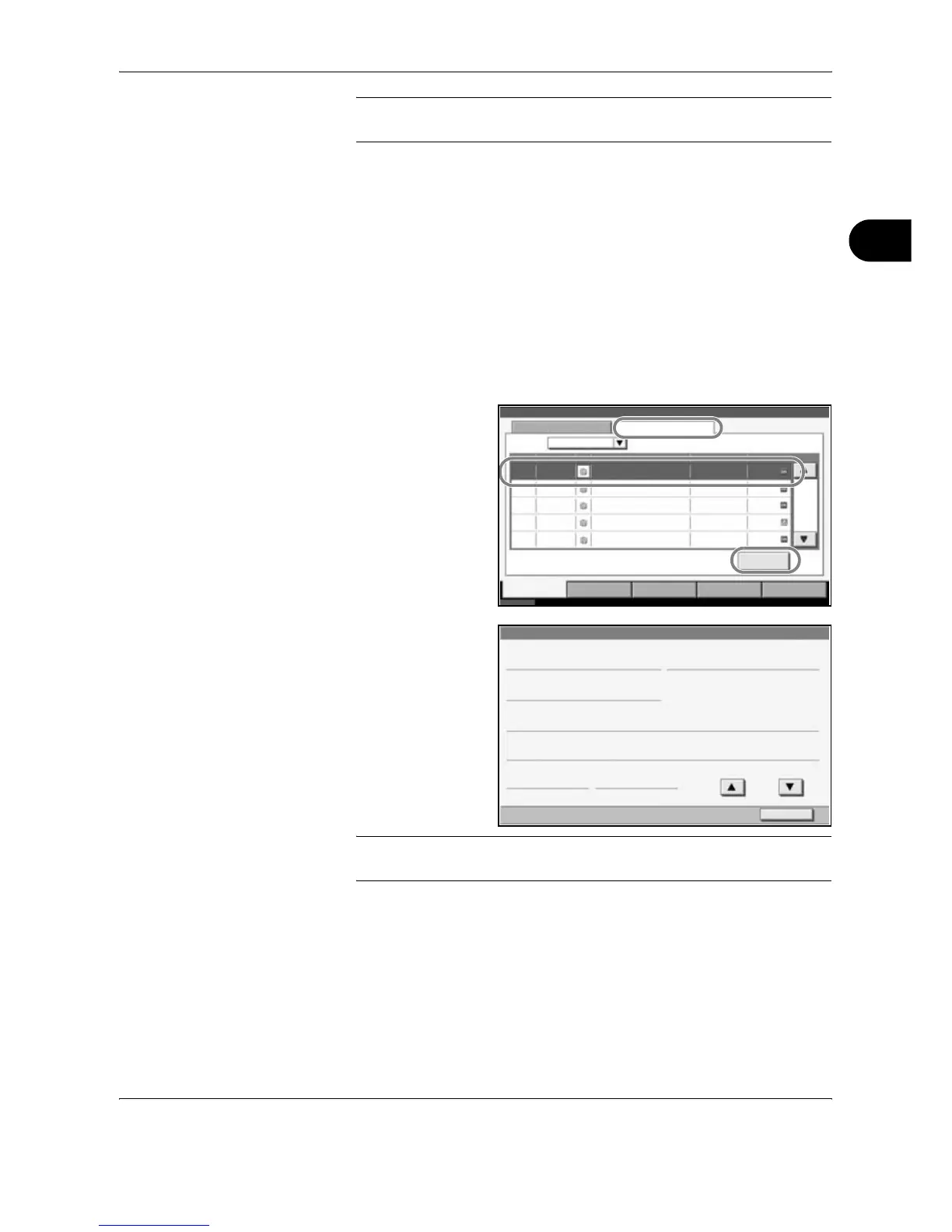
Press any of [Printing Jobs], [Sending Jobs] or [Storing Jobs]. Then press
[Log].
3
Select the job you
wish to view and
press [Detail].
4
Details of the
selected job will be
displayed.
NOTE: Press [S] or [T] to view next details. Press [Detail] of Destination
or Status/Destination in the Sending Jobs to view the destinations.
5
Press [Close] to end viewing.
Print Job Suspension and Interruption (Priority Override)
Suspend the current print job temporarily to run a more urgent queued job.
This is referred to as Priority Override.
Status Log
All
Job No. Date Type
doc20070225141427
User Name Result
OK000080 02/25 14:14
Status
Job Name
001/001
Printing Jobs Sending Jobs Storing Jobs
Device/
Communication
Paper /Supplies
Status Executing TX job **. 10/10/2007 10:10
Detail
doc20070225142253 OK000081 02/25 14:22
doc20070225142310 OK
000082 02/25 14:23
doc20070225142458 NG
000083 02/25 14:24
doc20070225143034 OK
000084 02/25 14:30
Job Type
Detail Job No.:
Close
Job No .: Result:
Job Type:
User Name:
Job Name:
Accepted Time:
1/2
End Time :
Printing Job - Copy
000091
ABCDE
OK
doc20070404135151
13:51:51 13:52:25
000091










 To Next Page