Basic Operation
OPERATION GUIDE 3-7
3
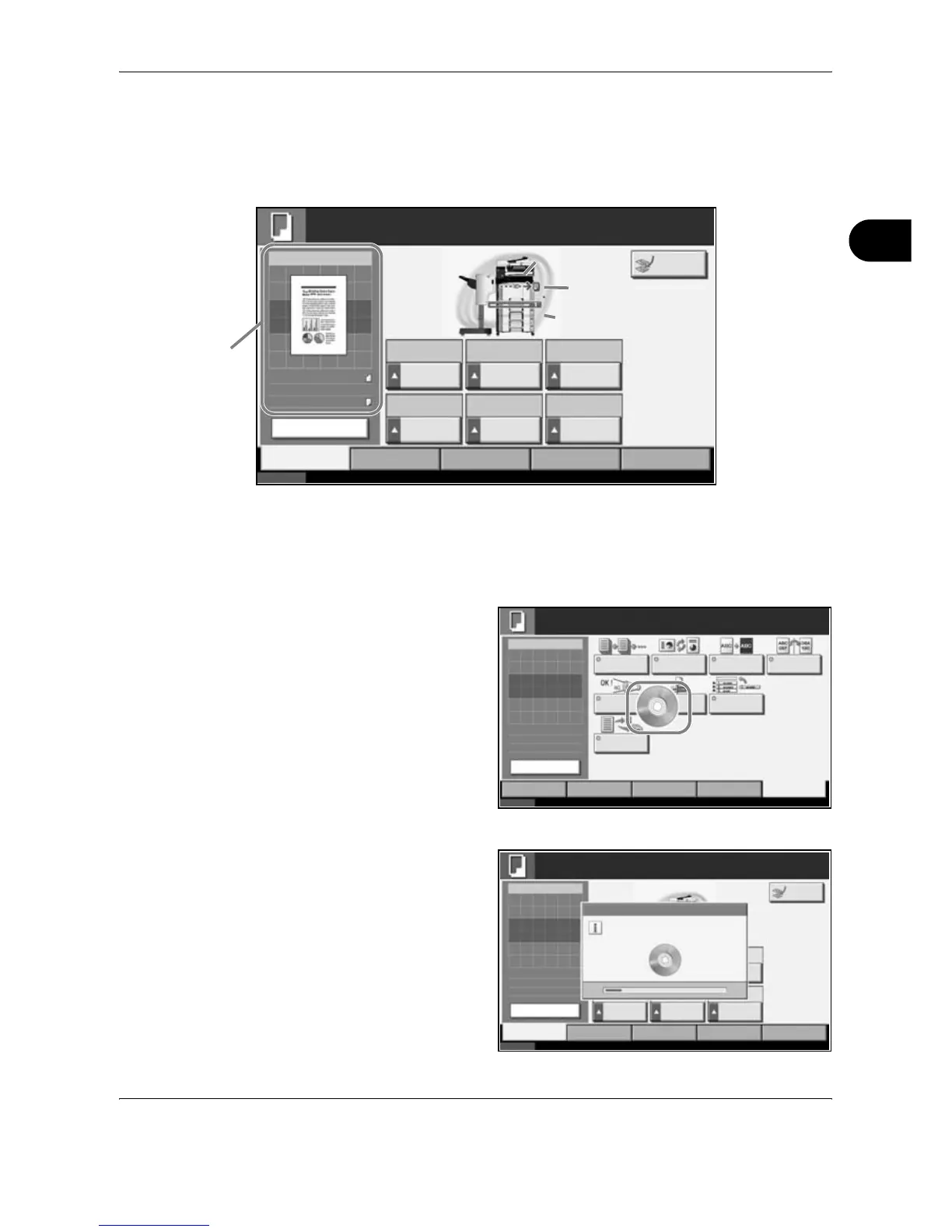
Touch Panel Display
Display for Originals and Paper
The touch panel displays the selected paper source and output tray.
Display when the Screen Changes
The stand-by display (icon) may appear when the touch panel screen
changes.
Normal stand-by display
Stand-by Display When System Menu Operation Is Completed
When the system
menu operation is
completed and
another function
(such as copying) is
used, the display
shown appears.
Status 10/10/2007 10:10
Advanced
Setup
Ready to copy.
Original
Zoom
Paper
Copy Image
Zoom Density Original
Size
Duplex Original
Image
Collate/
Offset
1-sided
>>1-sided
Text+Photo Collate
100% Normal 0 Auto
Layout/EditImage
Quality
Org./Paper/
Finishing
Quick Setup
Copies
1
100%
Letter
:
:
:
Letter
Change Setting
Interrupt
Original position
Size/orientation of
original and paper
Paper
source
Output
tray
A4
A4
Status 10/10/2007 10:10
Advanced
Setup
Ready to copy.
Original
Zoom
Paper
Copy Image
Continuous
Scan
Job Finish
Notice
Mirror
Image
Auto Image
Rotation
Negative
Image
Layout/EditImage
Quality
Org./Paper/
Finishing
Quick Setup
Copies
1
Set Original.
100%
---
:
:
:
---
Priority
Override
Repeat
Copy
Preview
Status 10/10/2007 10:10
Image
Quality
Ready to copy.
Set Original.
Copies
Copy Image
Org./Paper/
Finishing
Quick Setup Layout/Edit Advanced
Setup
1
Please wait.
Duplex Original
Image
Collate/
Offset
Original
Zoom
Send
100%
---
:
:
:
---
Processing data.
Preview
Interrupt










 To Next Page