Optional Equipment
OPERATION GUIDE 4-7
4
4
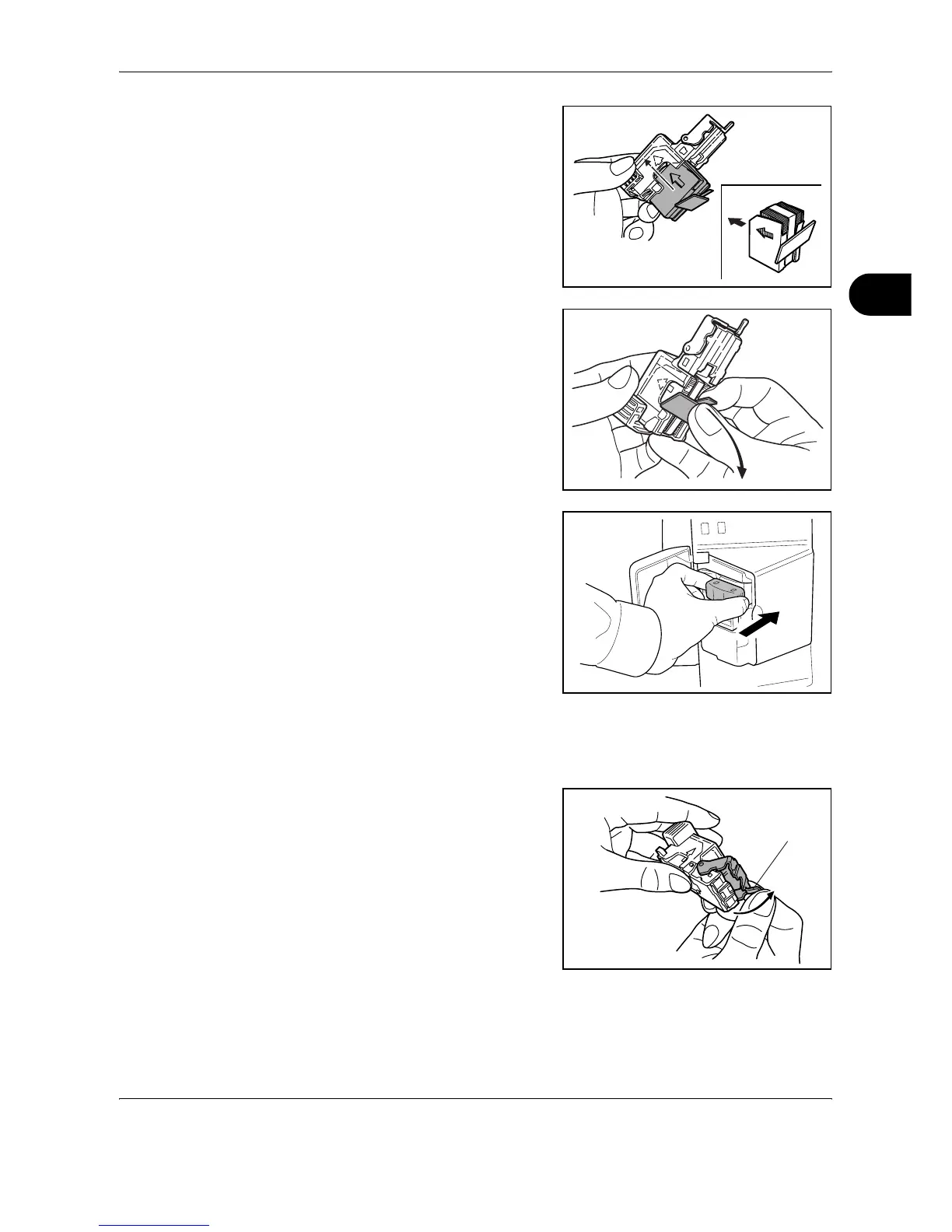
Holding the staple holder in
your left hand and a new
staple case in your right hand,
insert the staple case into the
staple holder in the direction of
the arrow.
5
Insert the staple case fully as
far as it will go. Pull to remove
the paper tape wound on the
staple case.
6
Insert the staple holder into the
slot of the staple unit again.
When fully inserted, the staple
holder locks with a clicking
sound.
Clearing Staple Jams
1
Pull out the staple holder referring to steps 1 and 2 of Adding Staples.
2
Holding the knob A on the face
plate of the staple holder, lift
the face plate.
A





 To Next Page