Basic Operation
3-12 OPERATION GUIDE
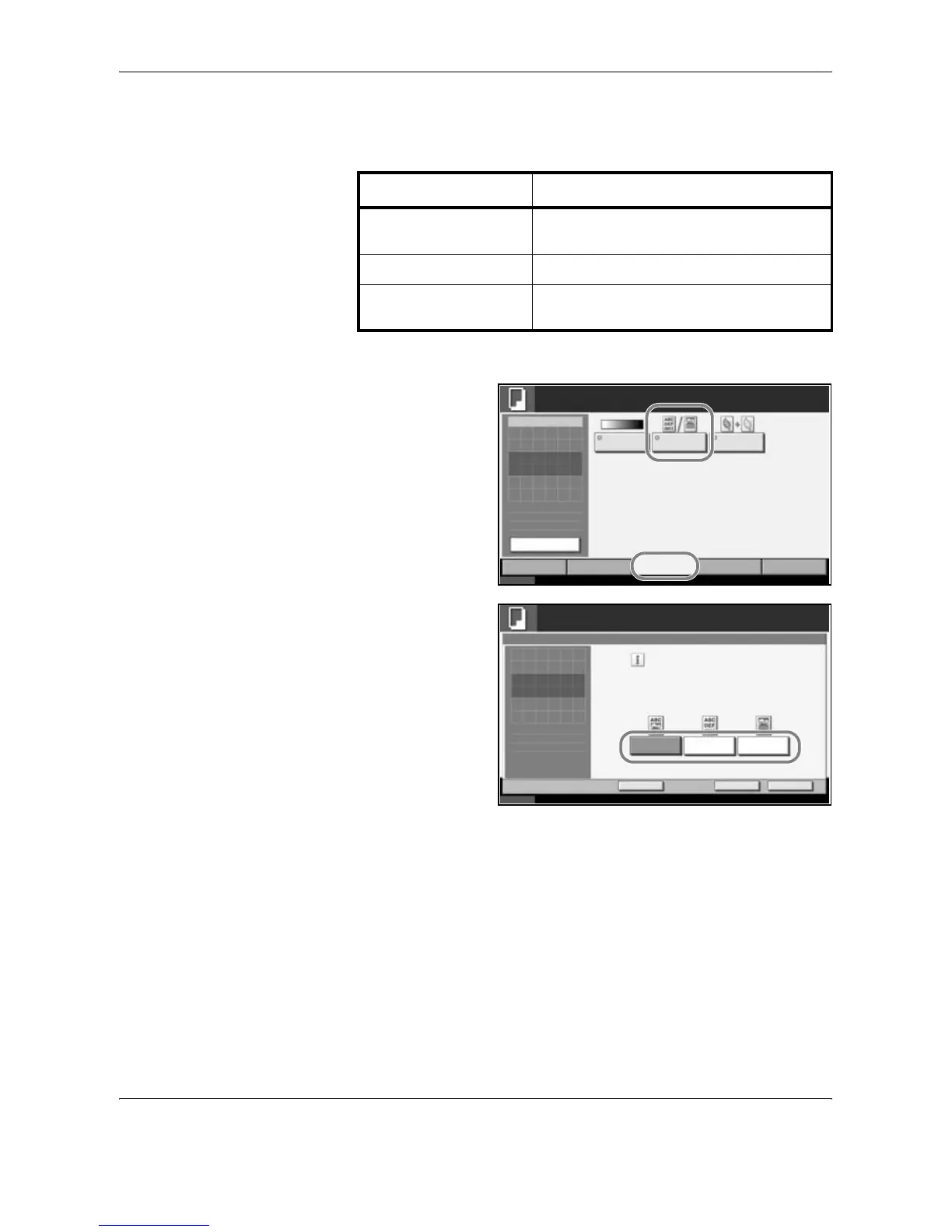
Selecting Image Quality
Select image quality suited to the type of original.
The procedure for selecting the quality of copies is explained below.
1
Set the original on
the platen and press
[Image Quality] ->
[Original Image].
2
Select the image
quality.
3
Press [OK].
4
Press the Start key. Copying begins.
Image Quality Option Description
Text+Photo For originals with both text and
photographs.
Text For originals primarily consisting of text.
Photo For originals primarily consisting of
photographs.
Status 10/10/2007 10:10
Image
Quality
Set Original.
Copy Image
Org./Paper/
Finishing
Quick Setup Layout/Edit Advanced
Setup
Density
Copies
Original
Image
EcoPrint
1
Original
Zoom
Paper
100%
---
:
:
:
---
Ready to copy.
Preview
Status 10/10/2007 10:10
Ready to copy.
Press [OK] to display
Copies
Cancel OK
Original Image
Select original document type
for best copy results.
[Text + Photo ]: Text and photos together .
[Text]: Only text, no photos.
[Photo]: Only photos, no text.
Text PhotoText+Photo
1
the image.
Add Shortcut










 To Next Page