Appendix-2 OPERATION GUIDE
Character Entry Method
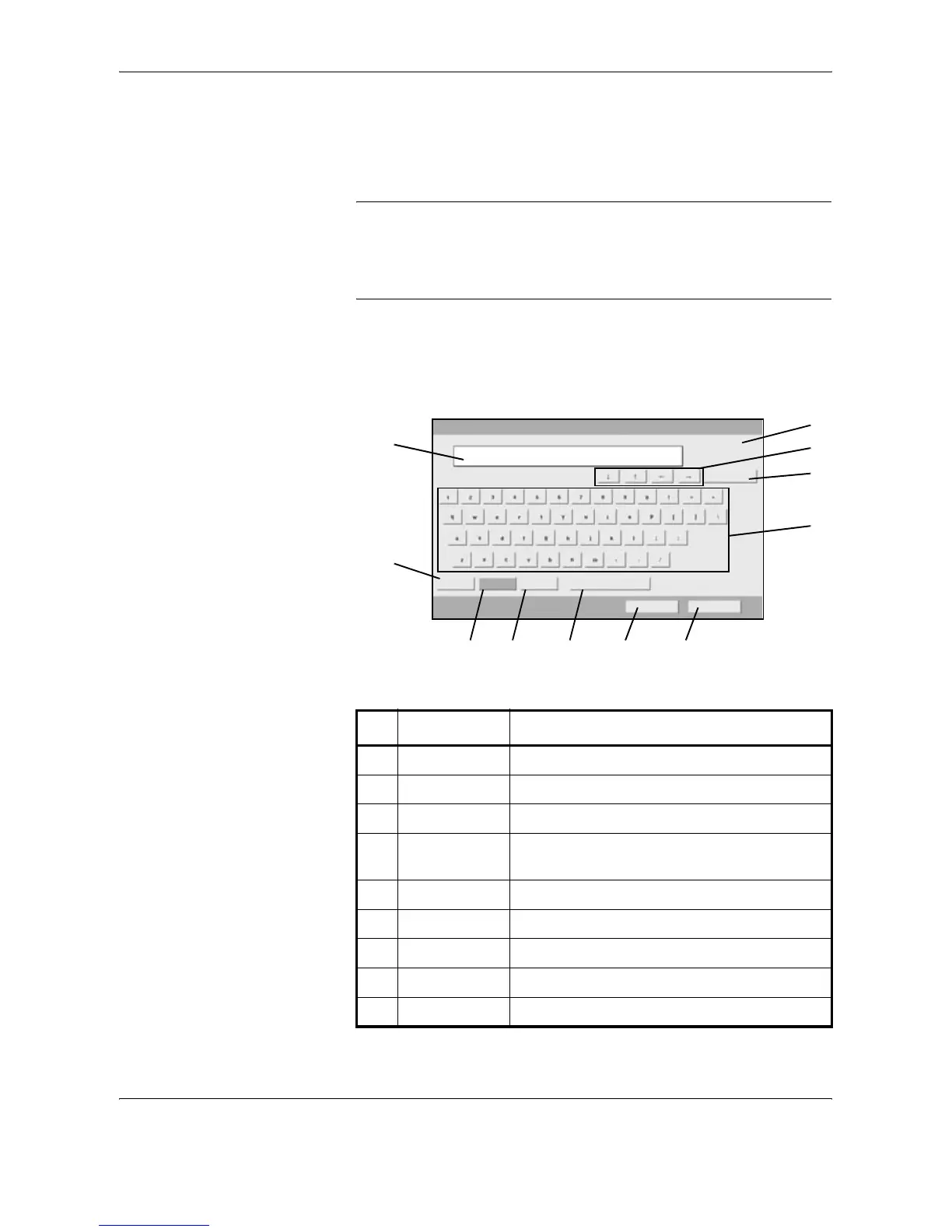
To enter characters for a name, use the on-display keyboard in the touch
panel following the steps as explained below.
NOTE: QWERTY, QWERTZ and AZERTY are available as keyboard
layouts the same as a PC keyboard. Press the System Menu, [Common
Settings] and then [Change] of Keyboard to choose desired layout.
QWERTY layout is used here as an example. You may use another layout
following the same steps.
Entry Screens
Lower-case Letter Entry Screen
No. Display/Key Description
1 Display Displays entered characters.
2 Limit Display Displays maximum number of characters.
3 Cursor Key Press to move the cursor on the display.
4 [Backspace] Press to delete a character to the left of the
cursor.
5 Keyboard Press a character to enter.
6 [Upper-case] Press to use upper-case letters.
7 [Lower-case] Press to use lower-case letters,
8 [No./Symbol] Press to enter numbers and symbols.
9 [Space] Press to insert a space.
Use the keyboard to enter.
Backspace
Upper -case Lower-case No./Symbol Space
Cancel OK
Path
Input : characters
Limit: characters
0
126
1
2
4
5
6
7 8 9 10 11
3










 To Next Page