Basic Operation
3-58 OPERATION GUIDE
Canceling/Viewing/Changing Jobs
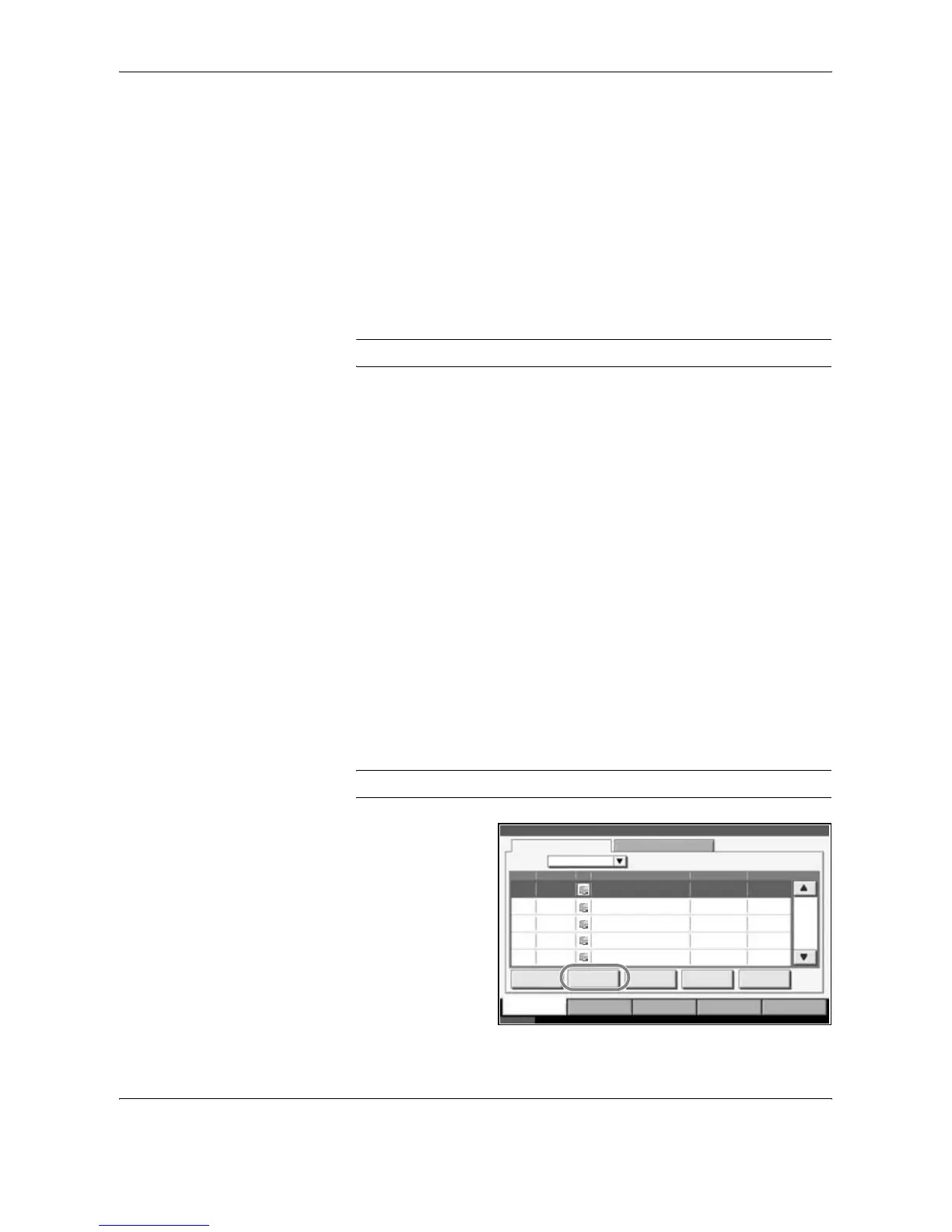
Follow the steps below to cancel any print or send job being executed, view
job detail, or print the waiting print job first (Priority Override).
You can also reorder the print sequence for the queued print jobs.
Job handling operation is done in the Status/Job Cancel screen.
Canceling Jobs
Cancel any job while it is printing, sending or waiting.
NOTE: Printing of data received by fax cannot be cancelled.
The procedure for cancelling a job is explained below.
1
Press the Status/Job Cancel key.
2
Press any of [Printing Jobs], [Sending Jobs] or [Storing Jobs].
Jobs which can be cancelled in each screen are as follows.
[Printing Jobs]: 8 types: Copy job, Printer job, FAX reception, i-FAX
reception, E-mail reception, Job from Document Box,
Report/List, Data from Removable Memory
[Sending Jobs]: 6 types: Sending Job FAX, Sending Job i-FAX, Sending
Job PC(SMB/FTP), Sending Job E-mail, Sending Job
TWAIN, Sending Job Multiple
[Storing Jobs]: 4 types: Storing Job Scan, Storing Job Printer, Storing Job
FAX, Storing Job i-FAX
3
Select the job you wish to cancel and press [Cancel]. Canceling will appear
of Status and the job will be canceled.
NOTE: The canceled job will be displayed in the Log screen.
Status
Status Log
All
Job No. Accepted Time Type
438
Job Name User Name Status
14:44 doc20060225144435 Waiting
001/002
Pause All
Print Jobs
Cancel Priority
Override
Detail
Printing Jobs Sending Jobs Storing Jobs Device/
Communication
Paper /Supplies
Status 10/10/2007 10:10
Move Up
439 14:45 doc20070225144511 Waiting
440 14:45 doc20070225144527 Waiting
441 14:46 doc20070225144633 Waiting
442 14:46 doc20070225144644 Waiting
Job Type










 To Next Page