Basic Operation
3-22 OPERATION GUIDE
Interrupt Copy
This function allows you to pause the current jobs in progress when you
need to make copies immediately.
When interruption copy ends, the machine resumes the paused print jobs.
The procedure differs depending on the Reserve Next Priority Settings.
If Reserve Next Priority Setting is set to On
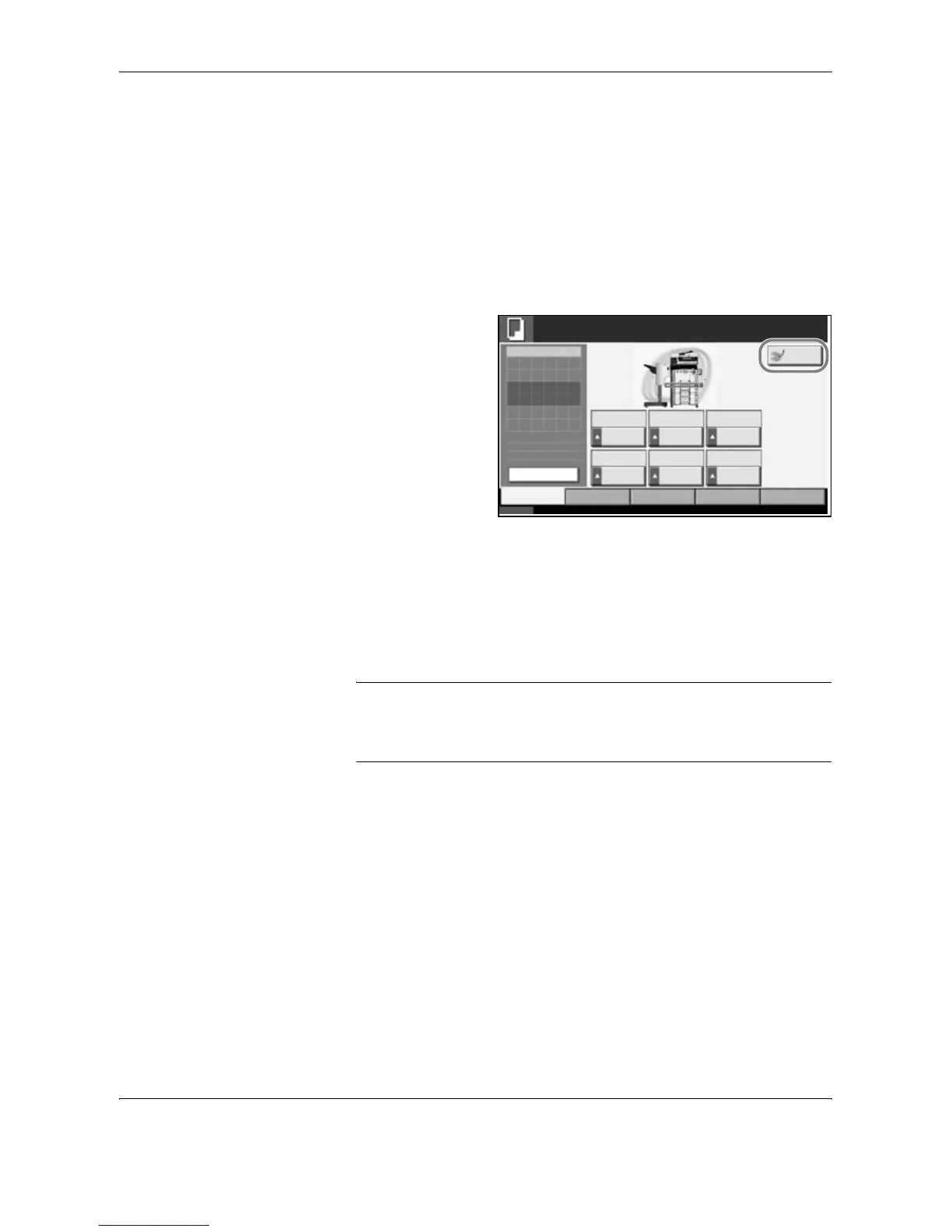
The Copy function default screen appears on the touch panel during
printing.
1
Press [Interrupt].
Ready to interrupt
copy. is displayed.
The current print job
is temporarily
interrupted.
2
Place the originals onto the machine for interrupt copy, and configure the
copy settings.
3
Press the Start key to start interrupt copying.
4
When interrupt copying ends, press [Interrupt].
The machine resumes the paused print jobs.
NOTE: If the machine is left for 60 seconds, interrupt copying is
automatically cancelled and printing resumes.
If you press [Interrupt] while specifying copy settings, the settings are
automatically reset and returns to the default setting.
Status 10/10/2007 10:10
Original
Zoom
Paper
100%
---
:
:
:
---
Image
Quality
Ready to copy.
Set Original.
Copies
Copy Image
Org./Paper/
Finishing
Quick Setup Layout/Edit Advanced
Setup
1
Normal 0 Letter
Zoom Density Paper
Selection
1-sided
>>1-sided
Text+Photo Collate
Duplex Original
Image
Collate/
Offset
Auto
Plain
Preview
Interrupt





 To Next Page