Basic Operation
OPERATION GUIDE 3-25
3
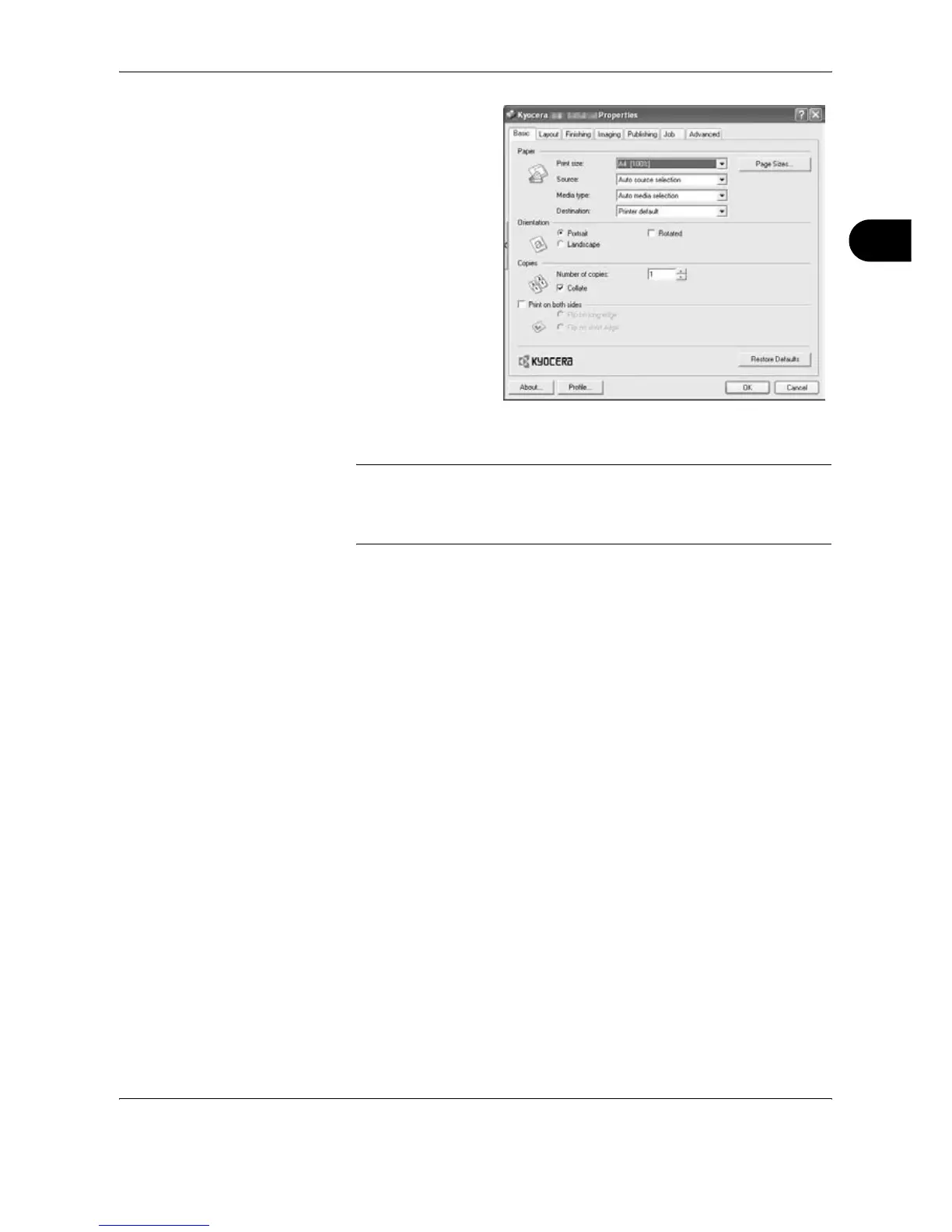
To print on the
special paper such
as thick paper or
transparency, click
the Media Type
menu and select the
media type.
7
Click Source and select the paper source.
NOTE: If you choose Auto Select, papers are supplied automatically
from the paper source loaded with paper of optimum size and type. To
print on special paper such as envelope or thick paper, place it on the
Multi Purpose Tray and select MP Tray.
8
Select paper orientation, either Portrait or Landscape, to match the
orientation of the document.
Selecting Rotate 180° will print the document rotated 180°.
9
Click OK button to return to the Print dialog box.
10
Click OK button to start printing.




 To Next Page