Troubleshooting
6-22 OPERATION GUIDE
5
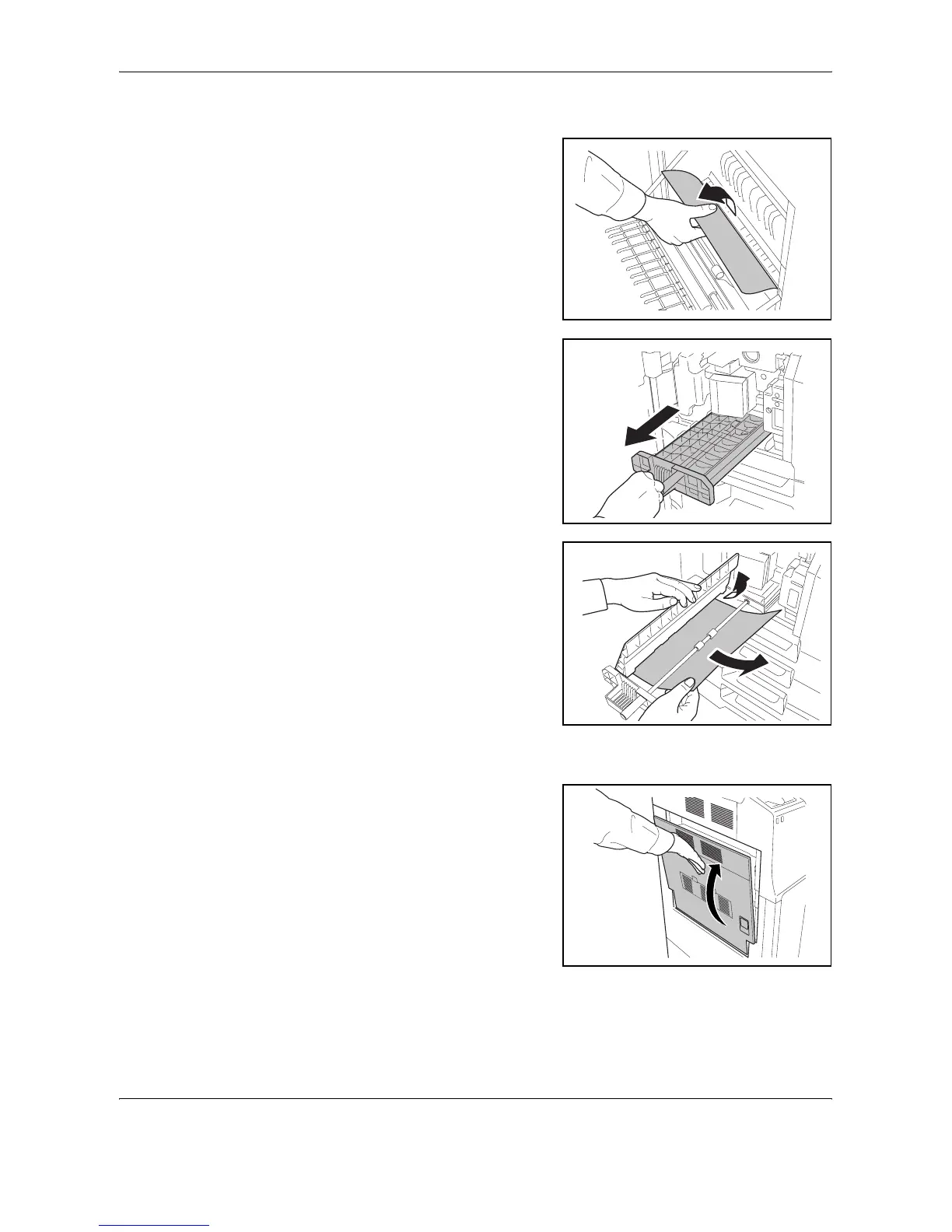
Remove the jammed paper.
If you cannot remove the
paper, proceed with the next
step.
6
Pull out paper feed unit (A2).
7
Open paper feed unit cover
(A3) and remove the jammed
paper.
8
Push paper feed unit (A2) back in place, and close the front cover.
9
Press the specified position to
close left cover 1.










 To Next Page