Preparation before Use
OPERATION GUIDE 2-23
2
1
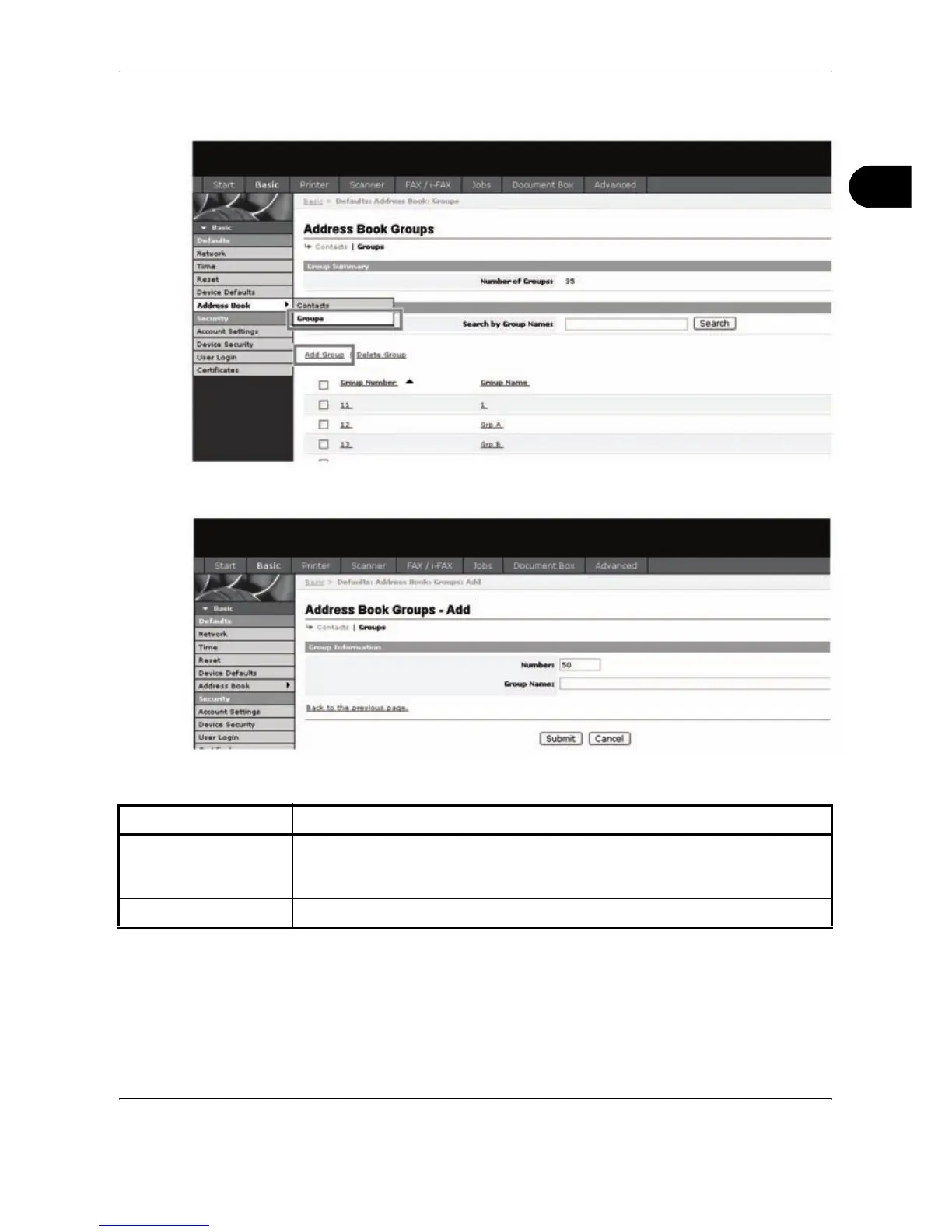
Click Basic -> Address Book Groups -> Add Group.
2
Enter the correct settings in each field.
Enter the following settings in the Add Group screen.
3
Click Submit.
Item Description
Number Enter the group number. You can enter any number between 1 and 2500.
If you enter a number that is already being used and click Submit, an error
message appears.
Group Name Enter the group name. The maximum length of the group name is 32 characters.










 To Next Page