47
EN
Shooting
2
Choosing shutter speed (S: Shutter-Priority AE)
PAS MB
n
In this mode, you choose the shutter speed and the camera automatically sets aperture
for optimal exposure according to subject brightness. Faster shutter speeds appear
to “freeze” fast-moving subjects. Slower shutter speeds add blur to moving objects,
lending them a sense of motion for a dynamic eect.
Slower shutter speeds… Faster shutter speeds…
125 250 800060301560”
…produce dynamic shots with a sense
of motion.
…“freeze” the motion of fast-moving
subjects.
1
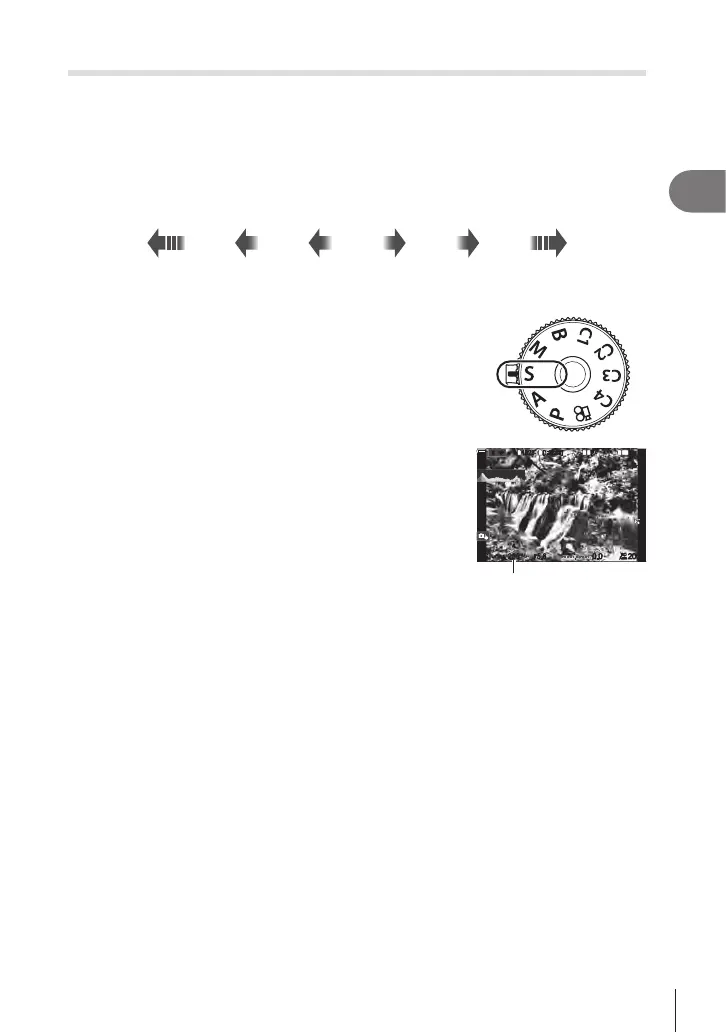
Rotate the mode dial to S.
2
Choose a shutter speed.
• Use the front and rear dials to adjust the following settings.
Front dial: Exposure compensation (P. 106)
Rear dial: Shutter speed
• Shutter speed can be set to values between 1/8000 and
60 s.
• Shutter speeds as fast as 1/32000 s are available
in s (silent) mode.
g “Shooting without shutter
sound (Silents Settings)” (P. 132), “Performing the
sequential/self-timer shooting” (P. 126)
SS
1
10231023
1
/
2501
/
F
250 5.65.6
1
1
[
1
:
02
:
03
][
1
:
02
:
03
]
FF
60p60p L
-
8L
-
8
S
-
AFS
-
AF
33
ISO
ISO
00
+
-
0
%
0
%
OO
Shutter speed
• The aperture selected automatically by the camera will appear in the display.
• Exposure compensation can also be adjusted using the F button. Press the F
button and then rotate the front or rear dial.
3
Take pictures.
%You can choose the functions performed by the front and rear dials. g “Assigning Roles
to the Front and Rear Dials (KDial Function / nDial Function)” (P. 216)
%You can use the Fn lever to reverse the roles of the front and rear dials. The lever can also
be assigned other roles. g “Customizing the Fn Lever (Fn Lever Settings)” (P. 219)
%You can choose whether the display reects the eects of exposure compensation or
maintains a constant brightness for ease of viewing. g “Changing the look of the
display (KLV Mode)” (P. 225)
%To achieve the eect of a slow shutter in brightly-lit settings in which slow shutter speeds
are not otherwise available, use the live ND lter. g “Slowing the Shutter in Bright Light
(Live ND Shooting)” (P. 158)
%Depending on the shutter speed selected, you may notice banding in the display caused
by icker from uorescent or LED light sources. The camera can be congured to reduce
the eects of icker during live view or when pictures are taken. g “Reducing Flicker
in Photographs (Anti-Flicker Shooting)” (P. 135), “Reducing Flicker Under LED Lighting
(KFlicker Scan / nFlicker Scan)” (P. 108)






 To Next Page